



Home
 BlogServices and ToolsWhich AI Detector Is Most Accurate – Copyleaks, Originality AI, ZeroGPT, or QuillBot?
BlogServices and ToolsWhich AI Detector Is Most Accurate – Copyleaks, Originality AI, ZeroGPT, or QuillBot?
Which AI Detector Is Most Accurate – Copyleaks, Originality AI, ZeroGPT, or QuillBot?
Services and ToolsThe We–Right team tested the top AI detectors with real texts and selected the most effective tools. Although our site may have affiliate links, each of our reviews is independent and created with strict adherence to all editorial guidelines.
AI detector is a special software that tests texts for the presence of artificial intelligence. This is extremely important in today’s realities – texts with AI will be negatively perceived by Google and other search engines and simply won’t allow you to achieve the desired ranking results. As chatbots like ChatGPT become more integrated into daily life, more and more detectors are emerging to identify AI-generated content.
As practice shows, when working with such detectors, not all of them are equally effective. Some detect AI content even in texts that are written from scratch by a real author without using chatbots. Today, we will try to simplify the process of choosing the right detector that will meet your needs. We conducted several real tests with identical materials for different platforms and compared the results.
AI Detector Copyleaks
Copyleaks is one of the most reliable AI detectors currently available, trusted by companies around the world. It is suitable for testing texts in English, Polish, Spanish, Greek, and some other languages. One of the service’s features is that you can perform several checks per day for free through the web interface without even creating an account. For more convenient and faster scanning in Copyleaks, there is a Google Chrome extension. Overall, the scanning process takes just a few minutes.
In addition to detecting AI, the Copyleaks can also check texts for plagiarism and assist with content creation. Additional services will be available only in the paid plan.

Copyleaks Pricing
The price of the Copyleaks plan depends on how many credits for checking will be available to you. Also, the more expensive the package you purchase, the more additional features it will include. If you need the Copyleaks on a regular basis, it’s better to pay for annual access right away, as two months will be completely free.
The optimal plan for regular use Copyleaks is $13.99 per month with annual payment, which includes:
- Up to 1,200 credits – 1 credit equals 250 words;
- Pause your account at any time;
- Detection in multiple languages;
- Plagiarism detection available;
- Paraphrasing detection;
- Detects texts from the most popular AI models, including ChatGPT, Gemini, and Claude, with over 99% accuracy.

Copyleaks also offers custom solutions tailored specifically to your company. To start a partnership, just contact customer support to discuss all the details.
How to check a text using Copyleaks AI Detector
You can test texts without registration in Copyleaks, and several free checks will be available to you per day. If you create an account (the simplest option is through Google), the number of free checks will increase. To check a text with the detector Copyleaks, follow these steps:
- Go to the Copyleaks official website and select the “Products” section in the top navigation menu. In the opened menu, choose “AI detector.”
- Paste the text you want to check into the detector window. Note that in the free version, you can scan up to 25,000 characters.
- Click the “Scan” button and wait for the result to appear.

Comparison of results Copyleaks between ChatGPT text and human content
For the Copyleaks review, we prepared two texts. One was completely written from scratch by a human without using any additional tools. The other text was fully generated by ChatGPT. In each detector, we will check both texts to compare the results. Let’s start with the fully generated text; as you can see in the screenshot, the detector Copyleaks shows the correct result – the text is 100% AI.

The next text uses human writing. The result is also quite accurate – no issues were found in it.

Our verdict – the Copyleaks is quite simple to understand, provides accurate results, and the free version will be sufficient for basic testing needs.
AI Detector Originality AI
Originality AI is another AI detector that is gaining attention among copywriters and companies producing written content. One of its main features is the availability of additional tools for text testing—plagiarism check, fact-checking, and readability assessment. In the paid version of the service, you can even set up testing for entire websites to check for AI-generated content. You can use the Originality AI service either through a browser or via a convenient Chrome extension.

Originality AI Costs
Originality AI detector offers its clients three service packages — Pay-as-you-go, Pro, and Enterprise. If you plan to use the service occasionally, the first package will be the best choice. It provides you with 3,000 credits, which can be used over two years. One credit is deducted for every 100 words in the text being tested. For regular use of Originality AI, the “Pro” package is more suitable — each month, you’ll receive 2,000 credits, access to a plagiarism scanner, website checks, and other features.
It’s more cost-effective to pay for the Originality AI annually, as it offers savings. For example, with the “Pro” package, if you pay yearly, you’ll save $24 right away.

Instructions for Checking Text Using Originality AI Detector
To access the Originality AI detector, you’ll need to register on the website. You can do this either by email and password or by quickly signing in through Google.
Then, select the appropriate package and make the payment using a bank card or Google Pay. The scanning in Originality AI process itself includes the following steps:
- Log into your account Originality AI and click on the “Scanning” button in the left sidebar, then choose “New Scan.”
- Paste the text you want to test into the window. Next, select the desired options for checking—AI detector, Plagiarism, Readability, Fact-Checking.
- Click the “Scan” button at the bottom of the window and wait for the test to complete. The result will be shown as a percentage.

Comparison of Results Originality AI from ChatGPT Text and Human Content
Let’s go back to the Originality AI detector check on real texts. Scanning the generated text was accurate—the detector identified it as 100% written by ChatGPT.

However, when scanning human text, issues arose. Regardless of the chosen testing model, the result was the same—the text was identified as 100% generated. Even paraphrasing, adding facts, personal experience, and other information didn’t yield a different result in Originality AI.

Verdict — The results of Originality AI are quite questionable, as all human-written text is marked as generated, even though no AI tools were used to create it. The Originality AI service definitely deserves attention, but only for its additional features. It’s not recommended to use it as an AI detector.
AI Detector ZeroGPT
ZeroGPT is an AI detector that also works with multiple results. We tested it in English, Spanish, Dutch, and German, and no restrictions were found. It made it into our selection mainly because it can be used for free—this option fully covers basic needs. You can check in ZeroGPT up to 10,000 characters of text at once, which fits most written texts. Another advantage is that there are no limits on the number of scans in the free version.
Other services on the site ZeroGPT, available for free but with some limitations, will also be accessible. For example, right here, you can rephrase up to 300 words to improve your AI detector results.

Read also our article: Originality AI Checker – Detailed Review, Price List, and Tests
Cost of ZeroGPT
If you want to expand the scanning volumes for AI detector ZeroGPT and get rid of the rather annoying ads on the website, choose one of the service packages. As with other services, it’s better to pay for a full year of access to save on purchasing.
The maximum package gives you the following options to use ZeroGPT:
- No ads at all;
- Testing up to 150,000 characters of text at once;
- History of all your findings (text not included);
- 3,500 prompts in ZeroCHAT-5;
- 40,000 words per month for plagiarism checking;
- 10,000 words in AI Summarizer;
- 5,000 words in AI paraphrasing and other features.

How to Use AI Detector ZeroGPT
To start using the basic features of the detector ZeroGPT, no registration is required. Let’s take a closer look at the scanning process:
- Go to the official ZeroGPT website, click on the “Product” tab, and select “AI/GPT Detector” from the available options.
- Paste the text into the window and click the “Detect Text” button.
- Wait for the result, which will appear in the field below.

Comparing Results ZeroGPT from ChatGPT and Human Content
Let’s move directly to testing ZeroGPT. The process of checking each text took only a couple of seconds. First in line was a generated text, and the result was fairly accurate, with only the title being considered human-written.

Next, we tested in ZeroGPT a text written from scratch by our author. The results were better than those of the previous AI detector, but still raise some questions. The service itself indicates that the text was written by a human, though some parts were phrased by a chat.

Verdict—The ZeroGPT works clearly better than Originality AI, but the results are still not entirely accurate. It can be used alongside other detectors to better identify problematic sections.
AI Detector QuillBot
Another AI detector that made it to our review today is QuillBot. The key feature of the service is the variety of additional tools that can help improve your text after it’s written — a translator, paraphrasing tool, spell checker, and a summarizer for your text. Overall, the tool can be used for free — all tools are available but with some limitations.
A free Chrome extension is also available. Currently, the QuillBot is suitable for detecting AI content in texts written in English, French, Spanish, and German. You can check either copied text or uploaded files.

Cost of QuillBot
At the moment, there is only one premium plan QuillBot available that removes any restrictions related to the amount of text being checked. For example, in the free version, you can only paraphrase up to 125 words and check only 1,200 words for AI content, but the paid version has no such limitations. The paid plan QuillBot costs $4.17 per month with annual billing.

How to Check Text Using the AI Detector QuillBot
To check your text with QuillBot AI detector, follow these steps:
- Go to the QuillBot website and select “AI Detector” in the left-hand menu.
- Paste your text into the form. Choose the language at the top.
- Click on the “Detect AI” button to start the scanning process. The results will appear on the right side as a percentage.
Comparison of Results QuillBot from ChatGPT Text and Human Content
Let’s move on to the tests QuillBot, starting with the text generated by ChatGPT. The result is predictable — the text is 100% AI-generated, and no detector from our list has missed that today.

With human text, everything is great as well — the AI detector QuillBot identified that it was entirely written by a person with no assistance from ChatGPT or other content generators.

Verdict — QuillBot – Another fairly accurate detector that immediately identified the generated text and did not find any issues with the human content. The free functionality is a plus — if you’re checking texts up to 1,200 words, it should be more than enough for you.
Expert Opinion on AI Detectors from the Selection
As you may have already noticed, nearly every detector shows different results. Very often, even fully human-written text is identified as generated. Our analysis and testing using real texts helped us identify two favorites – Copyleaks and QuillBot. Both accurately detected both AI-generated content and human-written text.
FAQ
Should you trust an AI Detector 100%?
No, even the most accurate detector doesn’t guarantee 100% results when detecting AI. You should check texts using multiple services and also use common sense when testing them.
Which AI Detector allows free text testing?
All of the AI detectors listed above have free functionality, but with some limitations. This might be the number of available checks per day or limits on the volume of text being checked.
How to reduce AI content in a manually written text?
Try to avoid verbs with -ing, filler words like However, So, Furthermore, as well as constructions with Although, While. Also, make sure apostrophes in the text are consistent in format.
Can paraphrasing tools be used to improve AI Detector results?
In some cases, paraphrasing the text really helps solve issues. However, be sure to check the final version for grammar, punctuation, and typos. Some tools intentionally make mistakes when altering the text.


You might also like
Discover other helpful articles handpicked for you, based on popular topics and recent publications.


A low Surfer SEO score does not always mean a weak page. It is just a guidepost, not a verdict on quality. Let’s find reasons why the score stays low and check the exact steps that improve it fast, and polish the text.
 May 20, 2026
 405
405

Is there a consensus regarding the same text when using AI detectors? We tried Copyleaks, ZeroGPT, Undetectable.ai, Originality, and Turnitin Checker AI to understand which tools will flag AI, and why their results are horrible.
 May 14, 2026
864
May 14, 2026
864

How to check if content is AI-generated? Get to know basic ideas on how to identify patterns, phrasing, and weak depth. Our tests indicate what to look at and how tools assist. See how to verify your text step by step.
May 11, 2026
394
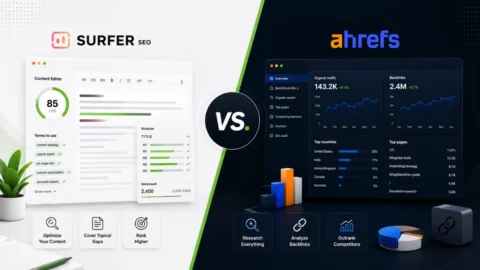
Surfer SEO and Ahrefs solve very different SEO problems. One focuses on content optimization and editorial workflows, while the other is built around research, backlinks, and SEO analysis. In this comparison, the We-Right Factory team breaks down where each tool performs best, what limitations matter in practice, an...
May 7, 2026
281

Grammarly and QuillBot solve different writing problems, and choosing the right one depends on what you actually need. We tested both tools in real writing scenarios – from grammar-heavy drafts to paraphrasing tasks – and broke down six key differences that matter in practice, not in marketing claims.
April 30, 2026
705
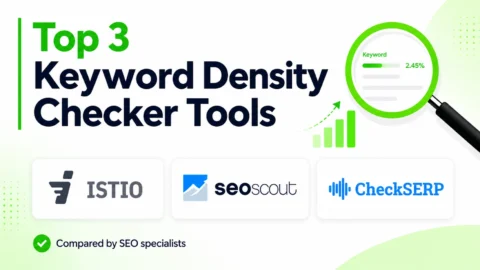
Our We-Right Factory SEO specialists will talk about three of the most popular keyword density checker tools: Istio, Seoscout, and Checkserp. We will explain how to use these services and their key benefits.
April 30, 2026
840
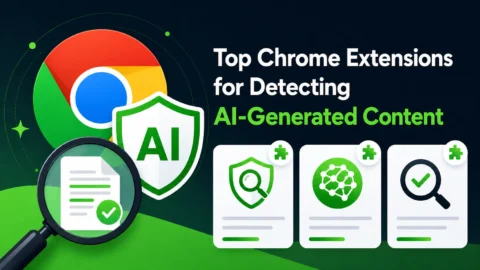
Want to know if a text was written by ChatGPT or a real person? Explore the best AI detectors for Google Chrome – tested tools that reveal how authentic your content really is. We reviewed their features, accuracy, and integrations to help you choose the most reliable option for everyday use.
April 30, 2026
3919
The We-Right Factory team will share all the details about the Copywritely service, including all the available instruments and key benefits and drawbacks. We will also share a simple registration instruction.
April 30, 2026
631
Smodin.io helps you verify text originality, detect AI-generated writing, check plagiarism, and ensure grammatical accuracy. Discover its top 5 tools, pricing, and expert insights in our full review.
February 4, 2026
982
We-Right Factory experts will research the features of the Surfer SEO service and determine whether they are efficient. The article also contains information about premium plans and a registration guide.
February 4, 2026
855
Your First 1,000 Words,
Free of Charge
Free of Charge
See firsthand the quality of our content creation services. Complete the form to get a personalized 1,000-word sample tailored to your needs.