


Home
 BlogServices and ToolsQuillBot vs. Grammarly: 6 Key Differences You Need to Know
BlogServices and ToolsQuillBot vs. Grammarly: 6 Key Differences You Need to Know
QuillBot vs. Grammarly: 6 Key Differences You Need to Know
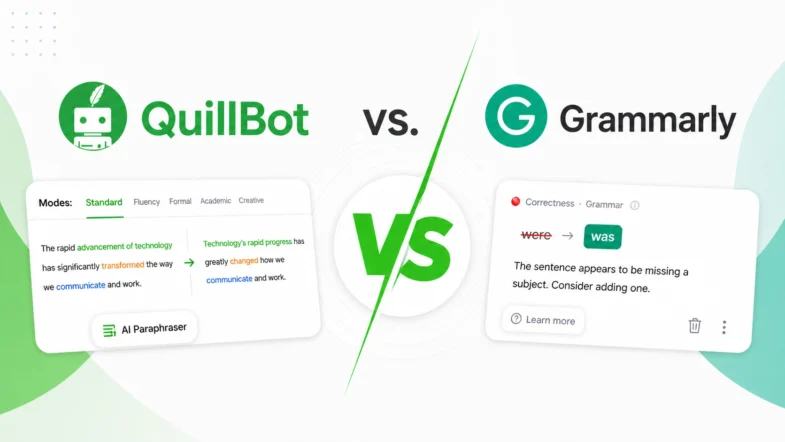
Services and ToolsGrammarly and QuillBot solve different writing problems, and choosing the right one depends on what you actually need. We tested both tools in real writing scenarios – from grammar-heavy drafts to paraphrasing tasks – and broke down six key differences that matter in practice, not in marketing claims.
Grammarly and QuillBot perform writing neatness procedures on your text, although they implement distinct methods to achieve this purpose. Grammarly concentrates on correcting grammar as well as spelling misunderstandings, followed by style issues. QuillBot primarily focuses on text reexpression and summarization. But it also provides a tool for grammar checking. The choice between the programs depends on what type of help you need for your writing.
The We-Right Factory team discusses here 6 main aspects that distinguish the tools from one another. As you finish reading this article, you will have a clear understanding of the tool that matches your writing requirements.
We at the We-Right team offer an unprejudiced comparison of Grammarly and QuillBot. We may include some affiliate links, but that doesn’t alter the facts. We adhere to sound research and actual insights.
What are QuillBot and Grammarly: Facts and Features
Anyone who wants to refine their writing should consider these two convenient tools: QuillBot and Grammarly. Understanding which one best meets your needs depends on how you evaluate each feature and its main benefits.
QuillBot
QuillBot is a tool that offers primary functions for text condensation alongside text rephrasing. Students and professionals alike choose QuillBot for its strong summarizing and paraphrasing capabilities. The application offers 9 writing modes that allow users to adjust the stylistic and tonal aspects of their text. You may benefit from this tool because it supports a wide range of languages for paraphrasing.

Here are QuillBot’s main benefits:
- The Grammar Checker tool within QuillBot scans your text for grammatical mistakes before it finalizes polished written work.
- The text paraphrasing system offers various formatting options (Standard, Fluency, Formal, Shorten, etc.) to help you find the best wording for your content.
- Summarizer provides fast document or article compression, creating short yet precise summaries.
- A Plagiarism Checker is a system that scans your work to check for possible duplicate content.
- Through its Citation Generator, you can automatically convert citations into the correct referencing standards.
We value QuillBot for its flexible paraphrasing and summarization tools, which save time when drafting. Its multiple modes allow you to vary your tone and style. However, we find that its results sometimes lack nuance, so careful proofreading is still necessary.
Grammarly
Grammarly is a tool that helps writers create texts that are both brief and direct. The application enhances tone quality, brevity, and word selection. Additionally, Grammarly’s wide range of supported platforms enables writers to achieve excellent writing standards across all their digital content creation endeavors.

Check out Grammarly’s main benefits:
- Grammar and Spell Check functions within the program to identify errors before your work becomes free of mistakes.
- The convenience tool provides recommendations to reduce the number of repetitive words, maintaining straightforward language.
- The tool enables you to set a formal or casual tone through its guided adjustment features.
- Plagiarism Detection works by comparing your content against numerous databases to verify its originality.
- The system provides wide integration with platforms like Gmail and Google Docs, allowing you to write with confidence across different web applications.
We think that Grammarly is a reliable tool for quick daily revision of drafts. The grammar check and integration with other tools make everyday editing easy. However, sometimes it simplifies the style too much, so we use it more as a helper than a final editor.
QuillBot vs Grammarly: 6 Key Differences
At We-Right Factory, we’ve tested QuillBot and Grammarly to their limits. We’ve thoroughly tested them on key parameters and are ready to provide you with the details. Let’s get into the comparison to help you decide which tool is best suited for your writing needs.
- Grammar Checking Capabilities
Grammarly reveals every grammatical and punctuation problem to users with stellar efficiency. The program detects 250 different errors in rapid succession. Having advanced style-relevant recommendation engines enables this tool to refine your writing, making it polished while maintaining accuracy. The tool provides accurate error detection, making it a worthy choice for professional proofreading situations. It highlights missing letters, incorrect punctuation marks, and grammatical errors in words. Plus, it identifies lexical inaccuracies. For example, when confusing British and American English.

In contrast, QuillBot does have a grammar checker, but it’s more basic. It may overlook minor mistakes that Grammarly would detect. The program allows you to correct errors in grammar, spelling, punctuation and word usage. It also sees nuanced errors and homophones. Still, if you’re searching for a tool that offers in-depth grammar checking, QuillBot may not suffice.

Our Verdict: We consider Grammarly as the most effective solution for grammar verification purposes. The tool’s ability to thoroughly detect errors, along with its sophisticated suggestions, makes it the superior option in this domain.
- Paraphrasing and Rewriting Tools
QuillBot’s strongest feature is its paraphrasing functionality. The tool supports 52 languages and functions specifically as a rewriting tool, offering Standard, Creative, Fluency, and five additional writing modes. The available writing modes in the system enable you to rephrase text according to various vocal and stylistic preferences. You can also benefit from a summarizer tool that transforms lengthy texts into brief outlines through this platform’s interface.

The Grammarly paraphrasing tool set doesn’t include this level of detail. It doesn’t offer a big selection of paraphrasing styles. However, the program guides users in enhancing sentence clarity, while its Generative AI features assist in revising content to some extent. You should look elsewhere for your paraphrasing demands if Grammarly doesn’t meet your desired level of depth.

Our Verdict: Among the two platforms for paraphrasing and rewriting, QuillBot emerges as the most exceptional option. Users choose QuillBot as their primary rephrasing tool for its comprehensive feature set and multiple operating modes.
- Plagiarism Checker
Grammarly has a powerful plagiarism checker that searches your text against billions of web pages. The program allows you to proofread text of up to 10,000 characters per check. This guarantees thorough and precise detection of any plagiarized content. It’s a worthwhile feature for authors who must ensure their work is original.

Read also our article: Smodin.io Review – Top 5 Features of Smodin.io for Content Verification
QuillBot also features a plagiarism checker, but it has a limitation. It’s subscription-only, and even that has a word limit. You can only check up to 25,000 words a month. Still, the results of the check are visible only with an active subscription. This could be a limitation for users who want to check the text several times.
Our Verdict: When it comes to plagiarism detection, Grammarly is the better choice in terms of budget. Its unlimited access and vast scanning ability make it a better solution for comprehensive plagiarism checks. The algorithms for detecting plagiarism in Quillbot are stronger than those of Grammarly. But its main drawback is the inability to see the result of the check (even the smallest text) without a subscription.
- Additional Writing Support Features
Through its platform, Grammarly provides you access to tools that strengthen your writing style. Among them are Proofreader, AI Grader, Citation Finder, AI Detector and Text Humanizer.
QuillBot’s primary tone capability is its diverse range of translation options. Through its SEO optimization tools, the system enhances content to improve search engine rankings. QuillBot’s writing support capabilities include AI Detector, AI Humanizer, Summarizer, and Citation Generator.

Our Verdict: Grammarly offers a more comprehensive writing assistance package than QuillBot. The style improvement features, along with tonality and clarity enhancement tools that QuillBot delivers, exceed what QuillBot provides to users.
- Integration and Accessibility
The Grammarly platform supports more than 500,000 applications and websites, including Google Docs, Microsoft Word, and various social media endpoints. Grammarly distributes its editor across multiple platforms via browser extensions for Chrome, Firefox, Safari, and Edge.
On the other hand, the QuillBot application integrates with Google Docs, as well as Microsoft Word, Chrome, and Slack.
Our Verdict: The integration abilities of Grammarly exceed QuillBot, as Grammarly supports more than 500,000 applications and websites. Along with other supporting evidence, Grammarly emerges as the winner for its vast compatibility range that extends to different platforms.
- Subscription Pricing
Both tools have their free and paid versions. With Grammarly, you may access the following plans:
- Free. It allows you to write without mistakes, see your writing tone, and generate text with 100 AI prompts.
- Pro. In Pro plan, you may rewrite full sentences, generate text with 2,000 AI prompts, detect plagiarism and AI-generated text, and get instant citations in MLA, APA, Chicago.
- Enterprise. In addition to Pro features, you get dedicated support, BYOK encryption, data loss prevention, and unlimited AI prompts.

QuillBot offers two pricing plans – a free version and a Premium subscription. Here is all the information about them:
- Free. This plan enables you to paraphrase up to 125 words, utilize two paraphrasing modes, and create basic summaries. Additionally, the AI Detector function is limited to text inputs of 1200 words or fewer.
- Premium. The subscription allows you to paraphrase unlimited text, create custom summaries, get advanced proofreading, and access unlimited paraphrasing modes plus Google Chrome, Microsoft Edge, macOS, Word, and Android integrations.

Our Verdict: For budget-conscious users, QuillBot’s Premium plan is more affordable. However, Grammarly’s Pro plan offers a broader range of features, which may justify the higher price for some writers.
Grammarly versus QuillBot: Comparison Table
Want to compare Grammarly and QuillBot for quick reference. Take a look at the table, which presents a side-by-side comparison of their fundamental capabilities.
| Grammarly | QuillBot | |
| Grammar Checking | The platform offers sophisticated grammar and spelling functions to provide instantaneous tips, together with a thorough explanation | The basic grammar checker finds most simple errors, yet delivers limited informational feedback during real-time use |
| Paraphrasing and Rewriting | Users can leverage GrammarlyGO and request sentence improvement advice, along with text rephrasing capabilities for their documents | The solution provides users with 9 main modes of paraphrasing, such as Standard, Fluency, and Creative, along with a separate tool for summarizing lengthy content |
| Plagiarism Checker | The plagiarism detection system scans unlimited text contents against billions of web pages, charging customers for premium access | Users with premium subscriptions can use the plagiarism checker, but the tool allows only 25,000 words each month |
| Additional Writing Support | The writing tool improves style, clarity, vocabulary, and tone through automatic tone detection, which verifies message delivery | The tool assists users with tone through various paraphrasing tools combined with SEO optimization functions for better content indexing |
| Integration and Accessibility | The platform works seamlessly with over 500,000 apps and websites such as Google Docs, Microsoft Word, together with various social media programs, and provides Chrome, Firefox, Safari, and Edge browser extensions | The software provides integration between Google Docs, Microsoft Word, and Chrome |
| Subscription Pricing | The premium packages start at $12 each month when operated as an annual bill, and unlock style recommendations and tone correction, along with plagiarism examination tools | Premium subscribers can begin their subscription at $9.95 per month for unlimited paraphrasing capabilities, intense grammar checks, and a monthly word count limit of 25,000 through the plagiarism checker |
| Best For | Writers who need advanced grammar checks and style enhancement capacities, together with a broad range of integration features | Users who focus on composing new content while taking advantage of its summary and fundamental grammar correction features |
Our Experts’ Opinions About Grammarly and QuillBot
To conclude, Grammarly and QuillBot are both tools that add more functionality to your writing. QuillBot is a good solution when you need to rephrase, summarize, or work with multiple languages. Grammarly is the more secure choice if your writing is precise and edited. QuillBot provides more flexibility in the event that you frequently rewrite material, change tone, or write in non-English. You could have both of them. Still, if you need only one, select those that suit your daily routines, writing process, and the tools you use.
FAQ
Is Grammarly better than QuillBot?
Grammarly excels in grammar and style checks; QuillBot is great for paraphrasing. Your choice depends on your writing needs.
Should I use QuillBot or Grammarly for academic writing?
For academic writing, Grammarly’s advanced grammar and style suggestions are beneficial. QuillBot can assist with paraphrasing. Consider using both.
Do professional writers use QuillBot?
Yes, professionals use QuillBot for paraphrasing and summarizing tasks. It’s a handy tool for rephrasing content.
Is QuillBot accurate for grammar?
Yes, QuillBot’s grammar checker is decent, but not as thorough as Grammarly’s. It may miss some errors.



You might also like
Discover other helpful articles handpicked for you, based on popular topics and recent publications.

A low Surfer SEO score does not always mean a weak page. It is just a guidepost, not a verdict on quality. Let’s find reasons why the score stays low and check the exact steps that improve it fast, and polish the text.
 May 20, 2026
 404
404

Is there a consensus regarding the same text when using AI detectors? We tried Copyleaks, ZeroGPT, Undetectable.ai, Originality, and Turnitin Checker AI to understand which tools will flag AI, and why their results are horrible.
 May 14, 2026
863
May 14, 2026
863

How to check if content is AI-generated? Get to know basic ideas on how to identify patterns, phrasing, and weak depth. Our tests indicate what to look at and how tools assist. See how to verify your text step by step.
May 11, 2026
392
Surfer SEO and Ahrefs solve very different SEO problems. One focuses on content optimization and editorial workflows, while the other is built around research, backlinks, and SEO analysis. In this comparison, the We-Right Factory team breaks down where each tool performs best, what limitations matter in practice, an...
May 7, 2026
280
Our We-Right Factory SEO specialists will talk about three of the most popular keyword density checker tools: Istio, Seoscout, and Checkserp. We will explain how to use these services and their key benefits.
April 30, 2026
839
Want to know if a text was written by ChatGPT or a real person? Explore the best AI detectors for Google Chrome – tested tools that reveal how authentic your content really is. We reviewed their features, accuracy, and integrations to help you choose the most reliable option for everyday use.
April 30, 2026
3919
The We-Right Factory team will share all the details about the Copywritely service, including all the available instruments and key benefits and drawbacks. We will also share a simple registration instruction.
April 30, 2026
631
Smodin.io helps you verify text originality, detect AI-generated writing, check plagiarism, and ensure grammatical accuracy. Discover its top 5 tools, pricing, and expert insights in our full review.
February 4, 2026
982
We-Right Factory experts will research the features of the Surfer SEO service and determine whether they are efficient. The article also contains information about premium plans and a registration guide.
February 4, 2026
854

Our We-Right Factory copywriters will complete the ZeroGPT review and determine whether this service is helpful. We'll also compare different premium subscription levels and provide steps for getting started.
January 24, 2026
1939
Your First 1,000 Words,
Free of Charge
Free of Charge
See firsthand the quality of our content creation services. Complete the form to get a personalized 1,000-word sample tailored to your needs.