
 EN
EN
 UA
UA
Home
 BlogServices and ToolsHow to Use The Originality.ai Chrome Extension
BlogServices and ToolsHow to Use The Originality.ai Chrome Extension
How to Use The Originality.ai Chrome Extension
Services and ToolsWant to check your content in just a few clicks? Discover how to install and use the Originality.ai Chrome Extension to detect AI-generated text, plagiarism, grammar issues, and more — right inside your browser.
Originality.ai is a handy tool for checking texts for AI-generated content. We’ve previously reviewed its capabilities, highlighting its key advantages and drawbacks. If you’re satisfied with the functionality of this tool, consider using the Originality.ai Chrome Extension. It offers several interesting features, such as integration with Google Docs.
The team at We-Right Factory has tested the extension and prepared a detailed guide on downloading, installing, and using it. While we may feature affiliate links on our site, all reviews are created strictly in line with our editorial policy.
Key Features of Originality.ai Chrome Extension
Originality.ai Chrome Extension, like the official service website, is mainly designed to check texts for AI-generated content. In our review of Originality.ai, we tested generated texts and content entirely written by humans. The results were rather mixed, as both texts were flagged as AI-generated. Testing results in the Originality.ai Chrome Extension may vary, as the extension uses a unique content-checking mechanism.
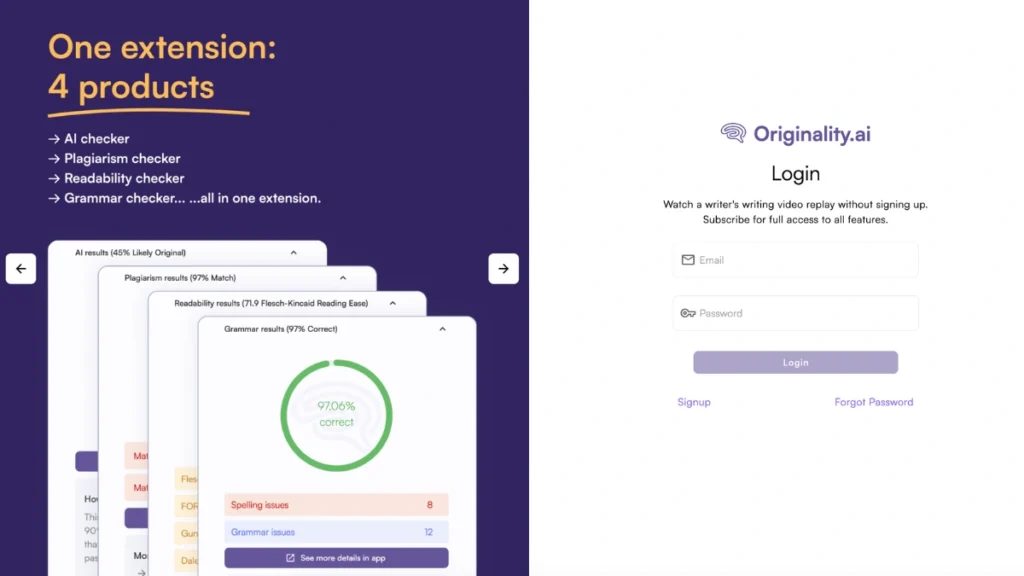
The software can track text writing in real-time, working across multiple tabs and identifying the author. It integrates well with Google Docs, giving access to the following features:
- AI content detection;
- Plagiarism checking;
- Readability testing;
- Grammar and spelling checks.
With the extension, it’s easy to scan test results and add them to reports. This allows you to save the data and quickly share it when necessary.
The Originality.ai Chrome Extension is versatile and will be useful for writers who need to prove the originality of their content, as well as editors who want to double-check documents they’ve received.
How to Download and Install the Originality.ai Chrome Extension
To access the unique features of the Originality.ai Chrome Extension, you need to install the browser extension. The process is quite simple and intuitive. If you’ve previously worked with extensions, you won’t encounter any difficulties during installation. The steps for downloading the Originality.ai Chrome Extension are as follows:
- Open your Chrome browser and sign in to your Google account. This will make it easier to create an account with the service later.
- Click the three vertical dots in the top-right corner and select “Extensions” from the menu. Then, choose “Chrome Web Store.”
- At the top of the window that opens, you’ll find the search bar. Type “Originality.ai Chrome Extension” to quickly find the extension.
- Click the “Add to Chrome” button. The extension will begin downloading and installing automatically. Once the process is complete, you’ll receive a notification.
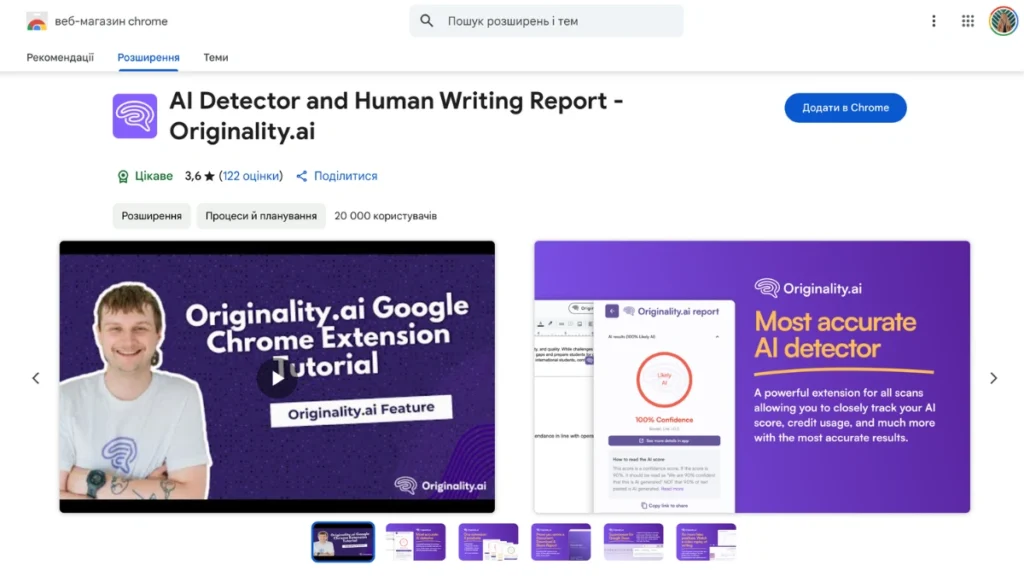
- To launch the extension, click the file icon in the top-right corner of your browser. Then, from the list of installed extensions, select the Originality.ai Chrome Extension. After launching, the tool’s access button will also appear at the top of Google Docs.

How to Register and Log in to the Originality.ai Chrome Extension
You can register a new account on the official Originality.ai website. To register, you’ll need to provide your email address and create a password, which will be used for logging in later.
Having a Google account makes the login process much easier. You can simply click the “Continue with Google” button and confirm the authorization. Once the account is created, you can log in directly in the Originality.ai Chrome Extension. To do so, follow these steps:
- Launch the extension by clicking the puzzle icon in the top-right corner of the site.
- Enter your email address and the password you created for your account.
- Click the “Log In” button. If the credentials are correct, you will be automatically redirected to your account, and all the extension’s features will be available.
Read also our article: Copyleaks Plagiarism Detection Review – Is It Free, How to Use It
If you’ve forgotten your password, you can easily reset it through the extension and set a new one.
How to Check Text Using the Originality.ai Chrome Extension
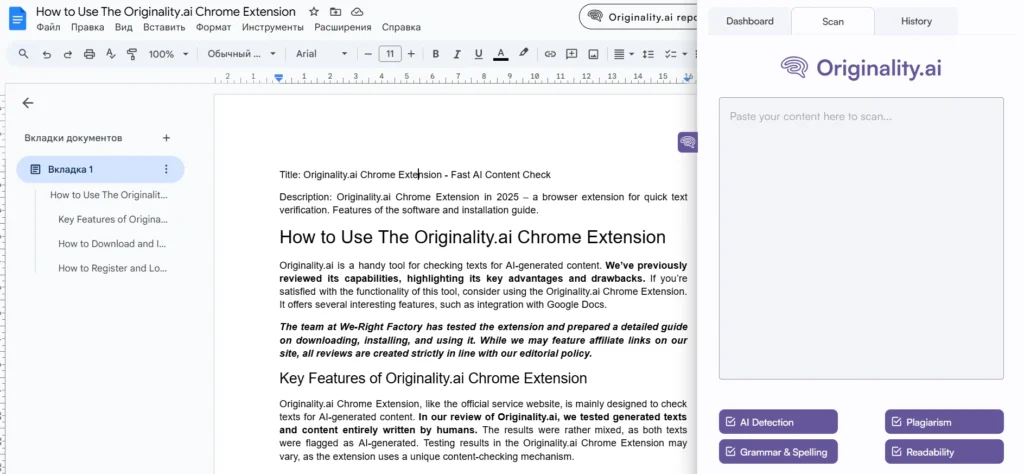
Checking text for AI content, grammar, and plagiarism is quite easy. To do this directly in your browser, open the extension by clicking the button on the right side of the site. Then, follow these steps:
- Find the “Scan” tab at the top of the extension interface.
- Paste the text you want to check into the input field.
- Choose which parameters you want to check your text for: AI content, plagiarism, grammar, and readability. Keep in mind that each activated feature will require additional credits for the check.
- Click the “Scan Now” button. The results of the check will appear directly in the extension window.
Expert Opinion on Originality.ai Chrome Extension
The Originality.ai Chrome Extension is quite an interesting tool that will be useful for both writers and editors. However, like the main version of Originality.ai, its AI detection is not perfect—it flags both ChatGPT-generated and manually written content as fully AI-generated. That said, we appreciate other features available in the extension. For example, it allows you to track real-time content writing in Google Docs. Additionally, the extension makes it convenient to test your content for readability, plagiarism, spelling, and punctuation.
FAQ
How much does the Originality.ai Chrome Extension cost?
The Originality.ai Chrome Extension can be downloaded for free. However, to access the scanning features, you’ll need to purchase a credit package. You can either buy a monthly subscription or a specific number of credits, which will remain valid for 2 years.
How can I pay for a subscription to the Originality.ai Chrome Extension?
You can pay for the subscription on the official Originality.ai website. After logging into your account, select the appropriate package. Payment can be made either by credit card or through Google Pay.
What features, besides the AI detector, might be interesting in the Originality.ai Chrome Extension?
In the extension, you can also check your text for plagiarism, spelling and punctuation errors, and readability. Keep in mind that each feature will deduct a certain number of credits from your balance.
How do I uninstall the Originality.ai Chrome Extension?
To uninstall the extension, open “Manage Extensions” in your browser, find Originality.ai Chrome Extension in the list of installed extensions, and click the “Remove” button.


You might also like
Discover other helpful articles handpicked for you, based on popular topics and recent publications.

Grammarly and QuillBot solve different writing problems, and choosing the right one depends on what you actually need. We tested both tools in real writing scenarios – from grammar-heavy drafts to paraphrasing tasks – and broke down six key differences that matter in practice, not in marketing claims.
 February 23, 2026
 173
173
Smodin.io helps you verify text originality, detect AI-generated writing, check plagiarism, and ensure grammatical accuracy. Discover its top 5 tools, pricing, and expert insights in our full review.
February 4, 2026
231
We-Right Factory experts will research the features of the Surfer SEO service and determine whether they are efficient. The article also contains information about premium plans and a registration guide.
February 4, 2026
245

Our We-Right Factory SEO specialists will talk about three of the most popular keyword density checker tools: Istio, Seoscout, and Checkserp. We will explain how to use these services and their key benefits.
 January 24, 2026
202
January 24, 2026
202

Our We-Right Factory copywriters will complete the ZeroGPT review and determine whether this service is helpful. We'll also compare different premium subscription levels and provide steps for getting started.
January 24, 2026
291

The We-Right Factory team will research the advantages of Quetext and indicate whether a premium subscription is necessary. We'll talk about available features and complete a test to see whether the results are accurate.
January 23, 2026
85

The We-Right Factory team will share all the details about the Copywritely service, including all the available instruments and key benefits and drawbacks. We will also share a simple registration instruction.
October 16, 2025
258

Want to know if a text was written by ChatGPT or a real person? Explore the best AI detectors for Google Chrome – tested tools that reveal how authentic your content really is. We reviewed their features, accuracy, and integrations to help you choose the most reliable option for everyday use.
October 8, 2025
1296

Explore 7 must-have tools for copywriting that streamline your writing, improve SEO, and help you check AI content that ranks, converts, and saves you hours every week!
September 28, 2025
247

Our team at We-Right tested QuillBot’s Paraphraser, Grammar Checker, and AI Detector in real scenarios. In this review, we share what worked well, where the tool struggled, and whether it’s worth using. After weeks of testing, we’re ready to give you an honest verdict.
September 28, 2025
866