
 EN
EN
 UA
UA
Home
 BlogServices and ToolsWe Tested Copywritely: Can It Really Make Your Writing Better?
BlogServices and ToolsWe Tested Copywritely: Can It Really Make Your Writing Better?
We Tested Copywritely: Can It Really Make Your Writing Better?
Services and ToolsThe We-Right Factory team will share all the details about the Copywritely service, including all the available instruments and key benefits and drawbacks. We will also share a simple registration instruction.
We provide an unbiased look at the Copywritely service to help you make informed decisions. We always stick to the editorial standards. If you click on links to products we cover, we may receive compensation.
Copywritely is an online tool for fixing and optimizing your content. You paste your text in, make edits, and you’re done. The company says it helps creators spend less time on corrections and more time actually writing. It’s not just a uniqueness checker – it’s a suite of editing tools bundled together with built-in suggestions.
In this guide, the We-Right Factory team will explain what instruments are available within the Copywritely service and provide detailed instructions for registration.
A Closer Look at Copywritely and Its Tools
Copywritely is an SEO tool that helps your website perform better. It spots problems in your content, tells you how to fix them, and checks for plagiarism. The goal is to improve your traffic, conversions, and search rankings.
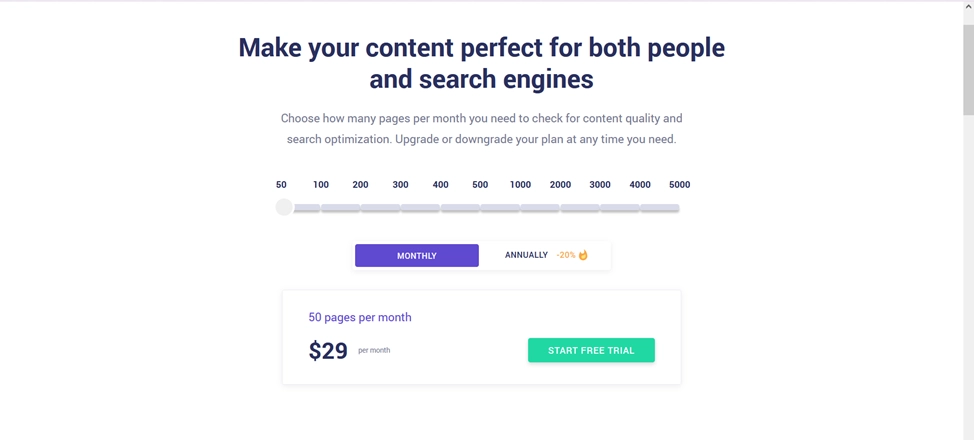
The service has a free trial version and a subscription-based plan. Below, we will take a look at the key instruments offered by the Copywritely team.
Duplicate Content Checker
The most often-used tool of Copywritely is the duplicate content checker. Its purpose is to verify whether your text is original. This matters because Google punishes copied content. If you hire a writer, you can use this instrument to verify they actually wrote something new instead of stealing it from another website.
The service compares your content with what’s already in its database and searches online for matching text. Then, when similarities are found, Copywritely highlights the text parts in red. You can edit the content right in the uniqueness check form to reduce repetitiveness and increase your originality percentage.
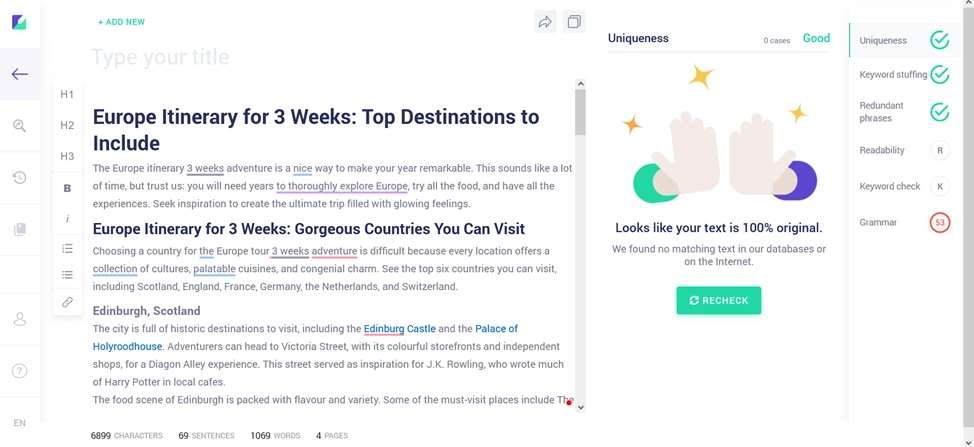
For free, the Copywritely service allows you to check up to 2,500 words. Five texts can be checked, and then you will be asked to switch to the paid version.
We tested Copywritely’s duplicate content checker and found it very convenient for quick initial checks. The free limit is quite restrictive, but the tool works smoothly and allows you to edit text directly in the built-in editor. For professional use, a paid plan is necessary, but as a basic solution, it’s a solid option.
Grammar Checker
Another handy tool of Copywritely is the grammar checker. The service identifies all the mistakes made in the text and highlights them. In the sidebar, errors are split into various categories, like Dialects, Possible Typo, Grammar, and Punctuation Errors.
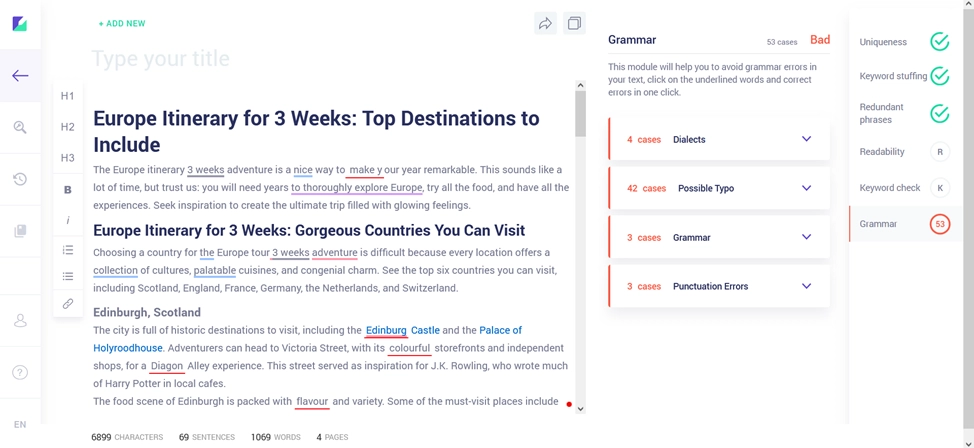
You can click on any underlined word to see what’s wrong with it. To accept a correction, simply press a green button.
According to the We-Right Factory copywriting team, this tool is efficient and helps to make the content better. However, there is a slight issue: Copywritely always flags unusual business names as typos, and there is no way to add the word to the database. So, when your company name appears ten times in an article, you’ll have to dismiss the error ten times.
Readability Checker
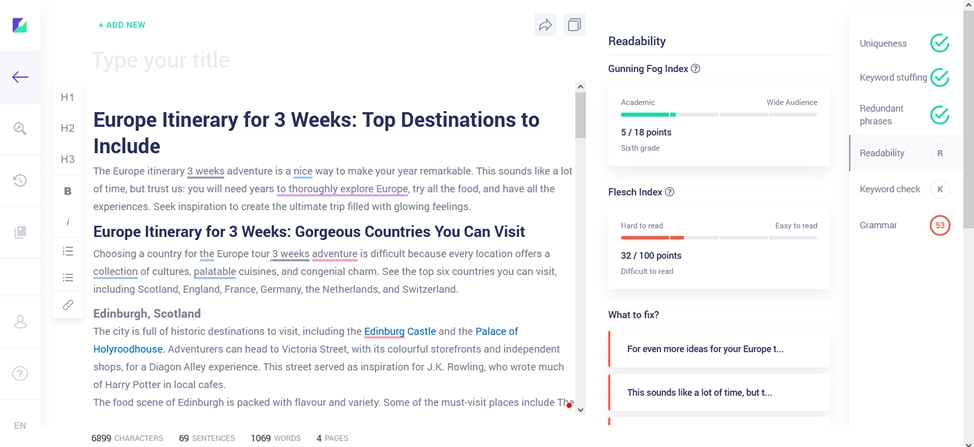
Readability checker tells you how easy your text is to understand. Copywritely uses two methods to measure this: Gunning Fog and Flesch Scales. You don’t need to know how these formulas work. There’s a progress bar next to the text, where you can see your results and suggestions for improvement.
As for room for improvement, the We-Right Factory copywriting team would like the service to flag passive voice and adverbs, as they usually make the content harder to read. Also, not all long words should be flagged. Despite being a long one, the word «understandable» is simple.
Keyword Density Checker
A tool that We-Right Factory SEO specialists regularly use is the keyword density checker. If you want to rank on Google, you need keywords in your content. But stuff in too many of them, and the search engine will penalize you. The service helps to find the perfect balance. It finds words and phrases (up to three words long) that appear too often and highlights them.
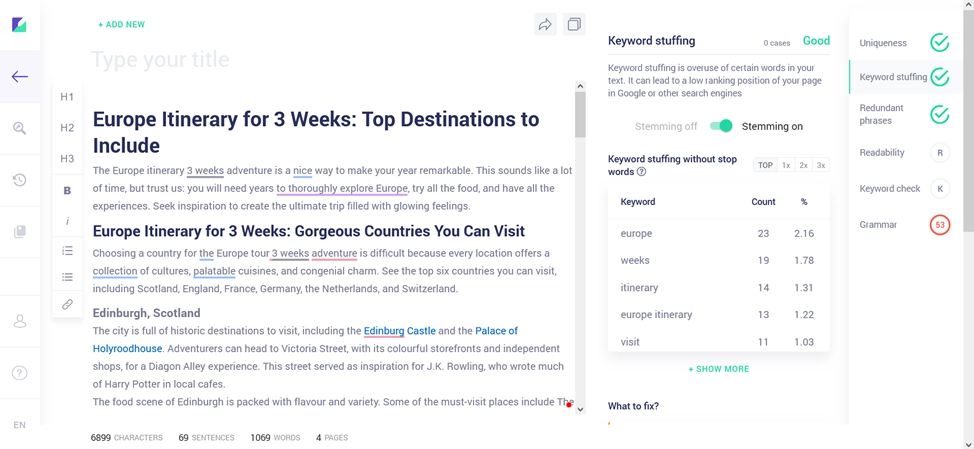
Just edit them in the tool until the percentage drops. Copywritely flags anything over 2.5%. Once you get a word or phrase down to 2% or less, you’re fine.
In our experience, a keyword phrase density of approximately 3% works well and ranks highly in Google. So, sometimes you can disregard the service’s suggestions and add more main keywords to your content.
Keyword SERP Checker in Copywritely
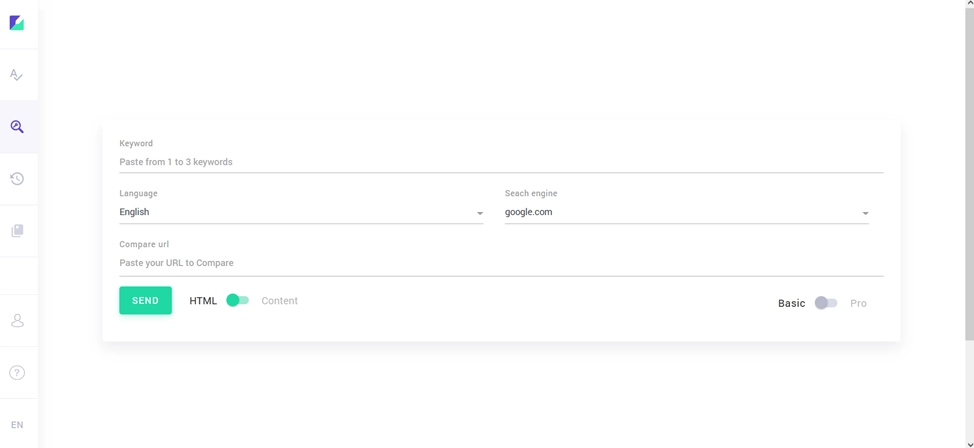
One more popular tool among the We-Right Factory SEO team is the SERP keyword checker. To begin, enter up to three keywords into the SERP checker. It finds the top-ranking articles for those terms and analyzes what makes them work. Then it gives you suggestions for your own article.
Read also our article: Top Chrome Extensions for Detecting AI-Generated Content
First, it informs you of the recommended length for your text and title. Then it shows you keywords to use in your title, description, headings, and body text. It also lists the top articles you can check out.
Article Rewriter in Copywritely
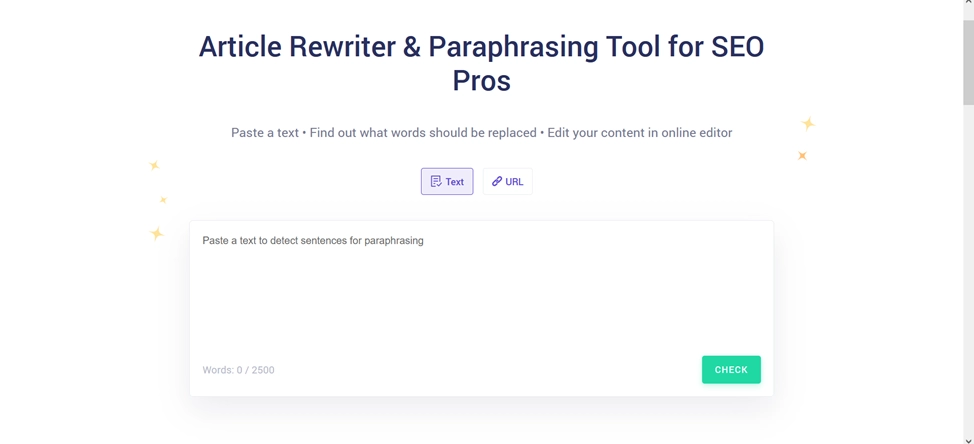
This Copywritely tool is also called a text spinner. It rewrites your old content into something new by changing the wording. You end up with a similar article that reads differently enough to pass as unique.
Word Counter in Copywritely
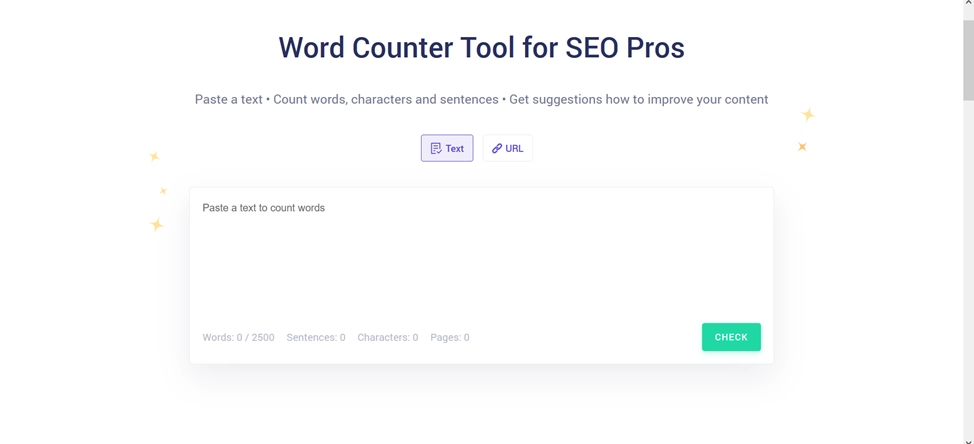
The word counter tool tracks words, characters, sentences, and pages. Surely, you can find this in Word or Google Docs. But it’s convenient to have everything in one place instead of jumping between different applications.
Alphabetizer in Copywritely
The alphabetizer tool sorts lists from A to Z or backwards. Simple stuff, but nice to have when all your other writing tools are in the same place.

Words to Minutes in Copywritely
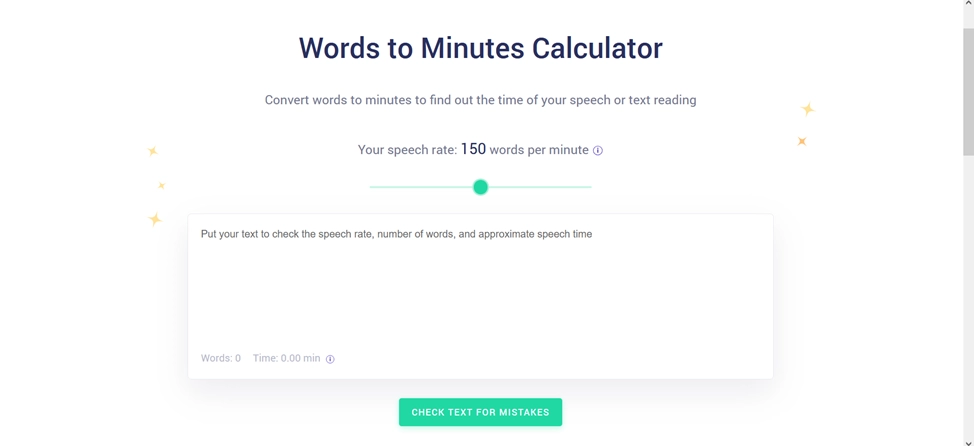
The Words to Minutes tool helps if you’re giving a presentation or speech. Knowing how long it takes to read your content helps you prepare and feel more confident. Be sure to adjust the speech rate slider first. Most people speak at:
- 100 words per minute (slow);
- 130 words per minute (average);
- 160 words per minute (fast).
Words to Pages in Copywritely
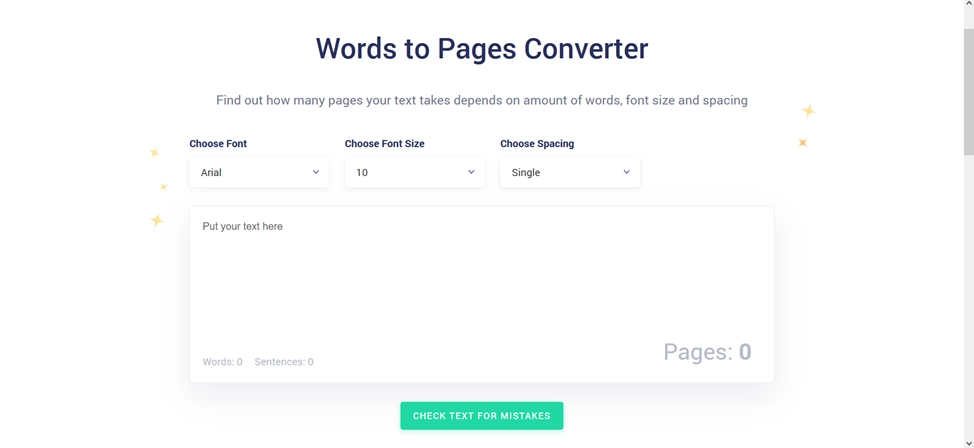
Student assignments typically require specific fonts, font sizes, spacing, and page counts. The Words to Pages tool helps with this. However, it doesn’t allow users to select a paper size, so the results are merely estimates.
How to Create an Account in Copywritely?
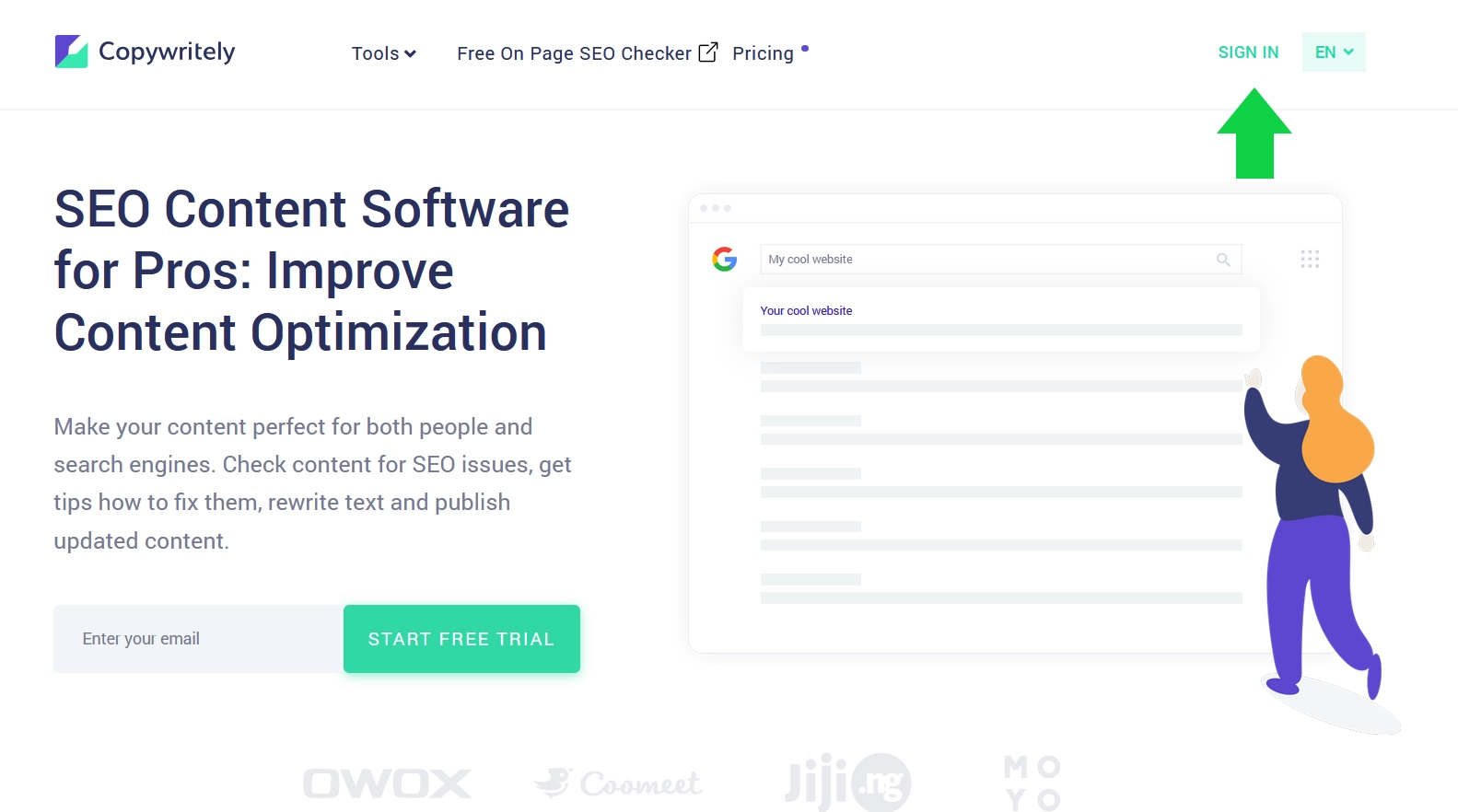
In order to use a wide variety of tools of Copywritely, you need to register a new account first. The We-Right Factory team has created a step-by-step instruction:
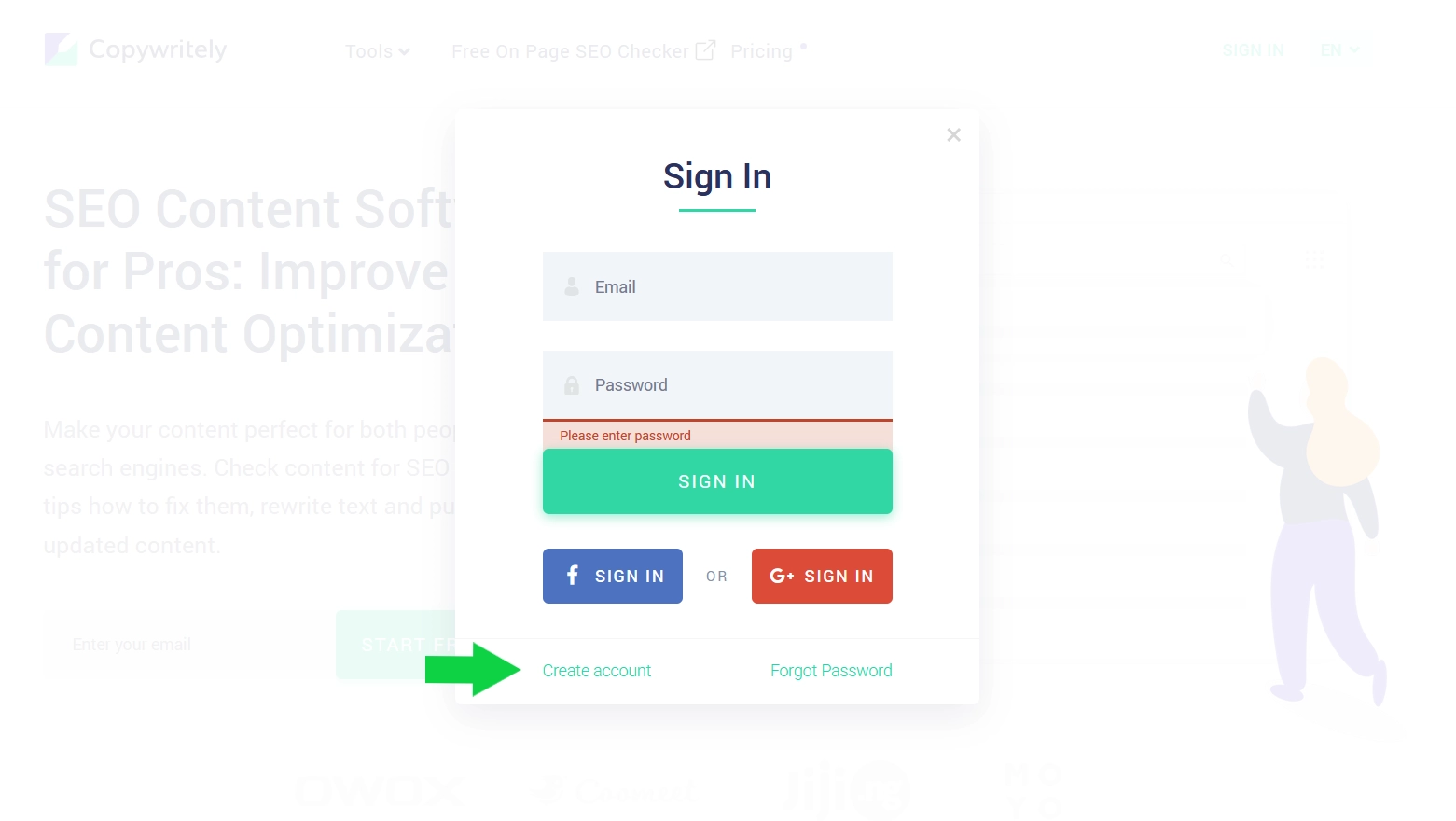
- Go to the Copywritely website and hit the «Sign In» button located in the top-right corner.
- In a window that opens, click the «Create Account» button.
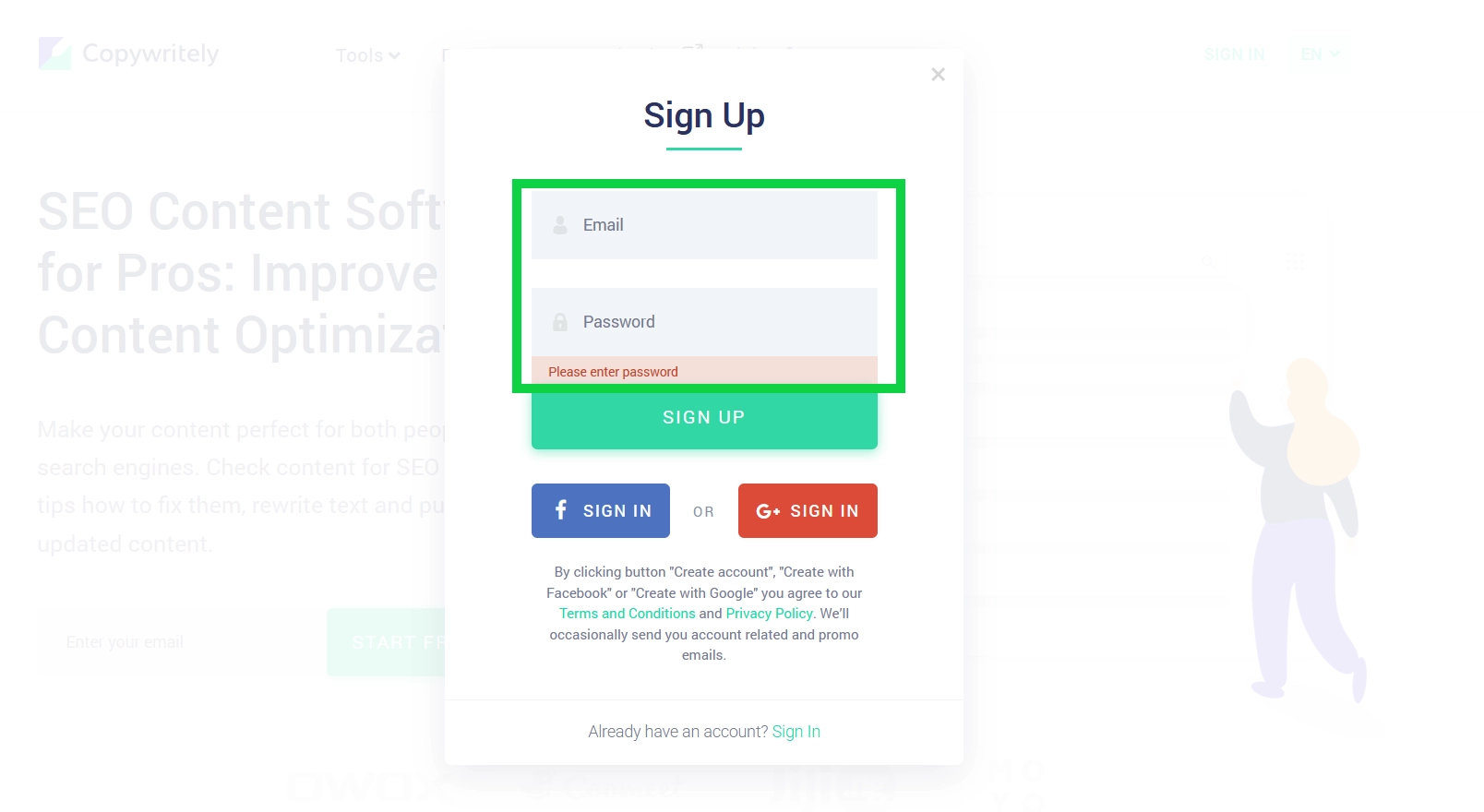
- Enter your email address and create a strong password.
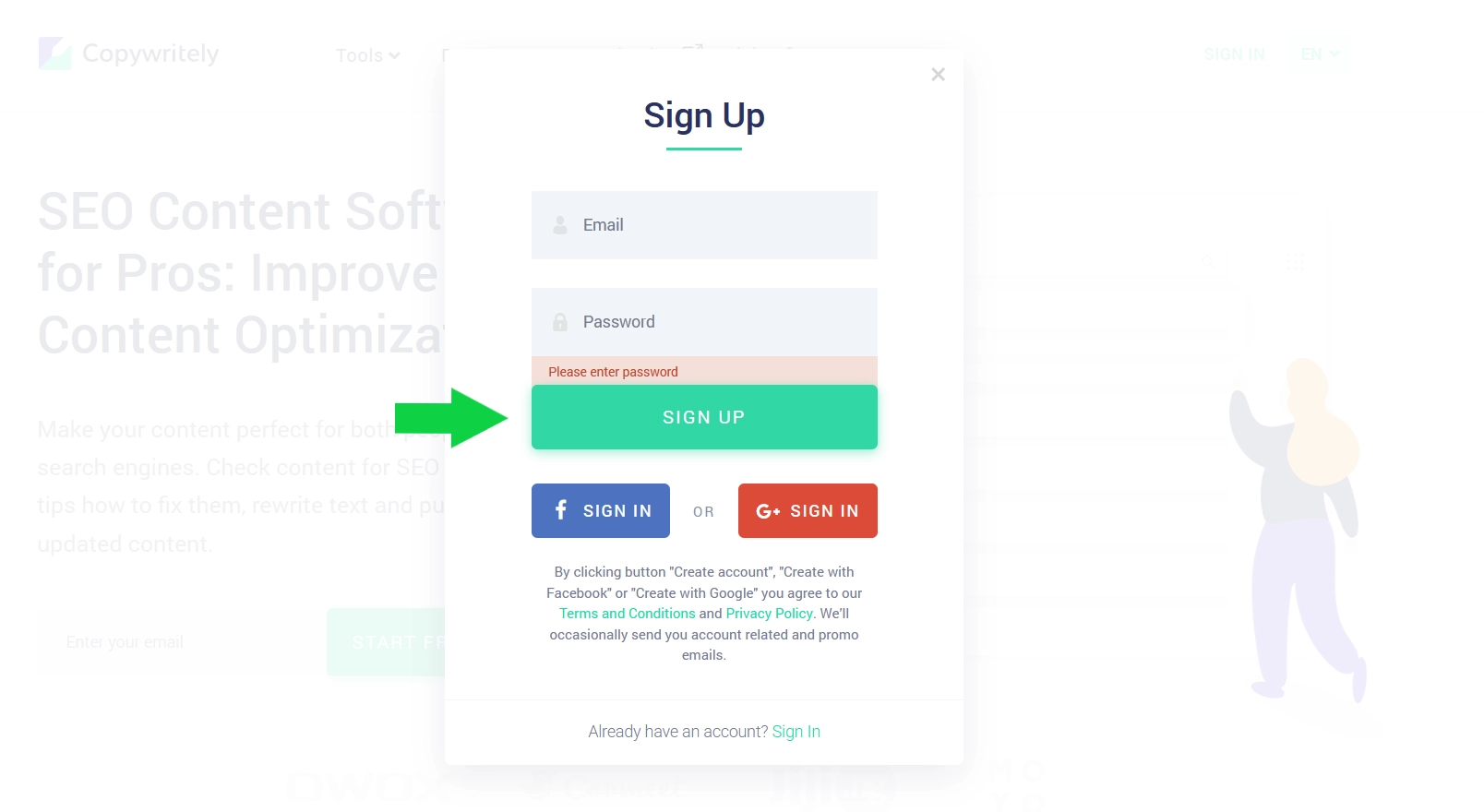
- Press the «Sign Up» button at the bottom of the form and enjoy a wide variety of Copywritely tools.
Pros & Cons of Copywritely
We use Copywritely in our content workflow, so we can evaluate its strengths and weaknesses based on practical experience. The platform offers useful tools that simplify the proofreading and editing process, but it also has obvious limitations that you should be aware of. Refer to the table for all the details.
| Advantages | Disadvantages |
| 10+ tools for copywriters are available | The service is limited to the following languages: English, French, German, Italian, Dutch, Polish, Portuguese, Russian, Spanish, Swedish, and Ukrainian |
| The service offers a free trial version | No mobile application |
| 24/7 customer support | |
| Analyzes competitor content suggestions |
As you can see, the benefits significantly outweigh the drawbacks. We at the We-Right Factory team regularly use the Copywritely service to improve our content.
Our Expert Opinion on Copywritely
Copywritely is a tool that will definitely help you when writing or editing content. In summary, we can recommend the service to a wide range of individuals, including content writers, SEO specialists, digital marketers, bloggers, website owners, and others. The service offers over 10 tools for improving content, including uniqueness, grammar, readability, and keyword density checks, among other instruments.
The service offers a convenient free trial version that allows you to explore how everything works without incurring any upfront costs. Thanks to the user-friendly interface, the service is suitable for both beginners and experienced content creators.
Frequently Asked Questions
Who Should Use Copywritely?
Copywritely is an ideal tool for content writers, SEO specialists, digital marketers, bloggers, website owners, and businesses that want to optimize their online content.
Is Copywritely Suitable for Beginners?
Yes, Copywritely is designed to be user-friendly and provides clear reports that even beginners can understand and act upon.
How Does Copywritely Work?
You paste or upload your content into the platform, and it runs multiple analyses to generate a detailed report highlighting issues and opportunities for improvement.
Can Copywritely Improve My Search Rankings?
By helping you create higher-quality, more optimized content, Copywritely might contribute to improved search engine rankings.
How Long Does It Take to Analyze Content?
Analysis usually takes just a few moments, depending on content length and system load.


You might also like
Discover other helpful articles handpicked for you, based on popular topics and recent publications.

Grammarly and QuillBot solve different writing problems, and choosing the right one depends on what you actually need. We tested both tools in real writing scenarios – from grammar-heavy drafts to paraphrasing tasks – and broke down six key differences that matter in practice, not in marketing claims.
 February 23, 2026
 173
173
Smodin.io helps you verify text originality, detect AI-generated writing, check plagiarism, and ensure grammatical accuracy. Discover its top 5 tools, pricing, and expert insights in our full review.
February 4, 2026
231
We-Right Factory experts will research the features of the Surfer SEO service and determine whether they are efficient. The article also contains information about premium plans and a registration guide.
February 4, 2026
245

Our We-Right Factory SEO specialists will talk about three of the most popular keyword density checker tools: Istio, Seoscout, and Checkserp. We will explain how to use these services and their key benefits.
 January 24, 2026
202
January 24, 2026
202

Our We-Right Factory copywriters will complete the ZeroGPT review and determine whether this service is helpful. We'll also compare different premium subscription levels and provide steps for getting started.
January 24, 2026
291

The We-Right Factory team will research the advantages of Quetext and indicate whether a premium subscription is necessary. We'll talk about available features and complete a test to see whether the results are accurate.
January 23, 2026
85

Want to know if a text was written by ChatGPT or a real person? Explore the best AI detectors for Google Chrome – tested tools that reveal how authentic your content really is. We reviewed their features, accuracy, and integrations to help you choose the most reliable option for everyday use.
October 8, 2025
1296

Explore 7 must-have tools for copywriting that streamline your writing, improve SEO, and help you check AI content that ranks, converts, and saves you hours every week!
September 28, 2025
247

Our team at We-Right tested QuillBot’s Paraphraser, Grammar Checker, and AI Detector in real scenarios. In this review, we share what worked well, where the tool struggled, and whether it’s worth using. After weeks of testing, we’re ready to give you an honest verdict.
September 28, 2025
866

We tested Undetectable, Copyleaks, and ZeroGPT to verify the accuracy of their 99% claims. In this review, our team shares test results, highlights strengths and weaknesses, and recommends which AI detector is worth your trust. After weeks of experiments, we’re ready to give you an honest verdict.
September 12, 2025
591