
 EN
EN
 UA
UA
Home
 BlogServices and ToolsTop Chrome Extensions for Detecting AI-Generated Content
BlogServices and ToolsTop Chrome Extensions for Detecting AI-Generated Content
Top Chrome Extensions for Detecting AI-Generated Content
Services and ToolsWant to know if a text was written by ChatGPT or a real person? Explore the best AI detectors for Google Chrome – tested tools that reveal how authentic your content really is. We reviewed their features, accuracy, and integrations to help you choose the most reliable option for everyday use.
At We-Right, our team provides an unbiased overview of AI detection tools designed to help writers, editors, and SEO specialists choose the most reliable Chrome extensions. We adhere to strict editorial standards and thoroughly test each tool for practical performance. We may receive compensation if you click on product links; however, this does not influence our evaluations or recommendations.
For frequent checks of content for AI elements, the most convenient way is to use an AI Detector for Google Chrome. This type of software installs as a browser extension, providing fast access to checks. Typically, it’s sufficient to click a button in the top right corner of your browser, paste the original text, and begin the test.
Today, we’ll talk about Chrome Extensions for Detecting AI. Below is a selection of the best software that stands out for functionality and accuracy of testing. All these extensions will be relevant for content testing in the current year.
What is AI Detector for Google Chrome?
Chrome Extensions for Detecting AI are a great way to test texts for the use of generative AI. Properly selected software helps ensure accurate and transparent verification. Modern detection models excel in identifying generative content – with fewer than 1% false positives.
It’s essential to recognize that the absence of AI in textual and other materials has become a significant aspect. To rank materials on Google, they must comply with the principles of E-E-A-T (Experience, Expertise, Authority, and Trustworthiness). And precisely this is what content written by a professional human author meets.
At the same time, testing materials can be challenging when using full-fledged software rather than extensions. You’ll need to open the service website, often go through registration and login, paste the materials, and wait for the test to finish. With AI Detector for Google Chrome, everything becomes much simpler. Additionally, such extensions often include additional features – for example, integration with Google Docs enables real-time monitoring of content creation.
We-Right Insight. Even the most advanced detectors can’t guarantee 100% accuracy – especially with hybrid workflows where humans edit AI drafts. That’s why, in real editorial work, we treat these tools as supporting instruments, not judges. The goal isn’t to “catch” AI, but to understand the content’s authenticity level before publication.
How to install the AI Detector for Google Chrome extension
Before moving on to the review of the most popular AI detector extensions for Chrome, let’s look at a brief installation guide. The whole process includes a few simple steps:
- Launch the Chrome browser and click the puzzle icon in the top right corner.
- From the opened menu, select “Manage Extensions.”
- In the window that opens, click the “Chrome Web Store” link in the top left.
- Enter the software name at the top and choose the suitable option.
- Click the “Install” button and wait for the process to complete.
- Launch the extension by clicking the puzzle icon in the top right and selecting the desired AI Detector for Google Chrome extension.
- Log in to your account. Usually, one login is sufficient, and the authorization will then be saved.
- Add the text for checking and start the test. In a couple of minutes, you will see the result in the window.
Top AI Detector for Google Chrome
If you are currently choosing a suitable AI Detector extension for Google Chrome, check out our ranking of the best software. The selection includes programs verified by our experts that show the most realistic results when testing content.
Originality.ai
Originality.ai is a versatile AI Detector suitable for editors, content creators, marketers, and publishers.
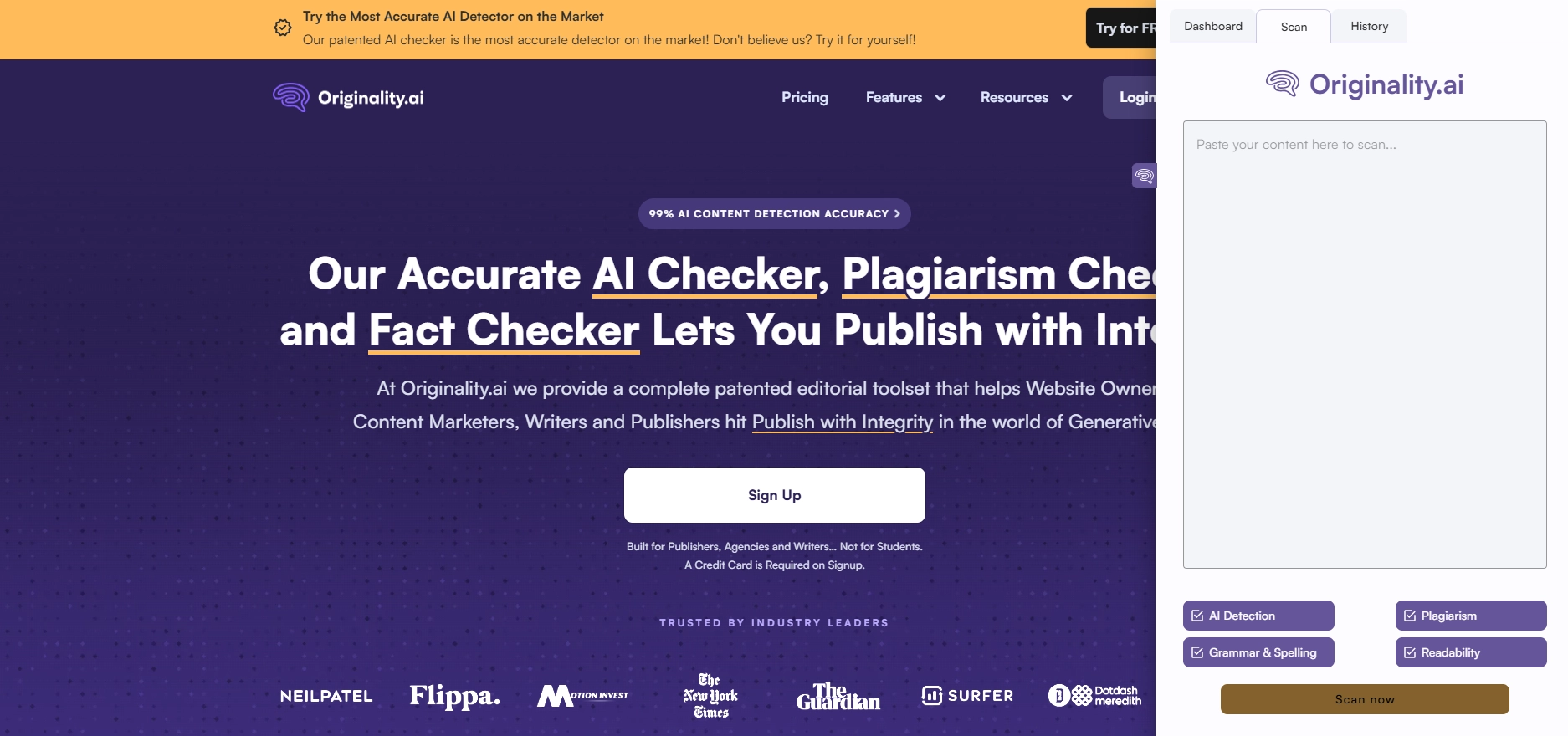
Just like on the website, the AI Detector for Google Chrome offers several tools:
- AI Detection. It scans text to identify the presence of artificial intelligence. We have already tested the service, and it shows somewhat mixed results;
- Plagiarism Detection. A quick search and detection of matches with other materials on the internet. Remember, for ranking on Google, you need not only to avoid template AI content but also to ensure content uniqueness;
- Readability. Checks how easily a specific audience will perceive your text;
- Grammar Check. Quickly tests the text for grammatical and other errors. Also, a valuable tool for creating high-quality final content.
Another feature of using the AI Detector for Google Chrome extension is its integration with Google Docs. This is convenient for editors and content publishers. You can track the writing process in real-time to ensure there is no use of AI chatbots.
The extension also provides access to the history of previous scans. All additional features, such as fact-checking and website testing, are exclusive to the main version.
We tested Originality.ai across multiple content types and noticed that its AI detection accuracy varies depending on text length and structure. Still, we appreciate its deep integration and the balance between plagiarism checks and readability metrics.
Sapling.ai
The key advantage of this AI Detector for Google Chrome is its ability to analyze content directly on the page – including published articles, social media posts, and live text fields. You can highlight any section and instantly see whether it was written by a human or generated by an AI tool such as ChatGPT, GPT-4, Bard, or Claude.
The Sapling.ai extension also embeds a “Detect AI” button directly on platforms like ChatGPT and Claude, allowing quick verification without leaving the site. It provides confidence scores for every analysis, indicating how certain the detector is about AI involvement.
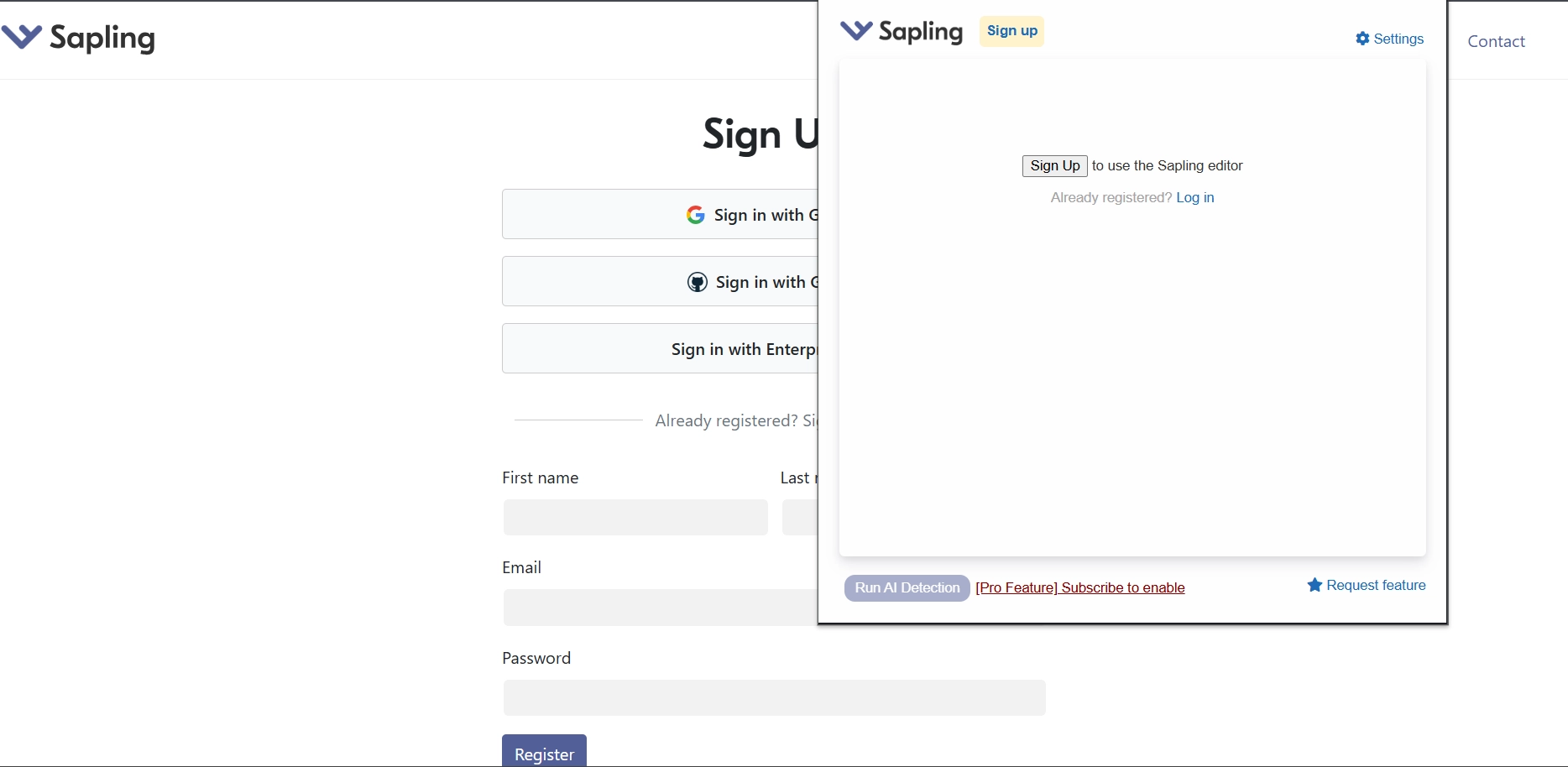
Additionally, Sapling.ai can generate verification certificates confirming that your content was not created by AI – useful for publishing or academic proof. You can even edit your text inline after analysis and resubmit it to remove any AI-detected fragments.
With the extension, you can also generate reports that can be used to publish results or to prove that you created the content yourself. There are also tools for interacting with social networks:
- Detector for LinkedIn. Quick check to see if content on the platform was created by artificial intelligence.
- Detector for Reddit. Identifies threads and comments that were generated rather than written by real users.
- Detector for Facebook. Fast detection of any published AI-generated content.
Sapling.ai offers a free 1-month trial with full functionality. After that, AI detection is available through paid plans starting at $25 per month, or via an API subscription for enterprise use.
In testing, Sapling.ai stood out for its practical on-page scanning and confidence scoring. It’s especially effective for editors reviewing live or social media content, where fast verification and proof of originality are essential.
GPTZero
GPTZero is an AI detector for Google Chrome designed primarily for teachers, students, and content creators who want to ensure transparent and authentic writing. The extension integrates directly into Google Docs, providing real-time detection, live feedback, and writing replays that prove how each document was created.
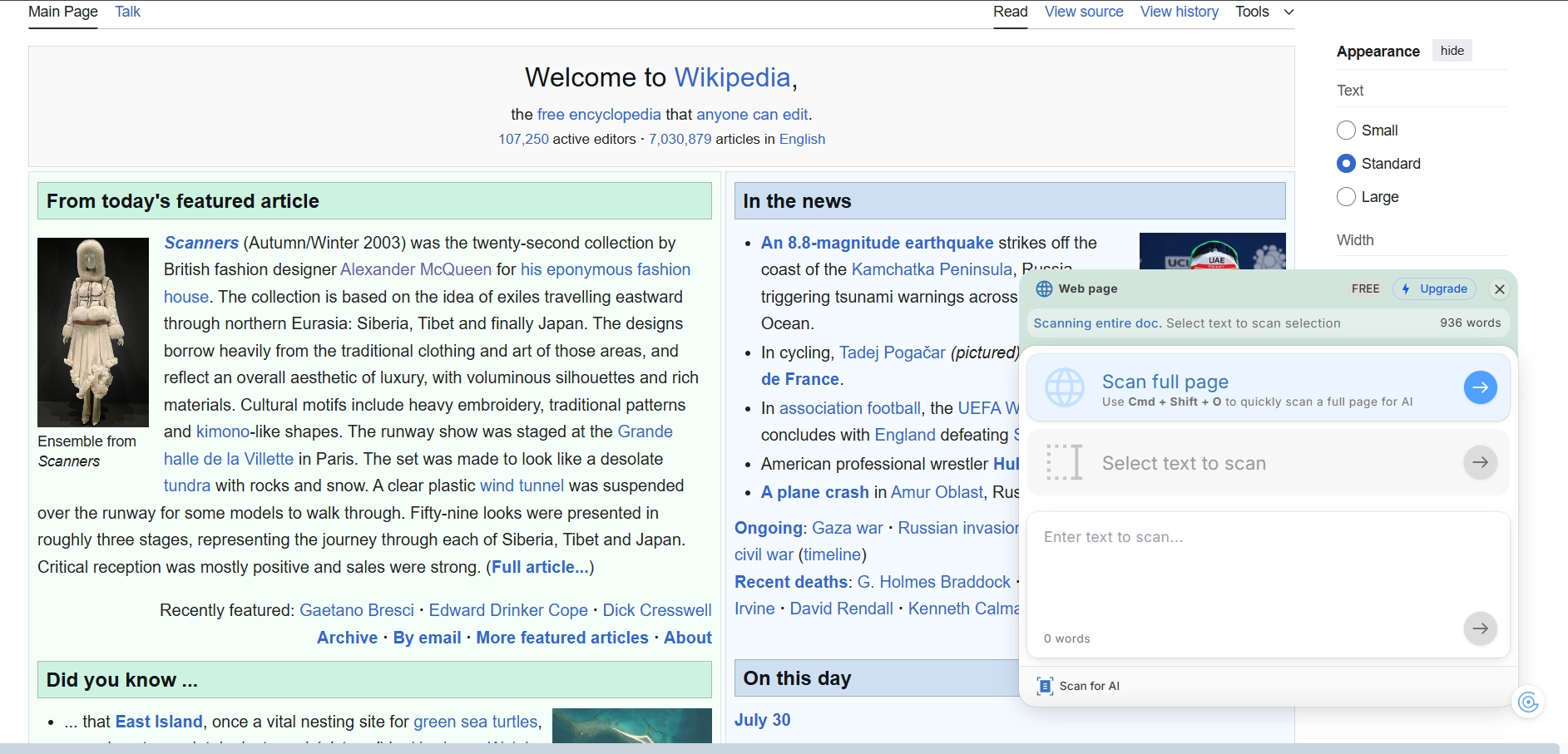
Key features of this AI detector for Google Chrome include:
- Live AI Detection – runs automatically while you write, identifying large AI-generated sections.
Customizable Feedback – adds direct writing comments in Google Docs based on your rubric or assignment. - typed, edited, and pasted, even across multiple authors.
- Bibliography & Fact Check – verifies citations and highlights hallucinated or missing sources.
- Typing Pattern Analysis – detects natural human typing rhythm, edit frequency, and writing bursts.
GPTZero also provides multi-user contribution tracking, showing how much each author added to the final text. Its enterprise-grade security (SOC2 and FERPA compliant) makes it suitable for classrooms and editorial workflows alike.
During testing GPTZero Chrome Extension, we especially liked the integration with Google Docs. It’s a handy tool for those who create content collaboratively. You get the ability to track each author’s contribution to the original material in percentages.
Read also our article: Top-7 Tools for Copywriting: From Grammarly to Surfer SEO
DetectGPT
DetectGPT is a Chrome extension that helps identify AI-generated writing directly while browsing the web. It determines whether the content on your screen was created using tools like ChatGPT or other popular AI writing models.
One of the biggest advantages of DetectGPT is that it works instantly – you can scan any webpage or selected text in just one click. Simply install the extension, highlight the desired content, and choose “Scan with DetectGPT.” The tool will quickly show whether the text was likely written by AI.
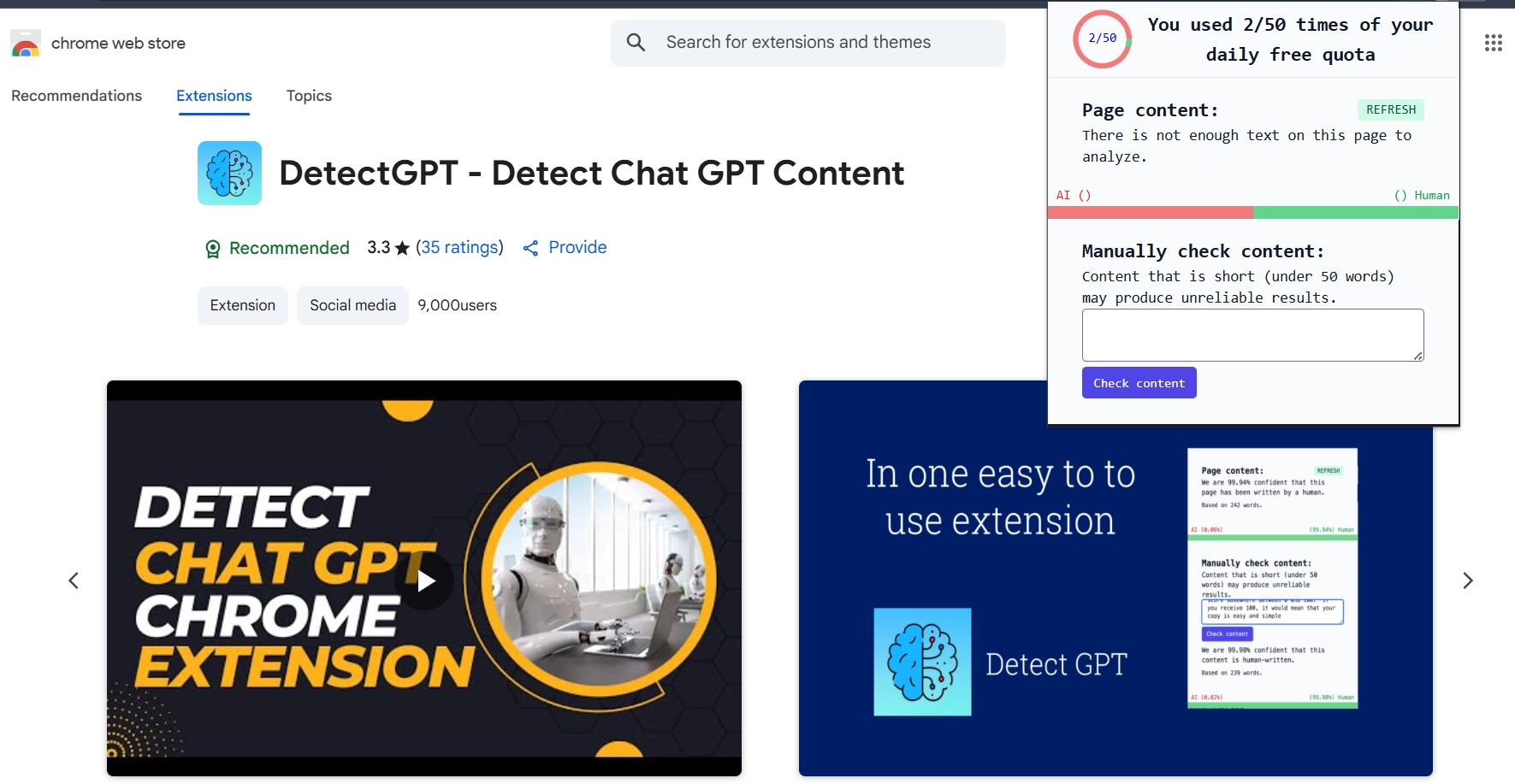
Another benefit is that no account or registration is required. You can install the extension and start using it right away. DetectGPT provides up to 50 free scans per day, making it convenient for quick checks and routine content verification.
Expert Insight. In our tests, DetectGPT proved most useful for fast, on-page AI detection. It’s not designed for deep analysis or reporting but serves as an excellent first layer of verification before running full tests in platforms like Copyleaks or Originality.ai.
Copyleaks
Copyleaks is an AI Detector for Google Chrome, with a simple interface that works great for checking written content. The scanning process takes just a few seconds, and you get the result immediately. To scan, you copy the text, open the extension, add it, and start the scan. You get several free scans per day after logging into your account.
Scanning takes just a few seconds: copy the text, open the extension, paste it, and run the check. Results appear instantly. After a quick Google login, you can use several free scans per day.
Copyleaks detects AI-generated text in 30 languages, including English, German, Spanish, and French, and supports detection for models such as ChatGPT, Gemini, and Claude. The system achieves over 99% accuracy with an extremely low 0.2% false-positive rate, making it one of the most trusted tools on the market.
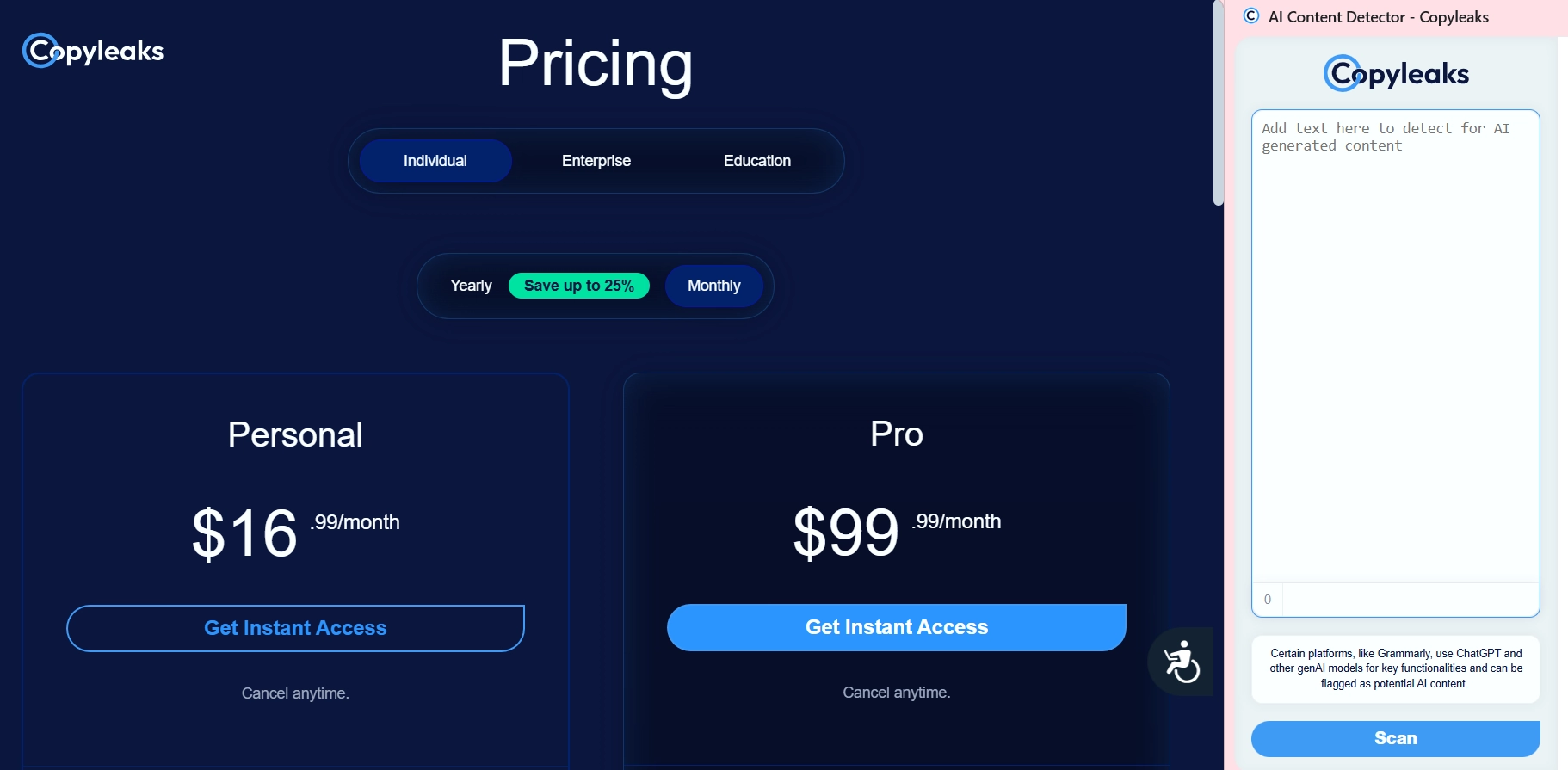
A paid plan starts at $16 per month and provides 1,200 credits for advanced scans, plagiarism checks, and report sharing.
We tested Copyleaks and appreciated its broad language support and high precision in AI detection. It’s the most reliable option for multilingual projects – we noticed it performs consistently well across English, German, Spanish, and Ukrainian texts.
AI Detector for Google Chrome – Comparison Table
If you’re choosing between multiple Chrome extensions, this table provides a quick comparison of their features, pricing, and integration options. Each tool has been tested by our team for accuracy, usability, and workflow convenience.
| Extension | Key Functions | Free Plan | Integration | Best For |
| Originality.ai | AI detection (GPT-4o, Claude 3.5, Gemini, Llama 3), “Watch a Writer Write” replay, plagiarism, readability, grammar, author contribution reports | ❌ Credit-based paid system only | ✅ Full Google Docs integration | Agencies & editors who need detailed reports and plagiarism verification |
| Sapling.ai | On-page AI detection, confidence scores, “Detect AI” button for ChatGPT & Claude, social media scanning (LinkedIn, Reddit, Facebook), report certificates | ✅ 1-month free trial | ⚙️ Browser-based (no Docs integration) | Content creators & social media managers who analyze live content |
| GPTZero | Live AI detection, typing pattern analysis, customizable feedback, video replay, bibliography & fact check | ✅ Limited free version | ✅ Full Google Docs integration | Educators, students, and content teams verifying human writing |
| DetectGPT | Detects ChatGPT and other AI-generated writing directly on webpages; one-click scan of selected text or entire pages; no signup required | ✅ 50 scans/day | ⚙️ Works directly in Chrome, no account needed | Users who need instant on-page AI detection without registration |
| Copyleaks | AI & plagiarism detection, paraphrased AI recognition, 30+ languages, 99% accuracy, 0.2% false positives | ✅ Limited free daily scans | ⚙️ Extension + web app | Global content teams & multilingual SEO projects |
All five Chrome AI detectors reviewed – Originality.ai, Sapling.ai, GPTZero, DetectGPT, and Copyleaks – offer distinct advantages depending on your workflow and goals.
Originality.ai leads in document authenticity and professional verification thanks to its Google Docs replay feature.
Sapling.ai stands out for on-page detection and social media scanning, making it ideal for content creators.
GPTZero is the top choice for educators, offering typing-pattern analysis and academic tools.
DetectGPT is the fastest for quick, no-login checks across web pages.
Copyleaks remains the most accurate for multilingual content, detecting even paraphrased AI text.
Together, these tools provide a full spectrum of solutions – from real-time writing verification to large-scale content audits – ensuring reliable detection and human-authorship transparency.
6 Ways to Spot AI-Generated Content Without Using Detectors
You don’t always have the option to use an AI Detector for Google Chrome to check written materials. Here are 6 signs that can help you recognize content created by AI:
- Perfect grammar and complete syntactic accuracy. Modern content generated by artificial intelligence is error-free. But in human-written text, you can usually find some grammatical inconsistencies during review;
- Lack of tone and style in the text. Content written by a human shows individuality and its own unique style. AI content, on the other hand, always feels too formulaic and cliched;
- Constant repetition of words. If you read AI-written text, you’ll most often find many awkward or repeated phrases that just don’t fit well into the overall content;
- Repetition of structure. It’s best to analyze multiple texts to spot this issue. Even when working with different briefs, AI tends to use the same structure for the text. There’s no variety, and everything feels too generic. Another problem is frequent lack of connection between different sections;
- Frequent mismatch with the topic. AI rarely produces entirely relevant content that is specifically targeted at a particular audience. Most often, it creates vague, general texts. If the content is current and includes links to studies or authoritative sources, it’s very likely written by a human;
- Factual errors. Another sign of AI is issues with facts. These tools often fabricate information or use outdated data. You can use fact-checking tools to verify the accuracy of the information. If there are too many problems, AI was probably used for writing.
We-Right Tested
When we compared Chrome AI detectors across content teams, the biggest productivity gains came from Google Docs integration. Real-time monitoring prevents unintentional AI inclusion and provides transparent editing history – crucial for clients who require human-only writing. If you publish regularly, integrations are worth more than minor accuracy gaps.
Our Experts’ Opinions
The modern AI Detector for Google Chrome provides a convenient way to check text for artificial intelligence. You can work directly in the browser with quick access. Plus, authorization is often saved, so you won’t need to log in repeatedly. Among the available tools, you can choose the option that best suits you, depending on its features, cost, and detection accuracy.
FAQ
Can you check texts for AI for free?
Yes, some tools like Copyleaks allow free text checks. You can log in to your account and then get several free checks per day. If you need to test more texts, you can buy a subscription. Having different packages gives you the chance to pick what works best for you.
Can the detector results be trusted 100%?
Although most services guarantee 100% AI detection, you shouldn’t fully trust the results. Experience shows that even content entirely written by a human can be flagged as AI-generated.
How do you remove the AI Detector for Google Chrome extension?
Click the puzzle icon in the top right corner and select the extension you want. Click the three dots next to it and choose “Remove from Chrome.”



You might also like
Discover other helpful articles handpicked for you, based on popular topics and recent publications.

Grammarly and QuillBot solve different writing problems, and choosing the right one depends on what you actually need. We tested both tools in real writing scenarios – from grammar-heavy drafts to paraphrasing tasks – and broke down six key differences that matter in practice, not in marketing claims.
 February 23, 2026
 173
173
Smodin.io helps you verify text originality, detect AI-generated writing, check plagiarism, and ensure grammatical accuracy. Discover its top 5 tools, pricing, and expert insights in our full review.
February 4, 2026
231
We-Right Factory experts will research the features of the Surfer SEO service and determine whether they are efficient. The article also contains information about premium plans and a registration guide.
February 4, 2026
245

Our We-Right Factory SEO specialists will talk about three of the most popular keyword density checker tools: Istio, Seoscout, and Checkserp. We will explain how to use these services and their key benefits.
 January 24, 2026
201
January 24, 2026
201

Our We-Right Factory copywriters will complete the ZeroGPT review and determine whether this service is helpful. We'll also compare different premium subscription levels and provide steps for getting started.
January 24, 2026
291

The We-Right Factory team will research the advantages of Quetext and indicate whether a premium subscription is necessary. We'll talk about available features and complete a test to see whether the results are accurate.
January 23, 2026
84

The We-Right Factory team will share all the details about the Copywritely service, including all the available instruments and key benefits and drawbacks. We will also share a simple registration instruction.
October 16, 2025
258

Explore 7 must-have tools for copywriting that streamline your writing, improve SEO, and help you check AI content that ranks, converts, and saves you hours every week!
September 28, 2025
247

Our team at We-Right tested QuillBot’s Paraphraser, Grammar Checker, and AI Detector in real scenarios. In this review, we share what worked well, where the tool struggled, and whether it’s worth using. After weeks of testing, we’re ready to give you an honest verdict.
September 28, 2025
865

We tested Undetectable, Copyleaks, and ZeroGPT to verify the accuracy of their 99% claims. In this review, our team shares test results, highlights strengths and weaknesses, and recommends which AI detector is worth your trust. After weeks of experiments, we’re ready to give you an honest verdict.
September 12, 2025
590