
 EN
EN
 UA
UA
Home
 BlogServices and ToolsTop-7 Tools for Copywriting: From Grammarly to Surfer SEO
BlogServices and ToolsTop-7 Tools for Copywriting: From Grammarly to Surfer SEO
Top-7 Tools for Copywriting: From Grammarly to Surfer SEO
Services and ToolsExplore 7 must-have tools for copywriting that streamline your writing, improve SEO, and help you check AI content that ranks, converts, and saves you hours every week!
We at the We-Right team provide a no-nonsense review of top tools for copywriting—tested and verified for real-world use. We follow strict editorial rules and may earn a fee from links, but that never affects what we say or recommend.
Strong copywriting is important in today’s digital game. It’s what delivers clicks, ranks content, and keeps readers attracted. In fact, 73% of marketers say content marketing improves customer engagement, and none of that works without sharp copy. As content demands grow, tech tools for copywriting develop. Automation now saves hours on editing, research and SEO work. This lets you focus on ideas that matter. This article breaks down 7 handy tools that help at every step: including brainstorming, polishing and ranking. Whether you’re a new or pro writer, these tools for copywriting can seriously upgrade your skills.
What Are Tools for Copywriting and Why Are They Critical?
Tools for copywriting help you write, edit, and optimize content faster and better. They handle spelling, tone, keywords, structure, and clarity. These instruments make the writing process easier and allow you to focus on your main idea.
Several decades ago, copywriting was focused on creativity and gut feeling. Now, it requires results. Online content needs to rank on search engines, load fast, and speak directly to the reader. Brands deliver more content than ever, and they need it done yesterday. Writers have to do tasks quicker, with fewer mistakes, and better performance.
That’s where smart tools for copywriting become handy. They help meet new standards without burning out. Check out the main advantages below:
- Improved writing speed and efficiency. For instance, Grammarly users report saving up to 30% of writing time;
- Error reduction and quality control. Tools for copywriting check grammar, tone, and clarity issues on the go;
- SEO and discoverability. For example, Surfer SEO helps increase content visibility by 40% on average;
- Collaboration, workflow, and analytics. Platforms like Notion and Writer streamline team work;
- Tone and brand consistency. Style guides and tone checks guarantee your voice is relevant across all channels.
We tested all the key tools for copywriting, including AI rewriters, grammar checkers, and SEO optimizers. Scroll down and see which instruments are really helpful.
1. Grammarly: Your Grammar and Style Assistant
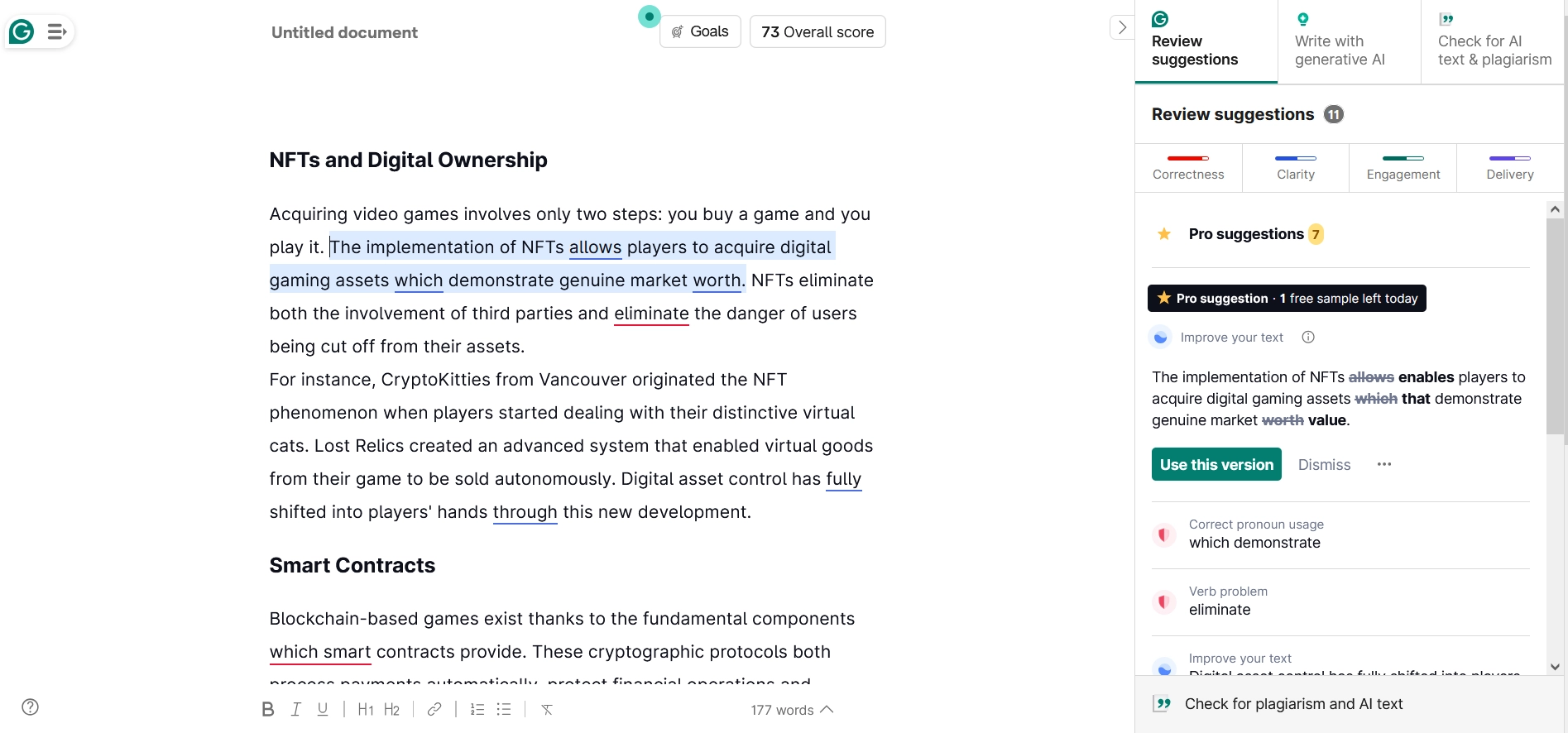
Grammarly is among the most popular tools for copywriting. It fixes basic grammar errors, but also helps create clean, focused copy. It detects small mistakes fast and smooths out tone or structure. Useful for daily content, newsletters, and ad copy. Here are the main functions and use cases:
- Spelling, grammar, punctuation checks. Use it to find typos, missed commas, or awkward phrasing in real time;
- Clarity, engagement, and delivery recommendations. Great when you want shorter, punchier lines. Also helps fix messy sentence flow;
- Tone detector and rewrite suggestions. Shows if your message sounds too harsh, too vague, or too passive. Suggests tone-friendly edits.
The free plan covers grammar and spelling. The Pro plan gives access to tone, style rewrites, and advanced clarity. Pricing: Pro – $12/month (billed yearly) or $30/month.
How to Sign Up for Grammarly?
You need a working email or Google account to start. Here is the quick registration guide that you may use:
- Go to grammarly.com.
- Click “Sign Up”.
- Enter your email or sign in with Google.
- Set your password.
- Choose Free or Pro plan.
Team verdict: We put it among the best tools for copywriting. It’s perfect for blog editing, cold emails, and web copy. Liked the real-time feedback and tone check. Not a fan of how pushy it gets with upselling. Solid browser and Word integrations help a lot too.
2. Hemingway Editor: Make Your Copy Concise and Bold
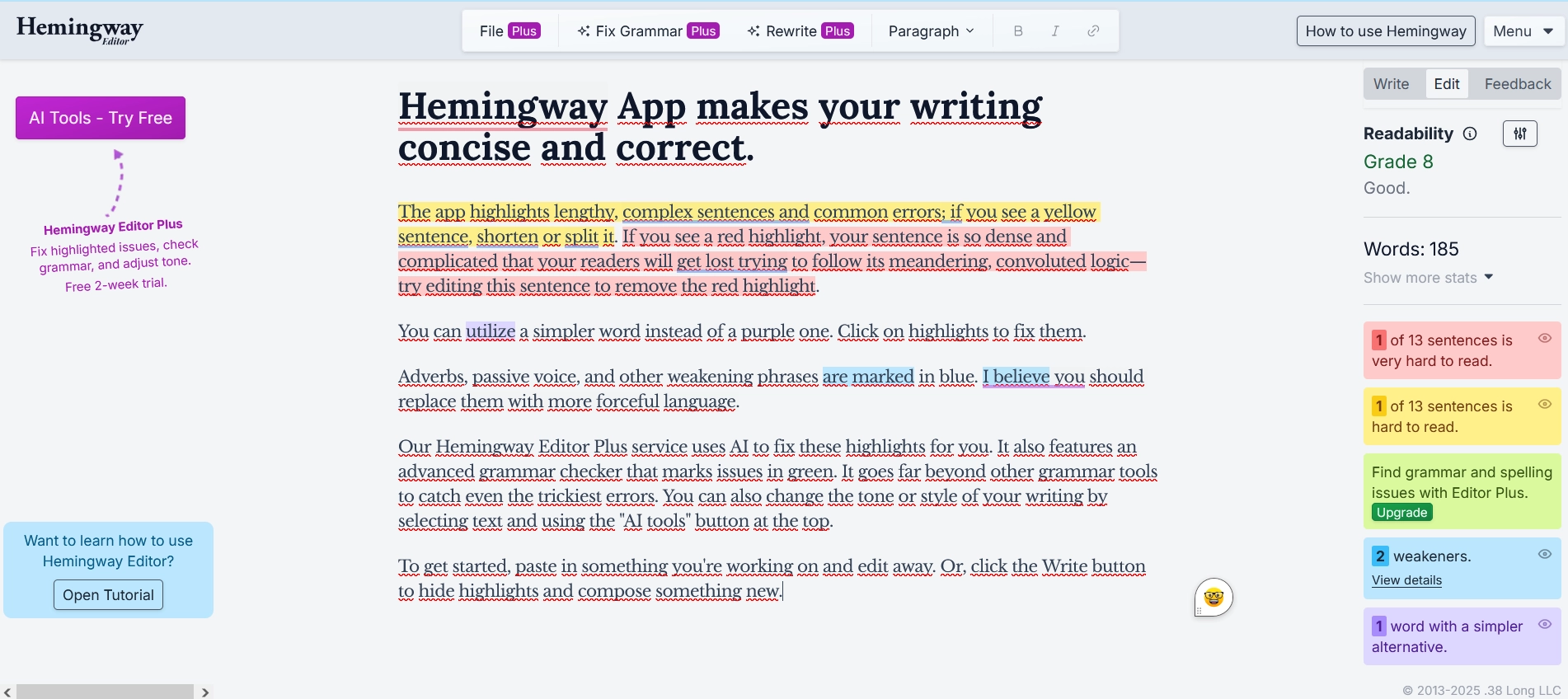
Hemingway highlights wordy sentences, passive lines, and difficult-to-read passages. Like similar tools for copywriting, it works by scoring readability and showing color-coded edits. This helps turn long blocks into short, and get clear ideas on how to improve your text. The main functions of the tool:
- Highlights passive voice. Detects weak phrasing like “it was done.” Helps sharpen CTA copy and FAQs;
- Marks complex sentences. Shows you which lines are too long or clunky. Useful when creating blog intros;
- Tags excessive adverbs. Highlights words that soften impact like “really” or “very.” Helps in creating product titles and descriptions.
Free web editor lets you paste and edit text. Paid plan unlocks AI rewrite tips, offline use, and team tools for copywriting. Pricing: $25/month (5K AI sentences), $30/month (10K AI), $30/user/month for teams.
How to Sign Up at Hemingway?
You’ll need an email or Google account for creating an account. The trial gives 2 weeks of full access. Here’s how to register:
- Visit hemingwayapp.com.
- Click “Sign Up”.
- Enter email or sign in with Google.
- Pick trial or plan.
- Use web tool or download app.
Team verdict: We ran landing pages and eBooks through it. Liked the adverb flag and sentence cut tool. Didn’t love the limited formatting. Works well offline, no fuss UI.
3. Copyleaks: Accurate AI Content Detector
Copyleaks is a useful tool for copywriters that allows you to check content for AI generation. Currently, it is one of the top detectors, capable of scanning texts in more than 30 languages. It successfully identifies content generated by models like LLMs, such as ChatGPT, Gemini, DeepSeek, and Claude.
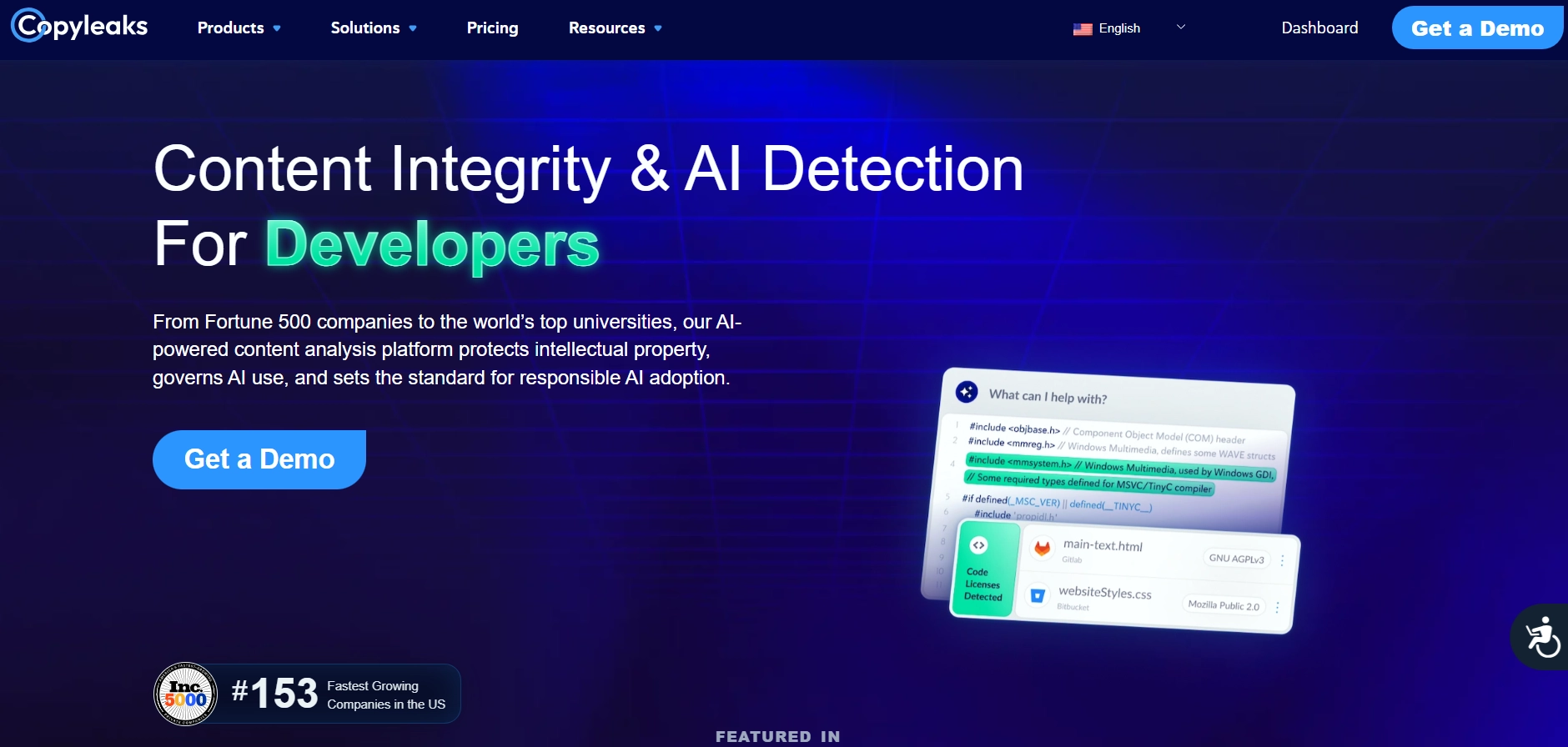
One of the advantages of the detector is the Google Chrome browser extension. With it, you can easily scan texts and get results within a few seconds. The scanning results allow you to confirm that you wrote your text entirely on your own from scratch, without using artificial intelligence for assistance. Key features of the tool include:
- AI Detector. Scans text for AI-generated content;
- Plagiarism Detector. Quickly identifies similar copies of text on the internet;
- Google Docs Add-on. Quickly checks Google Docs documents for AI content.
Subscription Pricing
You will have several free text scans available per day through Copyleaks. To remove the limits, you need to purchase one of the paid subscriptions. Currently, there are three options, allowing you to choose based on your budget:
- Individual. A great option for personal use. Includes AI detection in 30+ languages, plagiarism detection in 100+ languages, access to browser and Google Docs extensions, and 100 credits to check 25,000 words;
- Pro. A great service package for a team (3–25 users) covering 250,000 words per month. In addition to basic features, it includes full website scanning, advanced detection filters, an analytics dashboard, and priority support;
- Enterprise or Education. A flexible and customizable solution that can be scaled according to your preferences and needs. Pricing is calculated individually.
How to Get Started
To start using the Copyleaks detector, you need to:
- Go to the official website and click the “Try Now” button. You can also request access to a demo version to test the detector’s capabilities.
- Click “Sign Up.” Enter your email address and create a password for your account. Alternatively, log in using your Google, Facebook, or Apple account.
- Choose the subscription plan that suits you and pay using a convenient method.
- Click “New Scan” to start checking your file.
Our Verdict: We tested the Copyleaks detector with fully AI-generated text, manually written content, and partially AI-assisted content. The result: detection with nearly 100% accuracy. We would also recommend testing your content additionally with services like ZeroGPT, GPTZero, and QuillBot.
4. Copywritely – Uniqueness, Grammar, and SEO Content Optimization
Copywritely is a useful tool for copywriters that allows you to make sure your text is unique and has no duplicates on the internet, fully meets SEO requirements, and contains no spelling errors. One of the service’s features is that you can check 5 texts for free to make sure it fits your needs before purchasing the full version. The free version has limitations – you can only check texts up to 2,500 words.
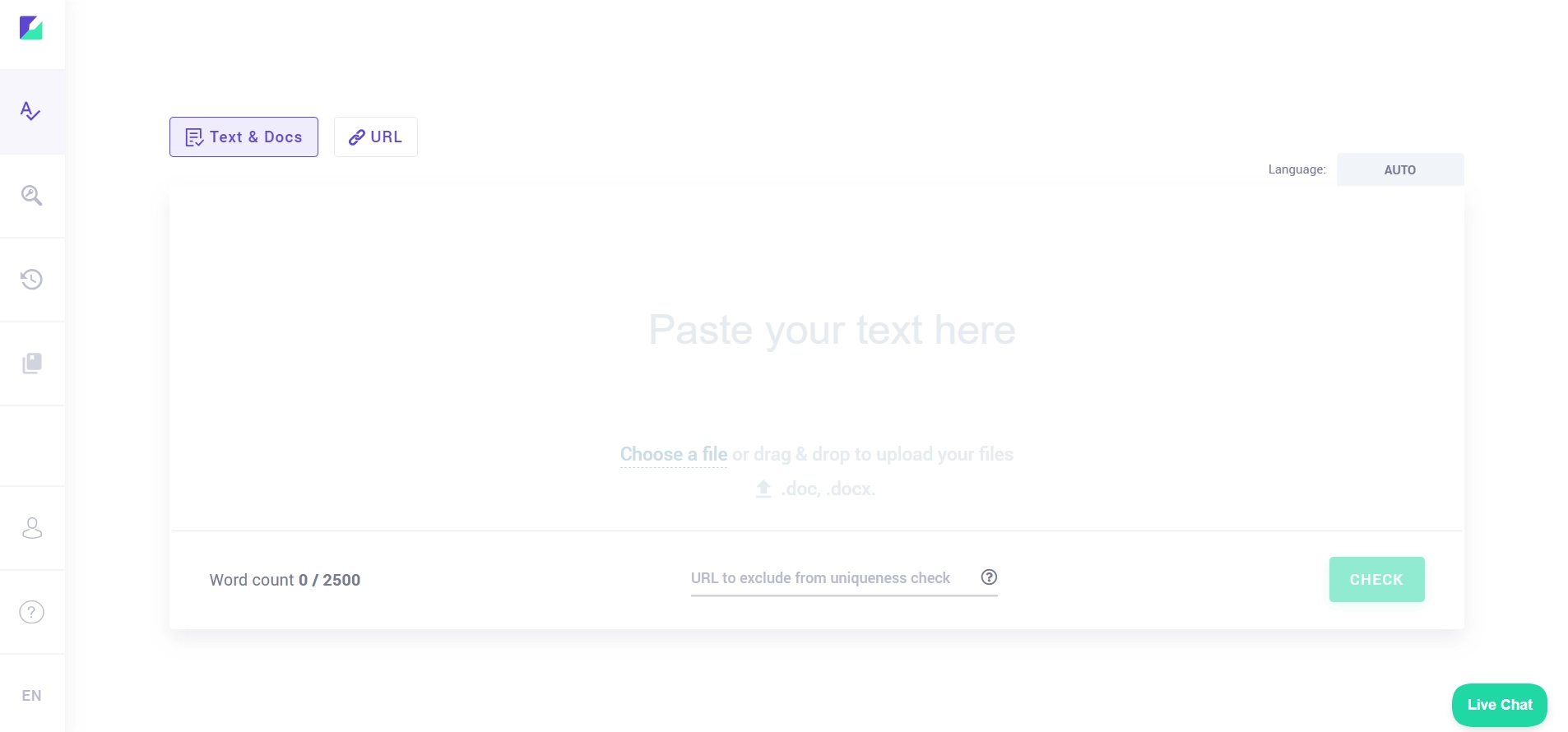
The main features of Copywritely include:
- Text uniqueness check;
- Grammar check;
- Readability check;
- Keyword stuffing check;
- Top query analysis;
- Online text editor;
- Word count in the text;
- Alphabetical sorting of text;
- Reading time calculation.
The service has convenient interactive prompts. For example, you can click on a word that is overused in the text, and it will be highlighted for you. The same goes for grammar – click on a word with an error, and the service will suggest correction options.
Pricing
The cost of services depends on how many pages of content you need to check per month. The minimum price is $29 – you will get the ability to check 50 pages of text per month. If you plan to use the service regularly, it is more cost-effective to subscribe for a year. In this case, the price will be reduced by 20%.
How to Start Using Copywritely
To use all the service features and remove the limitations of the free version, you need to create an account and pay for a plan. Simply follow these steps:
- Go to the official Copywritely website “Pricing.”
- Select the number of pages you want to check. Click the “Try for Free” button and then create a new account using your email and password. You can also quickly log in via Facebook or Google.
- Use the left sidebar menu to go to the “Profile” tab, then click the “Upgrade Plan” button.
- Choose the desired number of pages and click “Upgrade.”
- Enter your payment details and confirm the payment.
Our Verdict: We tested several texts through the Copywritely detector. The results were quite accurate, with convenient percentage display and links to the websites where matches were found. The price can be a bit high, especially for beginner copywriters.
Read also our article: Undetectable, Copyleaks, and ZeroGPT: 3 AI Detectors Compared
5. CoSchedule Headline Analyzer: Create Your Headlines
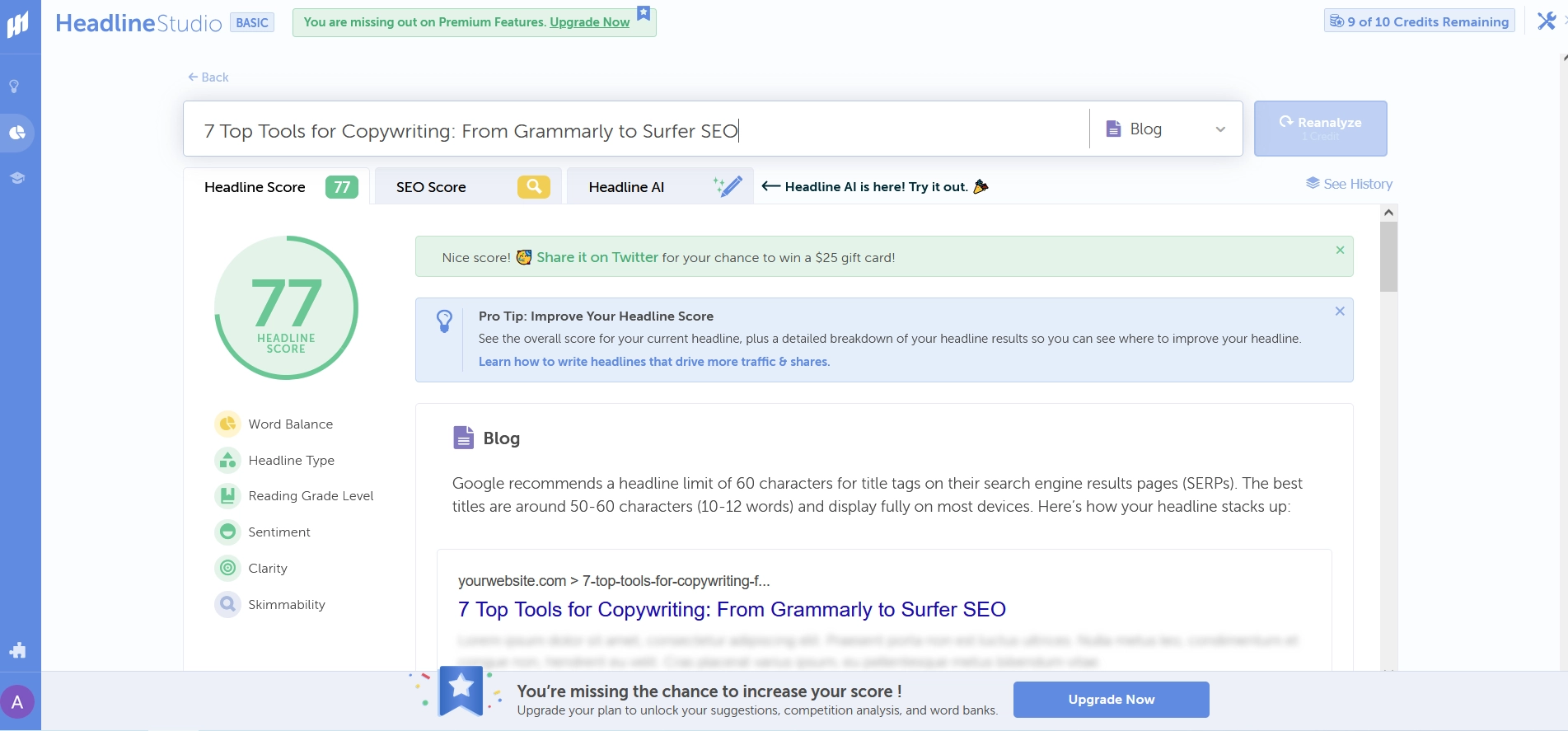
This program is good for testing headlines before launch. It scores titles based on structure, emotion, and balance. It’s useful for blog posts, email subject lines and product titles. You may use it for:
- Readability check. Detects long or vague phrases and makes titles better;
- Emotional score. Measures power words and emotional tone;
- Word balance and length. Helps balance common, uncommon, and emotional terms.
CoSchedule checks the structure, length, tone, and readability of headlines. Great addition to your selection of tools for copywriting. Pricing: Social – $19/month, agency – $59/month.
How to Sign Up for CoSchedule?
You’ll need an email and password, or log in with Facebook, Google, or Apple. Steps to register:
- Head to coschedule.com.
- Click “Sign Up”.
- Use email or social login.
- Create password.
- Access the headline tool.
Team verdict: We created hundreds of blog titles through it. The program showed solid suggestions on structure and tone. Not great for international titles but still a good variant among tools for copywriting focused on conversions.
6. Google Docs: Collaborative Writing and Editing
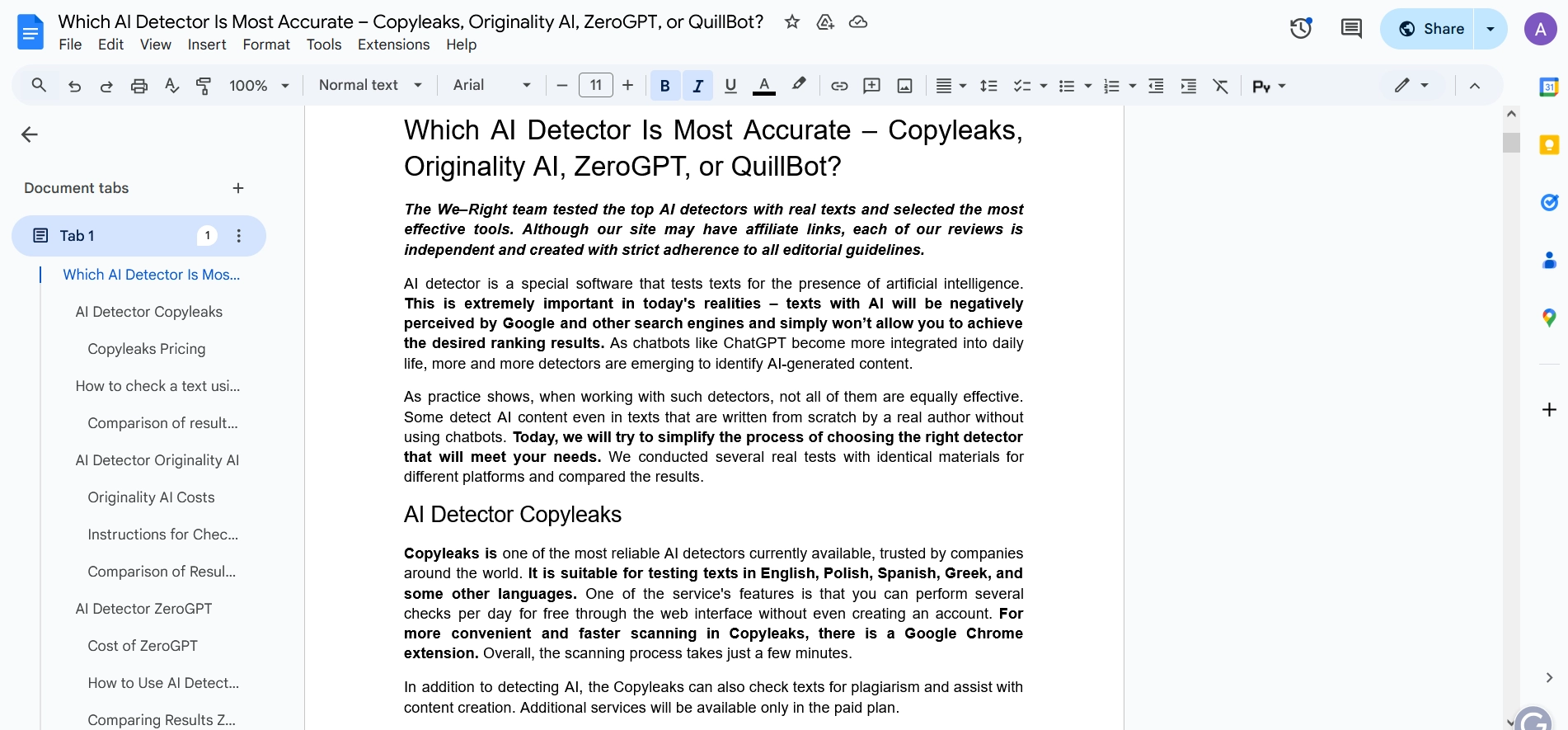
Google Docs is the most used platform for team writing. It’s cloud-based, saves changes automatically, and supports teamwork on the same page. You can comment, tag, and co-write in a real-time mode. The main features of the program:
- Live collaboration. Great when working on drafts with a team or editor;
- Comment and suggest features. Use for feedback and tracked changes.
- Version history. See what changed and when.
The program works well with Grammarly and Surfer SEO. One of the simplest tools for copywriting in terms of teamwork or multi-stage editing. Pricing: Free with a Google account.
How to Start Using Google Docs?
In order to use Google Docs, you need to have an active Gmail account. Here are steps to start your work with the program:
- Go to docs.google.com.
- Sign in with your Gmail address.
- Click “Blank Document”.
- Start typing.
- Share via email to invite collaborators.
Team verdict: We used the program for blog drafts, reviews, and content calendars. Loved the real-time feedback function and file backups. It’s less suited for offline work, but still one of the greatest tools for copywriting in a team.
7. Surfer SEO: Copywriting Meets SEO Optimization
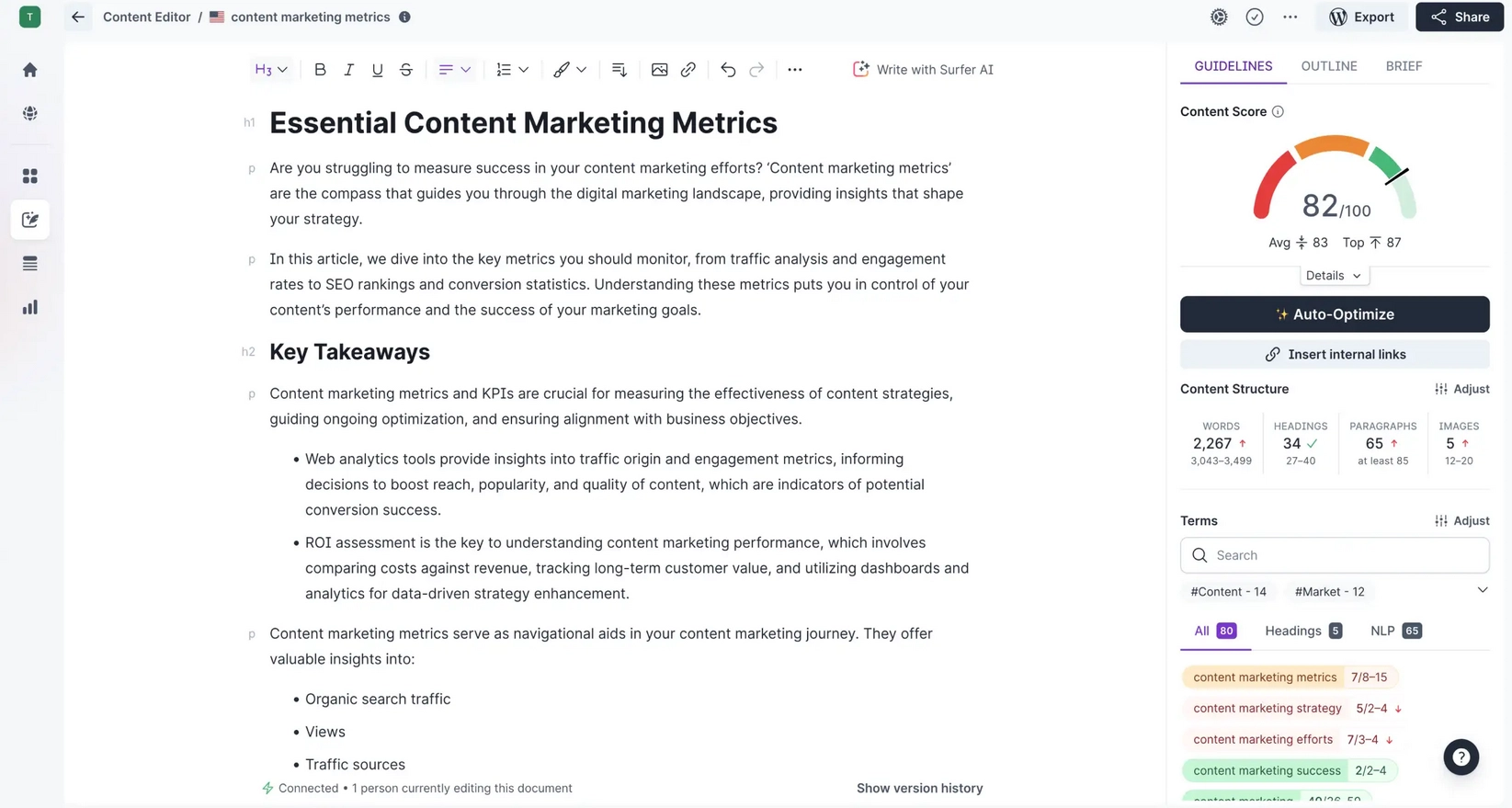
Surfer SEO focuses on writing and data. You drag your draft into the editor and it shows you different ways to improve your search rankings. No guesswork – just make adjustments based on your current suggestions. The program offers the following functionality:
- Real-time content editor. Checks structure, word count, keywords, and headers while you write;
- SERP analysis. Compares your content to top 10 results;
- Keyword density and structure guide. Tells you where and how often to use terms.
You can use Surfer SEO together with Google Docs or WordPress, plus run audits to improve old posts. This is one of the strongest tools for copywriting for SEO specialists. Pricing: Essential – $79/month, scale – $175/month.
How to Sign Up for Surfer SEO?
You need an email or Google account. You’ll also agree to privacy rules during sign-up. Steps to start:
- Go to surferseo.com.
- Press “Start Free Trial”.
- Sign up with Google or email/password.
- Accept privacy terms.
- Choose a plan.
Team verdict: We used it for blog optimization and SEO rewrites. Loved the keyword maps and SERP tools, plus docs integration works quickly.. Not ideal for creatives, but great for structured SEO copy. Definitely one of the more data-focused tools for copywriting.
Tools for Copywriting: Comparison Table
We have compared all the tools to see their capabilities. Each one has its strength – use the table to see how tools for copywriting are adapted to various tasks.
| Task \ Tool | Grammarly | Hemingway | Copyleaks | Copywritly | CoSchedule | Google Docs | Surfer SEO |
| Grammar & Spell Check | ✅ | ❌ | ❌ | ✅ | ❌ | ✅ | ❌ |
| Tone & Style Suggestions | ✅ | ✅ | ❌ | ❌ | ❌ | ❌ | ❌ |
| Headline Optimization | ❌ | ❌ | ❌ | ❌ | ✅ | ❌ | ❌ |
| SEO Optimization | ❌ | ❌ | ❌ | ✅ | ❌ | ❌ | ✅ |
| Team Collaboration | ❌ | ✅ | ✅ | ✅ | ❌ | ✅ | ✅ |
| Multilingual Support | ❌ | ❌ | ✅ | ✅ | ❌ | ✅ | ✅ |
| Real-time Content Scoring | ❌ | ✅ | ✅ | ✅ | ✅ | ✅ | ✅ |
Our Experts’ Opinions
After thorough testing and analysis, we found that each tool maintains certain copywriting processes. Some work with your grammar, others improve SEO. You don’t need all of them. Start with one or two, test what works best for your tasks. These tools for copywriting save time, reduce stress, and help reach goals faster. No tool writes for you—but the correct combination allows you to work faster and better.
FAQ
Which one among tools for copywriting is best for grammar and tone?
Grammarly works best here. It checks grammar, spelling, and offers tone rewrites. It’s a good choice for daily edits and emails.
Can I use these tools together?
Yes. Grammarly works inside Google Docs. Surfer connects with WordPress. Jasper exports to Docs too.
Is there a free program among these tools for copywriting?
Google Docs and basic Grammarly are free. Hemingway’s online editor is also free. Other tools offer short trials or limited versions.
What’s the best tool for SEO-focused writing?
Surfer SEO is a leader here. It gives clear benchmarks from top-ranking pages. Helps optimize headers, keywords, and word count.


You might also like
Discover other helpful articles handpicked for you, based on popular topics and recent publications.
Grammarly and QuillBot solve different writing problems, and choosing the right one depends on what you actually need. We tested both tools in real writing scenarios – from grammar-heavy drafts to paraphrasing tasks – and broke down six key differences that matter in practice, not in marketing claims.
 February 23, 2026
 173
173
Smodin.io helps you verify text originality, detect AI-generated writing, check plagiarism, and ensure grammatical accuracy. Discover its top 5 tools, pricing, and expert insights in our full review.
February 4, 2026
231
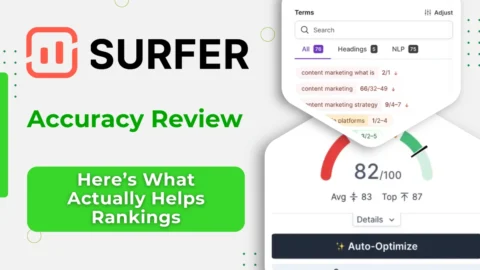
We-Right Factory experts will research the features of the Surfer SEO service and determine whether they are efficient. The article also contains information about premium plans and a registration guide.
February 4, 2026
245

Our We-Right Factory SEO specialists will talk about three of the most popular keyword density checker tools: Istio, Seoscout, and Checkserp. We will explain how to use these services and their key benefits.
 January 24, 2026
202
January 24, 2026
202

Our We-Right Factory copywriters will complete the ZeroGPT review and determine whether this service is helpful. We'll also compare different premium subscription levels and provide steps for getting started.
January 24, 2026
291

The We-Right Factory team will research the advantages of Quetext and indicate whether a premium subscription is necessary. We'll talk about available features and complete a test to see whether the results are accurate.
January 23, 2026
85

The We-Right Factory team will share all the details about the Copywritely service, including all the available instruments and key benefits and drawbacks. We will also share a simple registration instruction.
October 16, 2025
259

Want to know if a text was written by ChatGPT or a real person? Explore the best AI detectors for Google Chrome – tested tools that reveal how authentic your content really is. We reviewed their features, accuracy, and integrations to help you choose the most reliable option for everyday use.
October 8, 2025
1296

Our team at We-Right tested QuillBot’s Paraphraser, Grammar Checker, and AI Detector in real scenarios. In this review, we share what worked well, where the tool struggled, and whether it’s worth using. After weeks of testing, we’re ready to give you an honest verdict.
September 28, 2025
866

We tested Undetectable, Copyleaks, and ZeroGPT to verify the accuracy of their 99% claims. In this review, our team shares test results, highlights strengths and weaknesses, and recommends which AI detector is worth your trust. After weeks of experiments, we’re ready to give you an honest verdict.
September 12, 2025
591