
 EN
EN
 UA
UA
Home
 BlogServices and ToolsTop 3 Keyword Density Checker Tools That SEO Experts Swear By
BlogServices and ToolsTop 3 Keyword Density Checker Tools That SEO Experts Swear By
Top 3 Keyword Density Checker Tools That SEO Experts Swear By
Services and ToolsOur We-Right Factory SEO specialists will talk about three of the most popular keyword density checker tools: Istio, Seoscout, and Checkserp. We will explain how to use these services and their key benefits.
Our team maintains strict editorial standards and provides unbiased feedback based on thorough research and testing. We may receive compensation when you click on links to services we review, but this does not influence our recommendations.
Keyword density measures how often target search phrases appear in your content in relation to the total word count. This helps ensure your text meets search engine optimization standards. Monitoring this percentage enables you to create content that ranks well in search results while maintaining natural readability for your audience.
In this article, We-Right Factory SEO specialists will compare three popular services for keyword density analysis: Istio, Seoscout, and Checkserp.
What Is Keyword Density?
Keyword density is a metric used by SEO specialists to determine how frequently a target term appears in a piece of content relative to the overall word count. Keyword density is usually shown as a percentage. You find it by taking the number of times a keyword appears in the text, dividing it by the total word count, and then multiplying the result by 100.
As an example, in a 1,000-word article, using your keyword 10x gives you a density of 1%. If you repeat it 20 times, the density increases to 2%.
According to the We-Right Factory SEO specialists, the optimal keyword density is set at 3%. However, the percentage can slightly vary depending on the subject matter of the text, its length, and the requirements of search engines. The most crucial rule is to avoid overloading the text with keys. Too many search phrases often make the text difficult to read.
The Best Keyword Density Checker Tools Reviewed by the We-Right Factory Team
Calculating keyword density manually can be time-consuming, especially when working with thousands of words per day. That’s why SEO specialists, including those on our team, use semantic text analysis tools.
Three of the most popular options are Istio, Seoscout, and Checkserp. We want to tell you more about each of these tools to help you choose the option that best fits your task.
Istio – A Free Semantic Text Analysis Tool
Istio is a free service for LSI word selection and text checking. The tool is available not only for keyword density checks but also for other text parameters, such as water and classic nausea.
Istio provides a detailed report after every check that always includes:
- the frequency of the keyword within the content (Count);
- how well the chosen search phrase matches the subject matter of the content (Relevance);
- the share of the keyword compared to all significant terms used in the content (% in core);
- the share of the keyword compared to the overall word count, including stop words (% in text).
We enjoy using Istio because of its built-in Stop Word feature. Istioautomatically detects prepositions and introductory words, so we don’t need to enter them manually during the check.
Pros & Cons of Istio
The benefits and drawbacks of Istio will help you determine whether this service is the right choice for you. Check the table below.
| Advantages | Disadvantages |
| Accessible without the need for sign-up | Supports only four languages: English, Russian, Ukrainian, and German |
| Allows analysis of texts of any length | Lacks deep semantic analysis capabilities found in more sophisticated tools |
| Evaluates keyword density, water content (redundant words), spelling, and provides a word frequency chart | |
| Highlights keywords and redundant phrases, offering a visual representation of text quality | |
| Features a clean, intuitive interface |
How to Use Istio?
Using the Istio keyword density checker is simple; the service doesn’t require an account. We’ve created a step-by-step guide on how to check the search phrases in the text:
Step 1. Go to the Istio website and click the «Analyze text» button.

Step 2. Paste the link to your page or insert the text in the designated field.
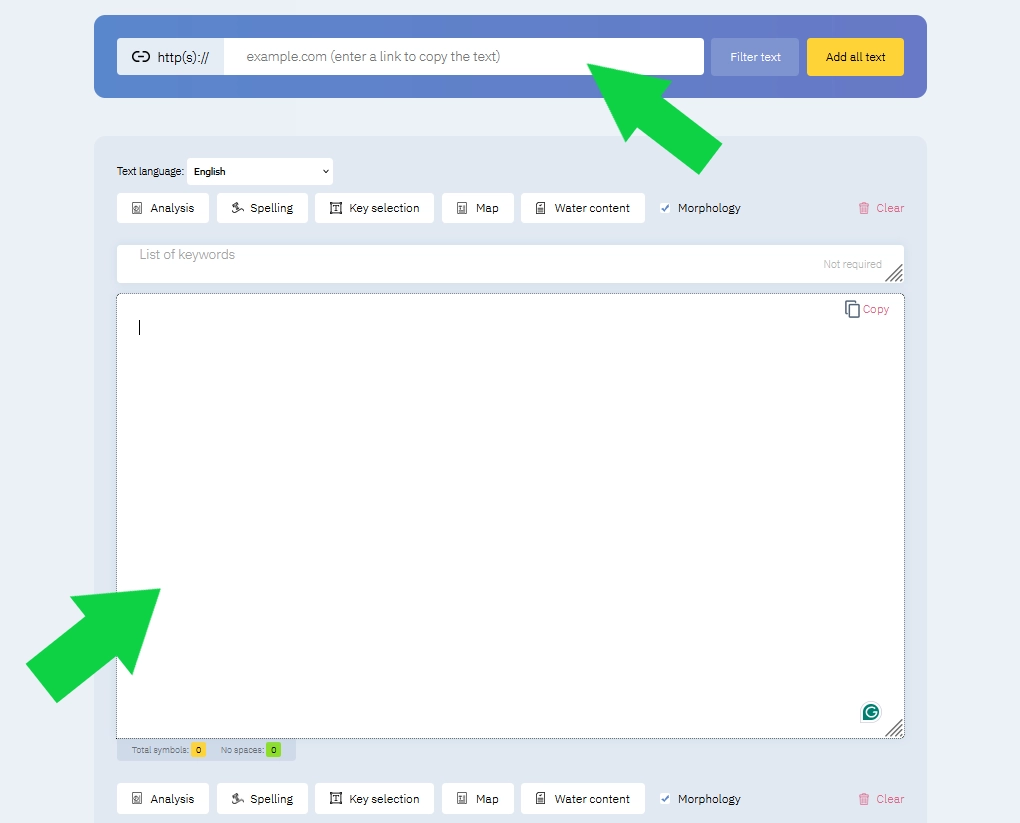
Step 3. Add the list of keywords to the designated field.
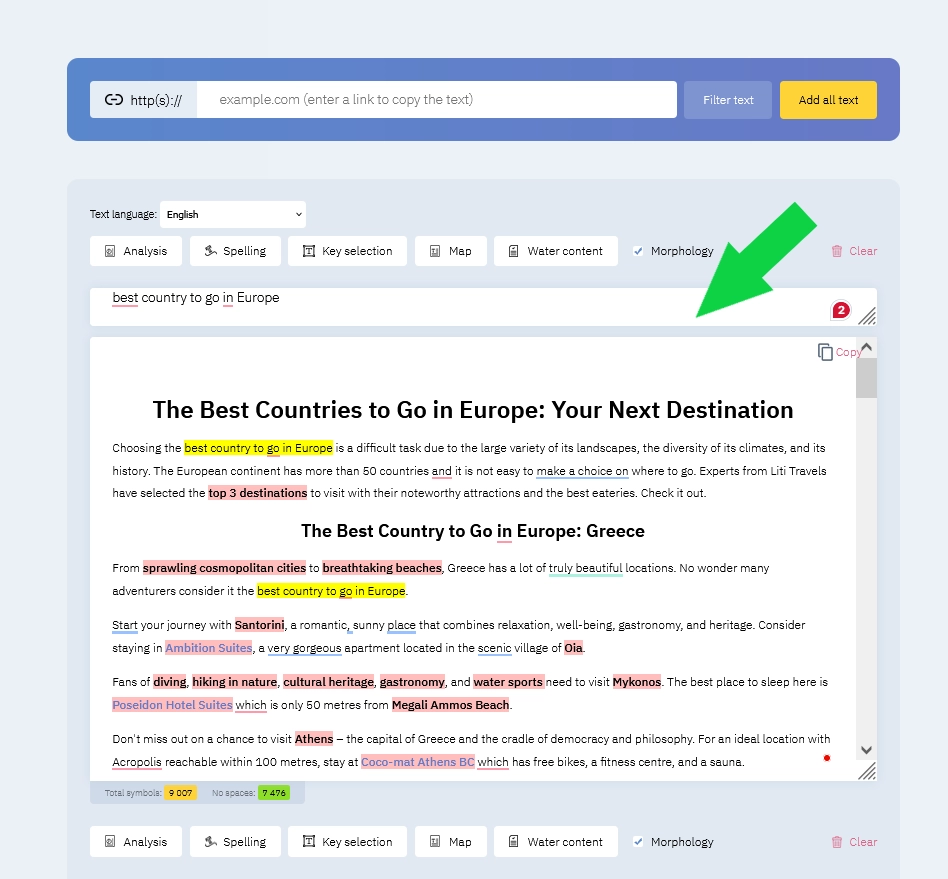
Step 4. Click the «Analysis» button at the bottom of the window.
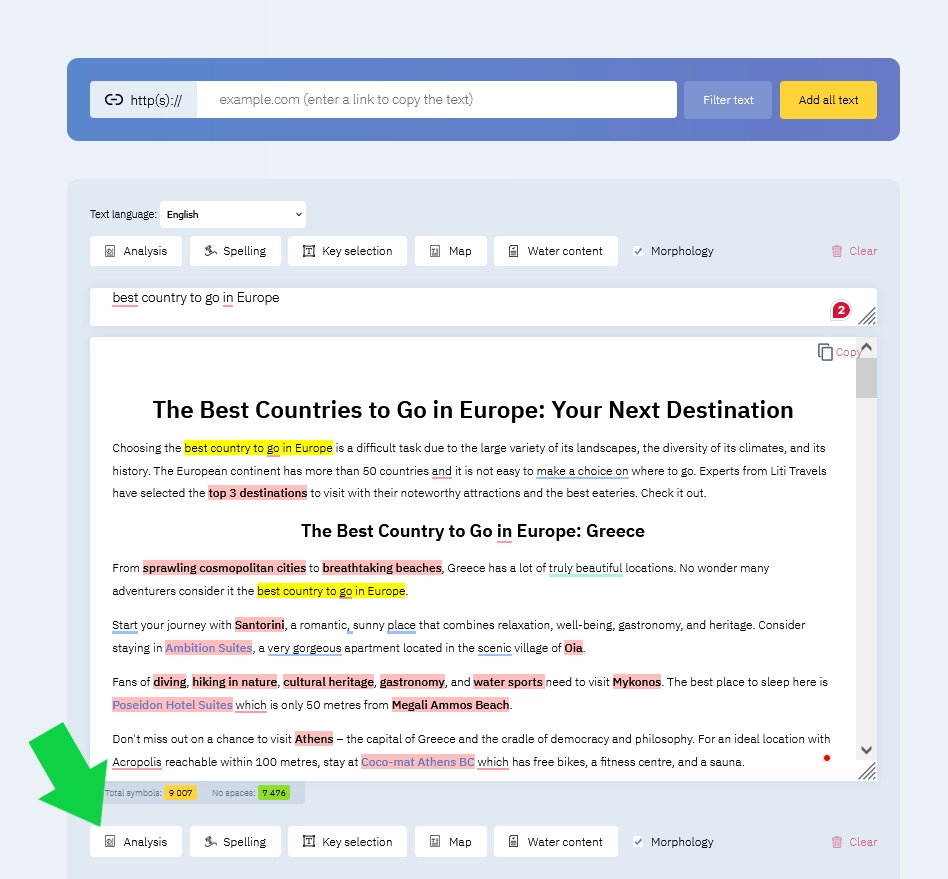
Step 5. Enjoy instant results of the check.
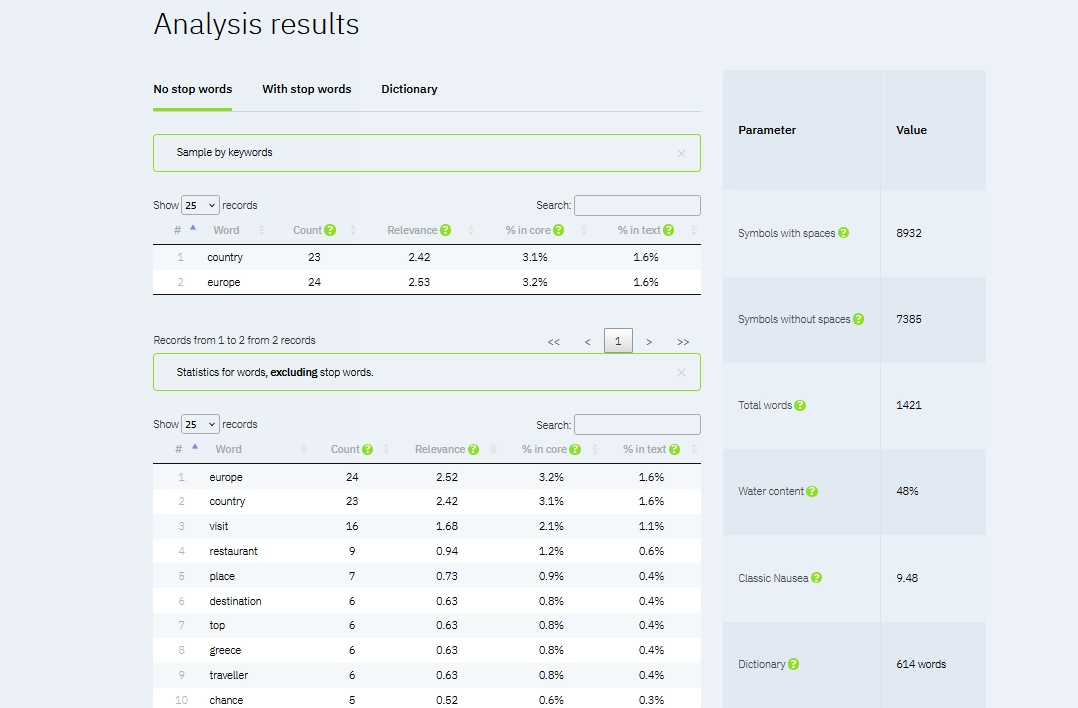
Istio is our often-used tool thanks to its user-friendliness and high speed. The service is free and has no keyword density check limits. Our SEO specialists also regularly use other Istio tools, such as water content and classic nausea. This helps us create texts that are not only easy to read but also rank high in search engines.
Seoscout – A Free Keyword Research Tool
Seoscout is a handy tool that helps SEO specialists improve their site’s search engine rankings. In addition to the keyword density check, Seoscout offers a range of other tools to help content creators drive more organic traffic.

Some of them include:
- Keyword Research. Identify the best search phrases to attract more visitors and connect with your target audience.
- Content Audits. Review your content to ensure it aligns with the best SEO practices and improves visibility in search results.
- Rank Tracking. Monitor your keyword rankings over time and adjust your strategy based on performance trends.
- Competitor Analysis. Analyze competitor strategies to uncover opportunities and stay ahead in the search landscape.
- Detailed Reports. Access detailed reports that guide smarter SEO decisions and maximize ROI.
The keyword density check in Seoscout is free. To access other SEO instruments, you need to subscribe monthly or annually. There are three subscription models: Starter, Business, and Agency. There is also a free 7-day trial.
In our opinion, Seoscout is the perfect choice for specialists who want to analyze the content in greater detail. The service not only provides a keyword densitycheck but also other efficient tools, like search phrase rankings.
Pros & Cons of Seoscout
In the table below, you can find the key advantages and disadvantages of Seoscout. Check it out.
| Advantages | Disadvantages |
| Easy-to-use interface that doesn’t make SEO feel complicated | The price of Seoscout is subscription-based |
| Solid keyword research tools | The massive amount of data might overwhelm some users |
| Great competitor analysis that shows you what others are up to | |
| Increasing your website’s exposure through on-page optimization |
Read also our article: We Tested Copywritely: Can It Really Make Your Writing Better?
How to Use Seoscout?
For a beginner, using Seoscout can be overwhelming due to the wide range of available SEO tools. That’s why our We-Right Factory specialists have created a step-by-step guide:
Step 1. Go to the Seoscout website and navigate to the «Free Tools» tab.
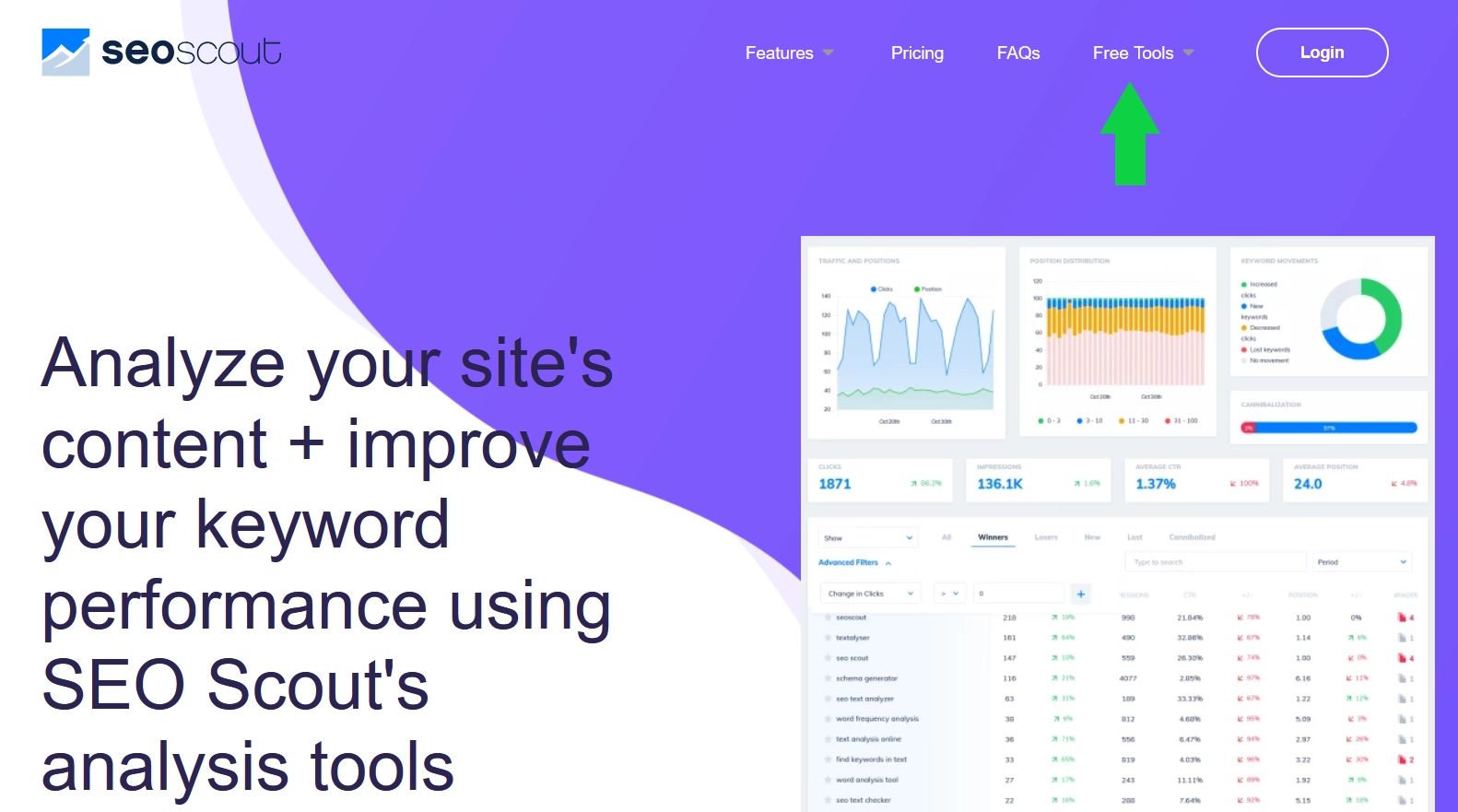
Step 2. Choose the «Keyword Density Tool» from the list of available options.
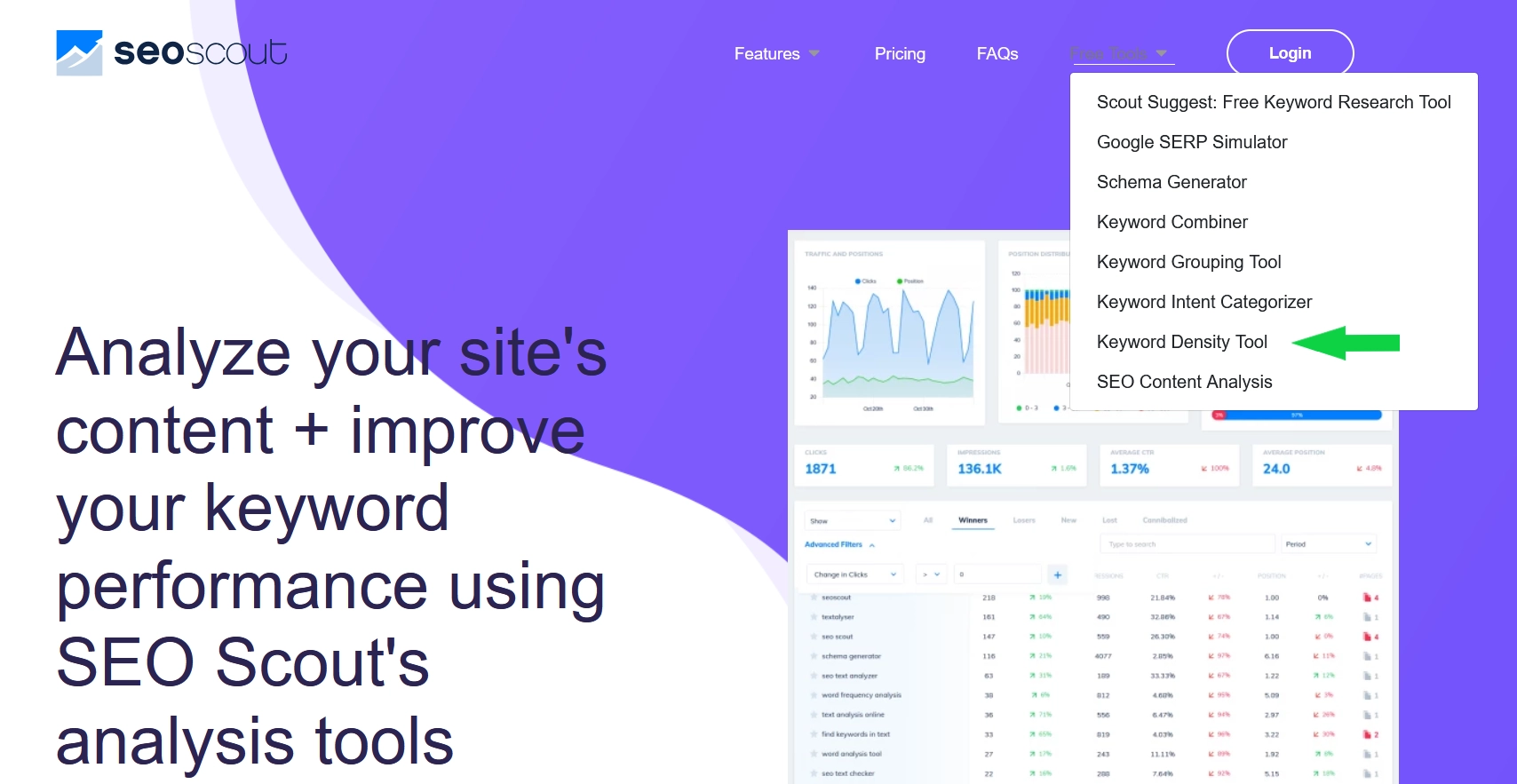
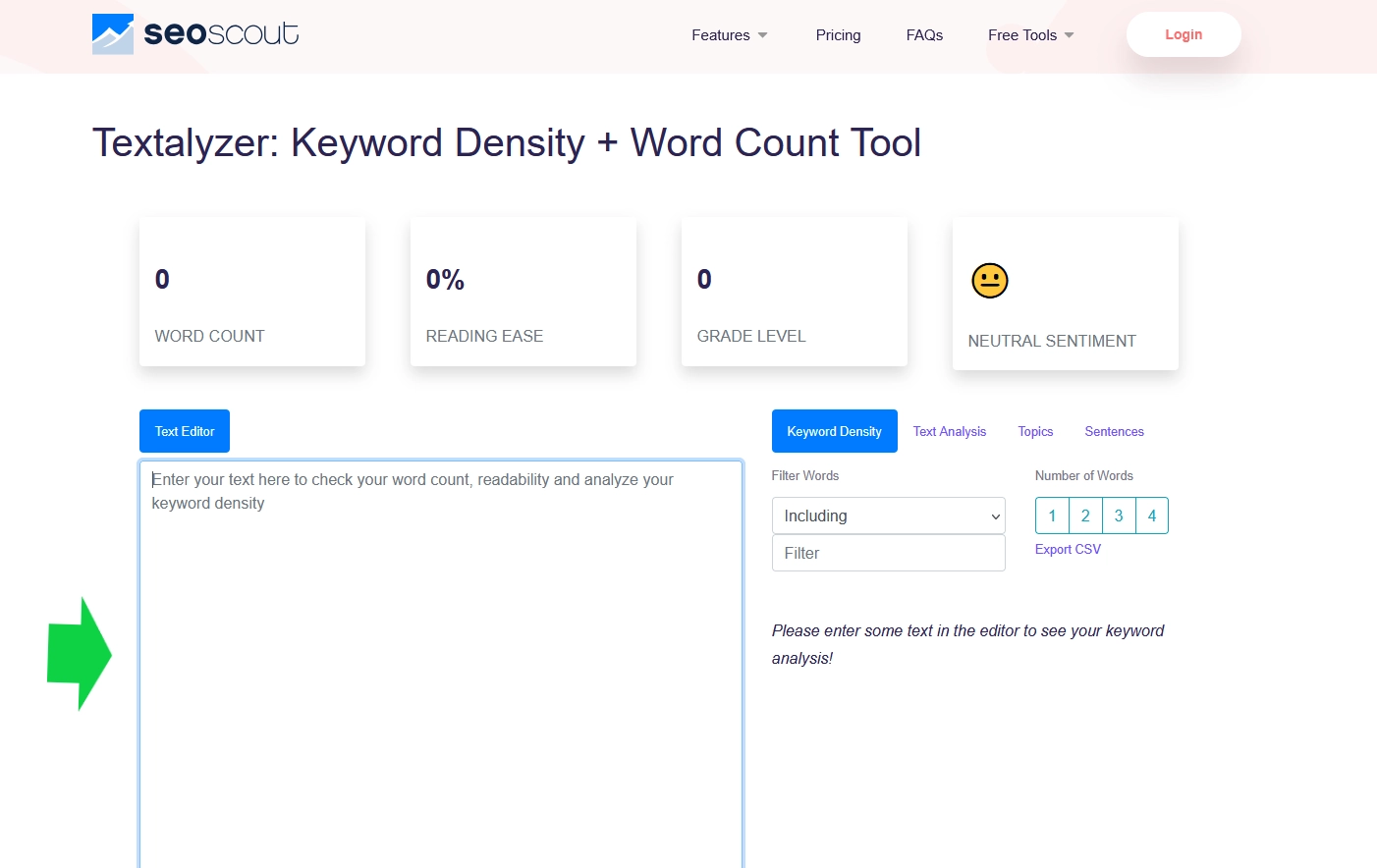
Step 3. Paste your text in the designated field.
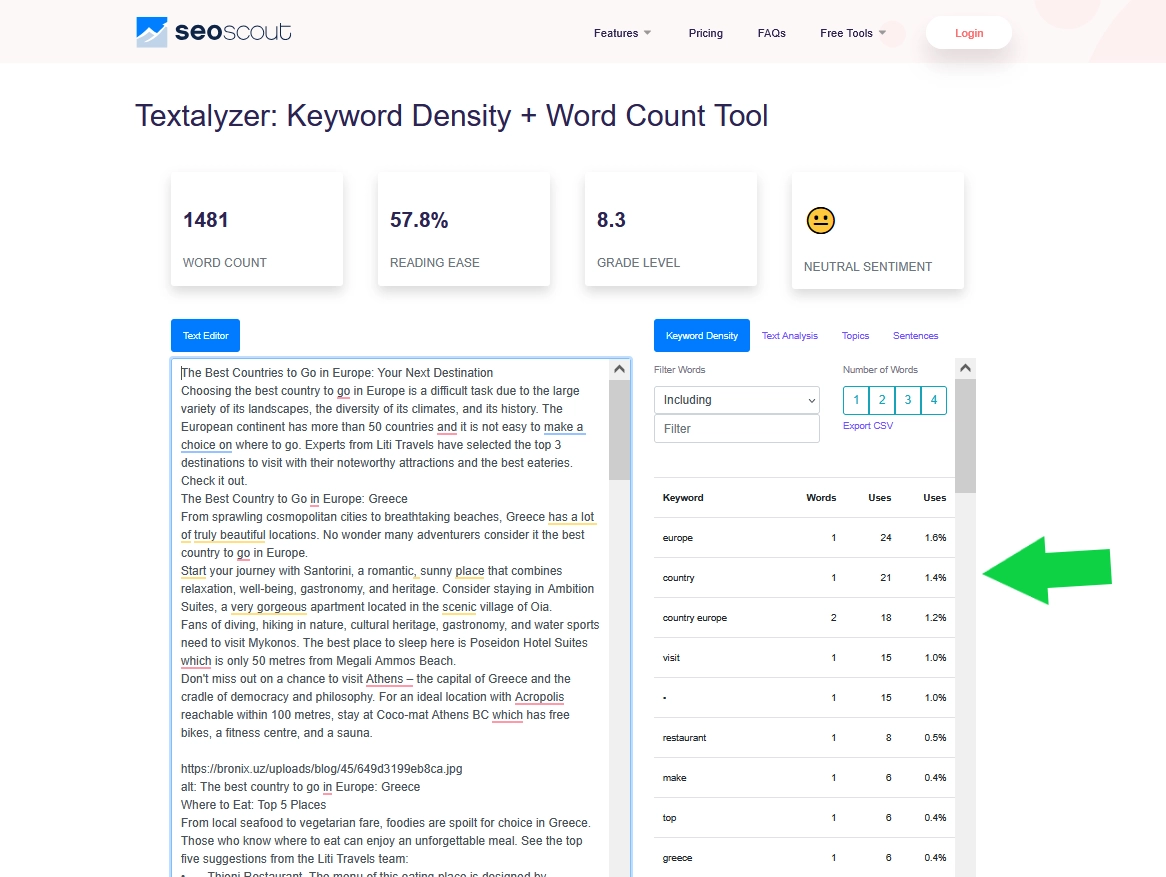
Step 4. Enjoy your results.
Checkserp – A Free Keyword Density Checker
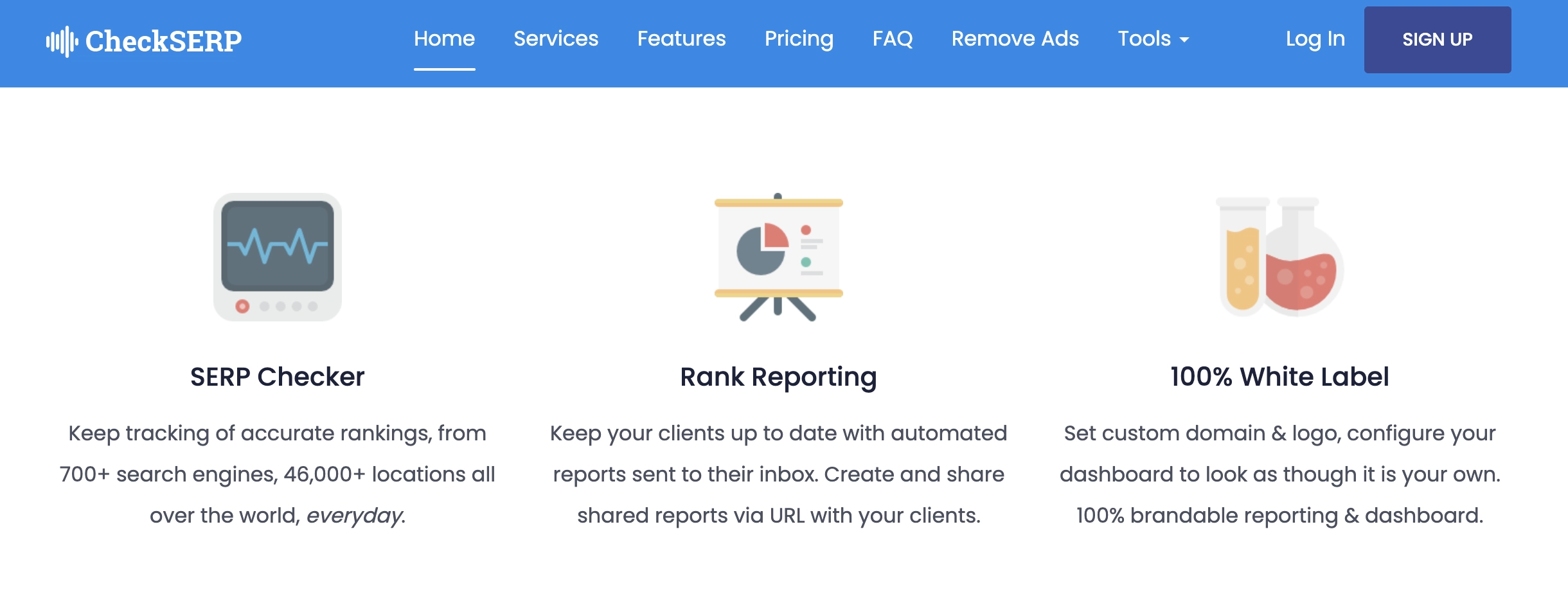
Checkserp is a free keyword density tool for writers, bloggers, and anyone who wants to double-check the use of search phrases before publishing. This service is also handy for reviewing competitor pages.
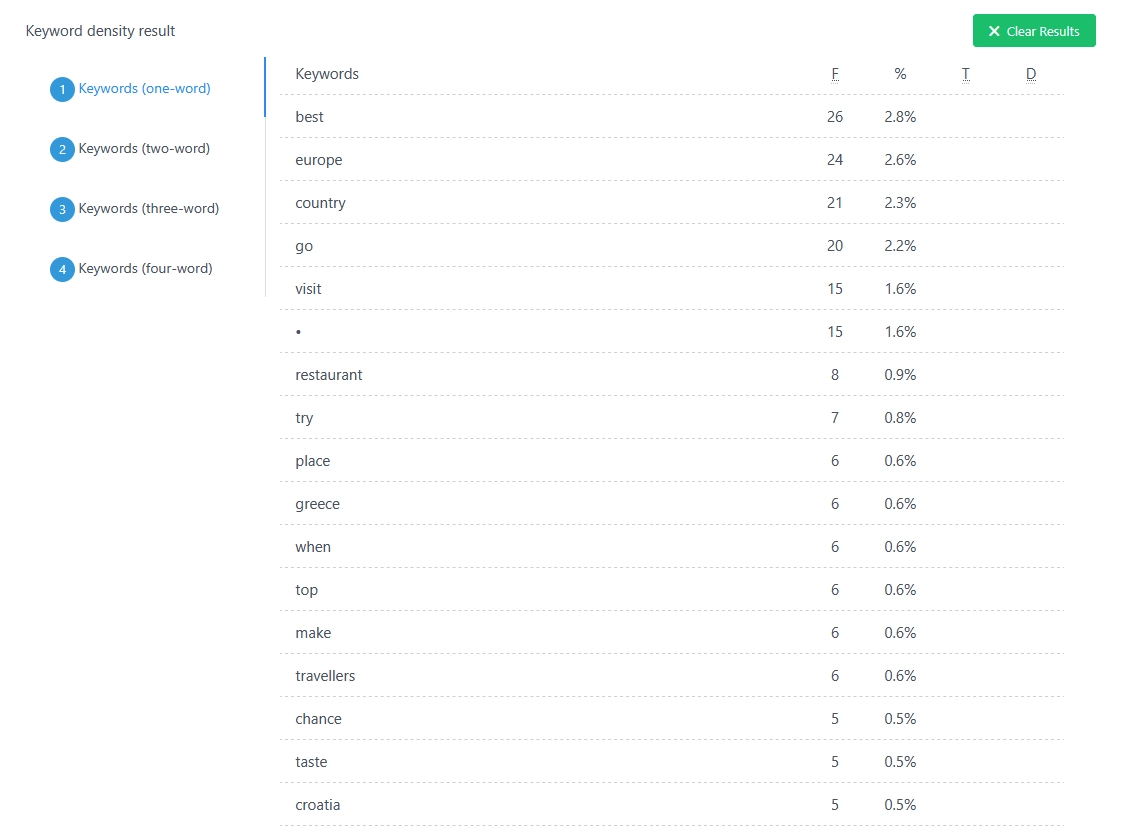
For a quick keyword density check, Checkserp is a great choice. You can paste your content or enter a URL, and the service starts analyzing immediately. For the most precise results, the tool allows users to change the settings. As an example, you can exclude stop words, define a minimum word length, or select the number of keyword phrases to display. Checkserp breaks down your content into single-word, two-word, three-word, and four-word phrases.
Our We-Right Factory SEO specialists frequently use Checkserp to verify whether our keywords appear in the meta title and description. It is extremely useful for tightening up on-page SEO before publishing.
Pros & Cons of Checkserp
The table below outlines the benefits and drawbacks of Checkserp to help you determine whether this service meets your requirements. Check them out.
| Advantages | Disadvantages |
| Works for both drafts and published pages | No AI-powered suggestions to balance keyword usage |
| Phrase-level breakdowns up to four words with counts and percentages | |
| Highlights if your keywords appear in titles and meta descriptions | |
| Customizable output for clearer, more useful data |
How to Use Checkserp?
Even a beginner won’t have issues with using Checkserp, as the service is very user-friendly. Our team has prepared a step-by-step guide on how to get started.
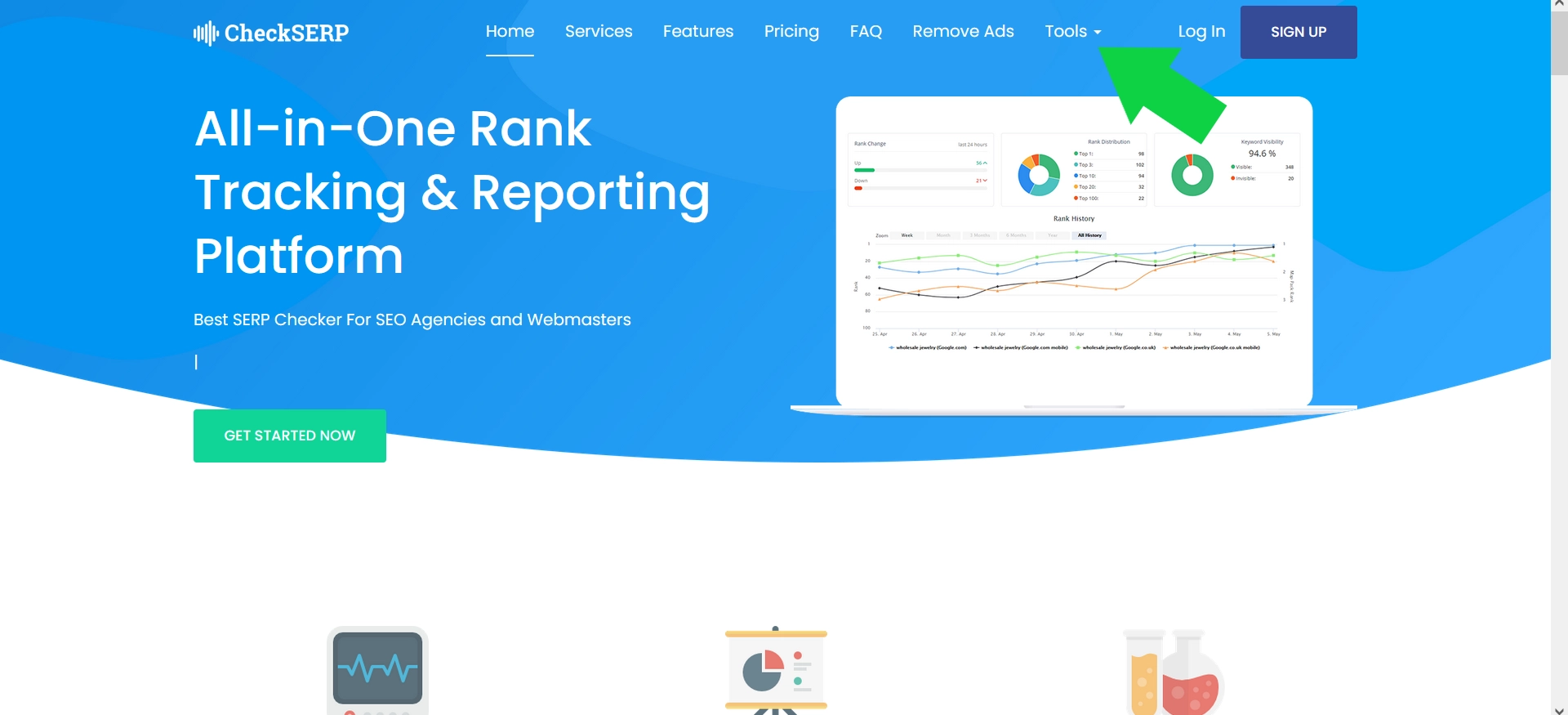
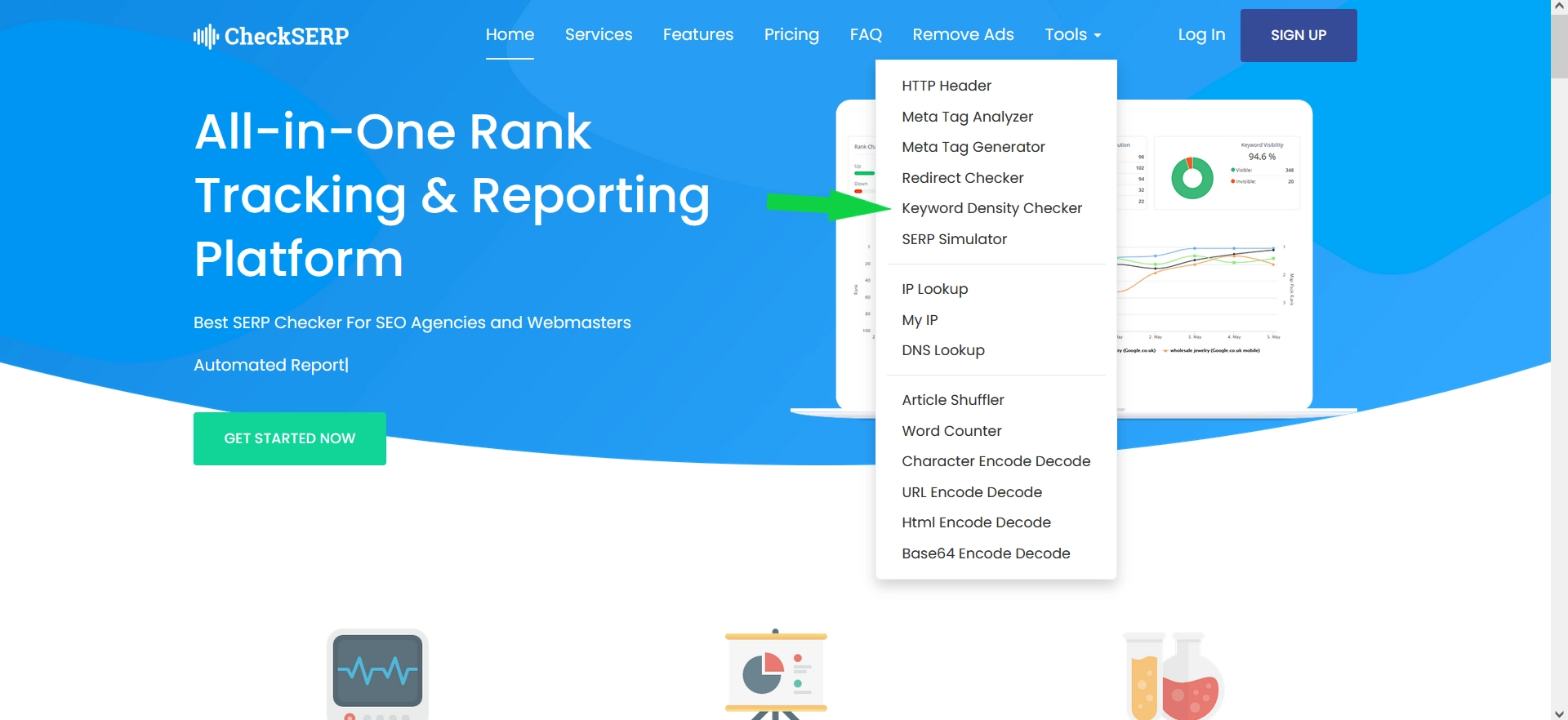
Step 1. Go to the Checkserp website and click the «Tools» button in the upper-right corner.
Step 2. Choose «Keyword Density Checker» from the list of available options.
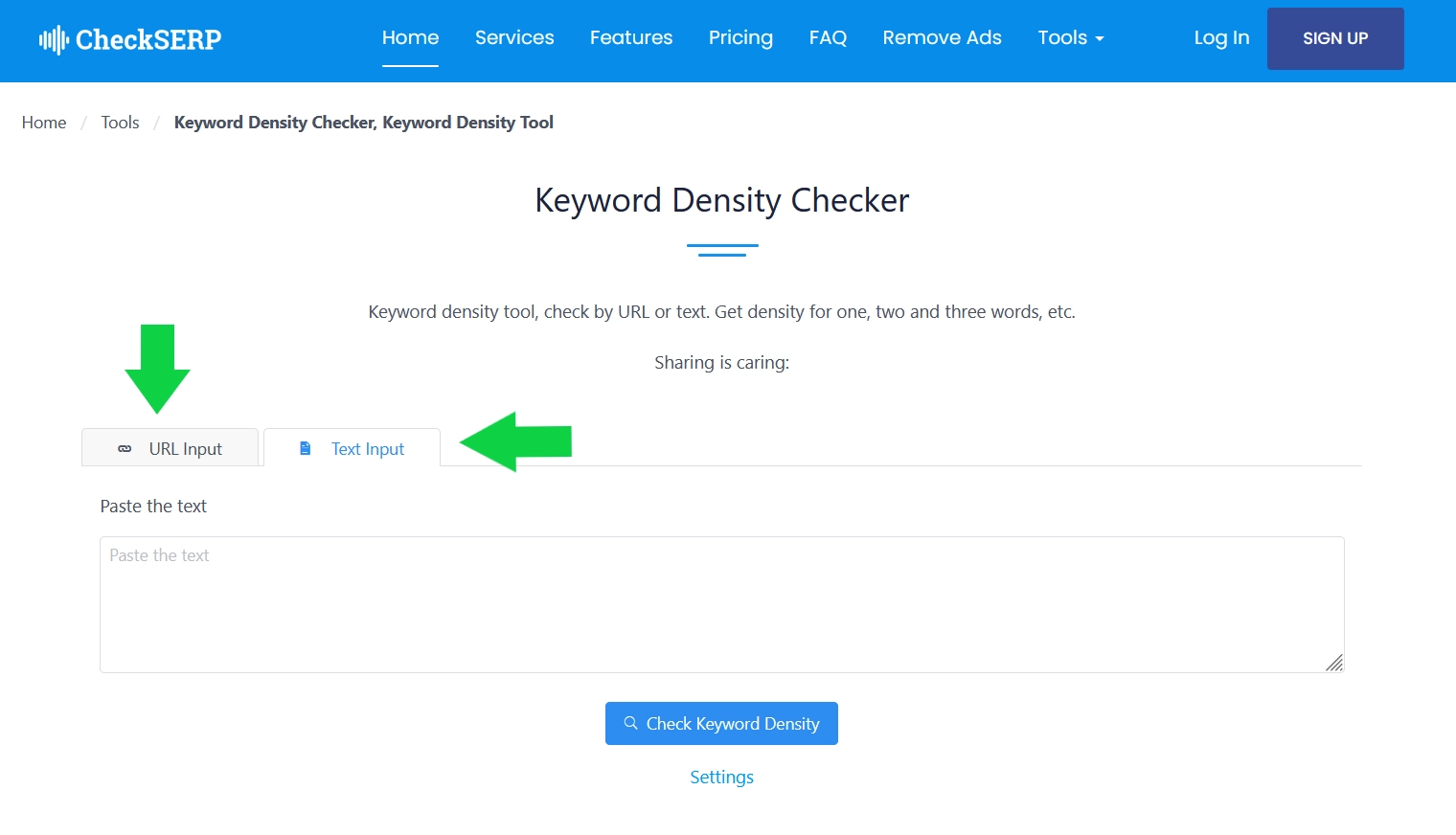
Step 3. Paste your text or navigate to another tab and input the URL to the webpage.
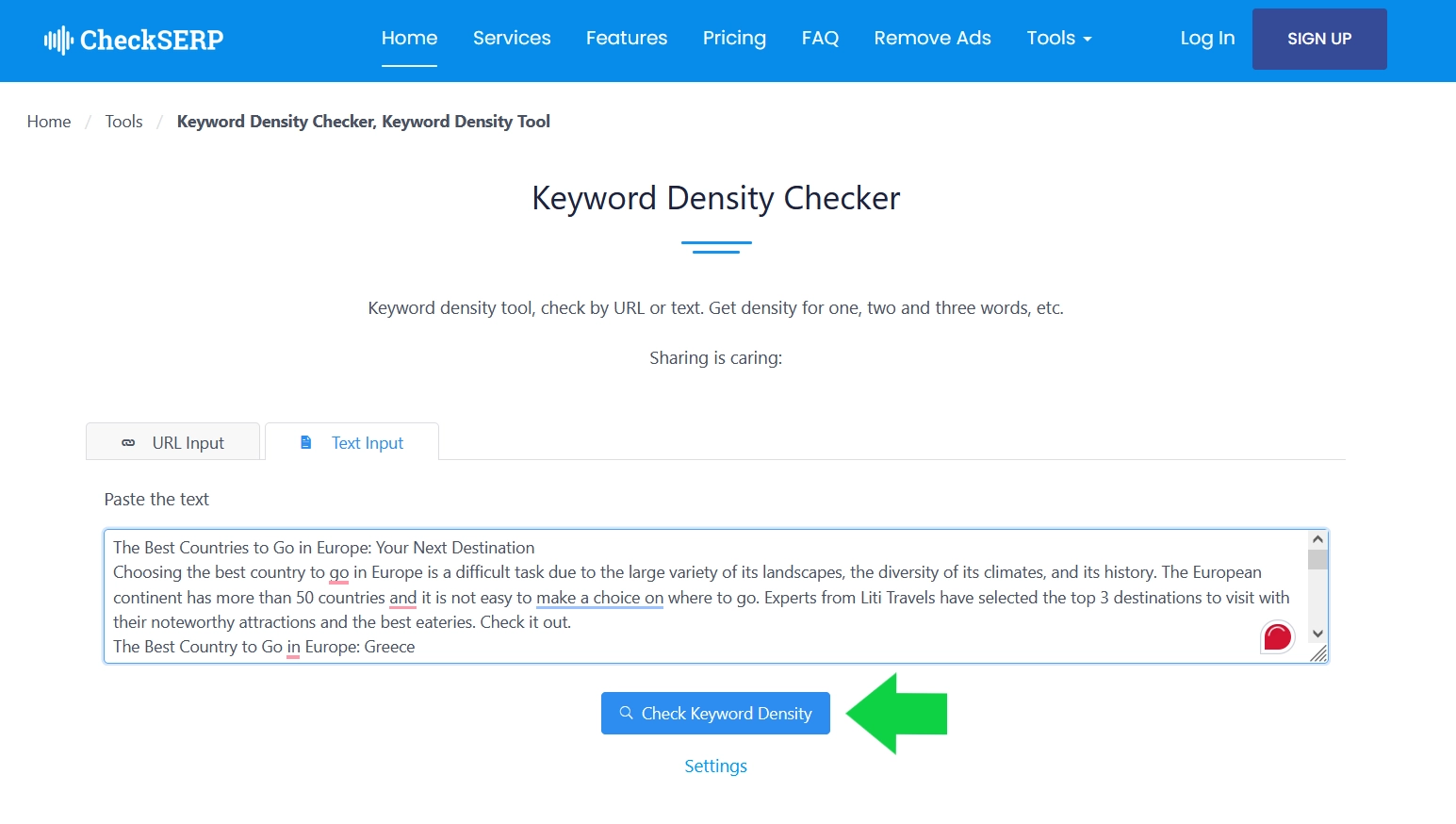
Step 4. Click the «Check Keyword Density» button. If needed, edit the settings, such as the length of the search phrase or stop words.
Step 5. Enjoy your results.
Keyword Density Checker Tools: Our Experts’ Opinions
In summary, our experience with Istio, Seoscout, and Checkserp indicates that these methods are effective for checking keyword density in your content. All three tools are free and user-friendly. However, for a semantic scholar seeking access to more advanced tools, there may be differences.
While Checkserp only allows to check keyword density, Istio offers more advanced tools like water content and classic nausea analysis. For the most detailed content analysis, our We-Right Factory team recommends Seoscout. The service offers many efficient tools, such as keyword rankings and competitor comparisons.
Frequently Asked Questions
How Do Keyword Density Tools Work?
Keyword density tools scan the content, identify and count search phrase occurrences, calculate total word count, and then compute the percentage density for each keyword.
Can I Analyze Competitor Content with Keyword Density Tools?
Many keyword density tools allow you to input URLs or paste competitor content to analyze their keyword strategies and density patterns.
Do Keyword Density Tools Count Stop Words?
Quality services typically exclude common stop words (e.g., the, and, or) from total word counts to provide more accurate density measurements.



You might also like
Discover other helpful articles handpicked for you, based on popular topics and recent publications.
Grammarly and QuillBot solve different writing problems, and choosing the right one depends on what you actually need. We tested both tools in real writing scenarios – from grammar-heavy drafts to paraphrasing tasks – and broke down six key differences that matter in practice, not in marketing claims.
 February 23, 2026
 173
173
Smodin.io helps you verify text originality, detect AI-generated writing, check plagiarism, and ensure grammatical accuracy. Discover its top 5 tools, pricing, and expert insights in our full review.
February 4, 2026
231

We-Right Factory experts will research the features of the Surfer SEO service and determine whether they are efficient. The article also contains information about premium plans and a registration guide.
February 4, 2026
245

Our We-Right Factory copywriters will complete the ZeroGPT review and determine whether this service is helpful. We'll also compare different premium subscription levels and provide steps for getting started.
January 24, 2026
291

The We-Right Factory team will research the advantages of Quetext and indicate whether a premium subscription is necessary. We'll talk about available features and complete a test to see whether the results are accurate.
January 23, 2026
84

The We-Right Factory team will share all the details about the Copywritely service, including all the available instruments and key benefits and drawbacks. We will also share a simple registration instruction.
October 16, 2025
258

Want to know if a text was written by ChatGPT or a real person? Explore the best AI detectors for Google Chrome – tested tools that reveal how authentic your content really is. We reviewed their features, accuracy, and integrations to help you choose the most reliable option for everyday use.
October 8, 2025
1296

Explore 7 must-have tools for copywriting that streamline your writing, improve SEO, and help you check AI content that ranks, converts, and saves you hours every week!
September 28, 2025
247

Our team at We-Right tested QuillBot’s Paraphraser, Grammar Checker, and AI Detector in real scenarios. In this review, we share what worked well, where the tool struggled, and whether it’s worth using. After weeks of testing, we’re ready to give you an honest verdict.
 September 28, 2025
865
September 28, 2025
865

We tested Undetectable, Copyleaks, and ZeroGPT to verify the accuracy of their 99% claims. In this review, our team shares test results, highlights strengths and weaknesses, and recommends which AI detector is worth your trust. After weeks of experiments, we’re ready to give you an honest verdict.
September 12, 2025
590