
 EN
EN
 UA
UA
Home
 BlogServices and ToolsQuillBot Review: 7 Things You Need to Know Before Using It
BlogServices and ToolsQuillBot Review: 7 Things You Need to Know Before Using It
QuillBot Review: 7 Things You Need to Know Before Using It
Services and ToolsOur team at We-Right tested QuillBot’s Paraphraser, Grammar Checker, and AI Detector in real scenarios. In this review, we share what worked well, where the tool struggled, and whether it’s worth using. After weeks of testing, we’re ready to give you an honest verdict.
The We-Right crew brings an objective review of QuillBot, a multi-purpose writing tool. Although our assessments may include links, please be assured that the information is accurate and that high editorial standards are maintained.
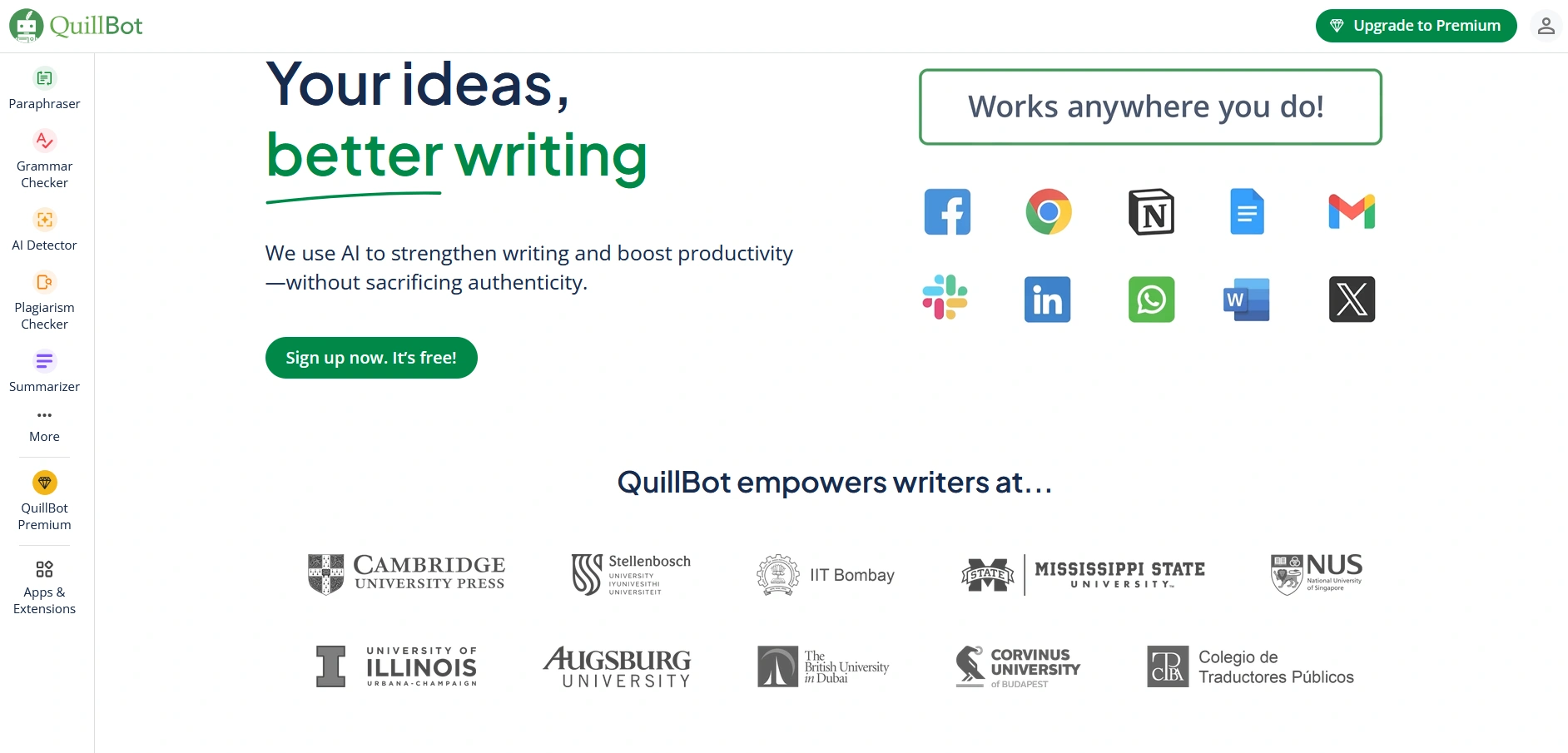
QuillBot is an online tool that provides rewriting, summarization, and grammar checking services. It has gained acceptance among students and writers, with all benefiting from its purpose of simplifying and refining texts. There is a free version, with its restrictions, and a premium one with added capabilities. It can be operated through a web browser and integrates seamlessly with Google Docs and Microsoft Word. In this article, you can explore seven crucial facts to explore the QuillBot features and learn how to use them for improving your writing experience.
What Is QuillBot?
QuillBot is an online tool intended to rewrite, correct, and analyze your written work for you. It proves to be a valuable tool for those who need to edit work quickly and efficiently. So, what can you gain through QuillBot:
- Rewrite text to say the same thing in a new way;
- Make writing smoother and more natural;
- Detect and correct grammar errors for you;
- Detect plagiarized work in any text;
- Detect AI-written work;
- Translate text work in several languages;
- Summarize long passages into key points;
- Generate proper citations for research and articles.
What Tools Does Quillbot Have?
QuillBot began as a simple paraphrasing service but has evolved into a comprehensive writing assistant. Now, it comes with a range of tools for writing, editing, translating, and checking text. Everything is in one place, allowing you to manage various writing tasks. Below is a breakdown of each tool, along with its purpose.
QuillBot Paraphraser
The Paraphraser helps rewrite text while keeping the original meaning. It’s useful if you want to avoid repetition, improve clarity, or make your content stand out. The tool utilizes advanced language models to swap words, modify sentence structure, and refine phrasing. You can change the following settings when paraphrasing:
- Modes. There are 10 modes, including Standard, Fluency, Creative, Human, etc. They adjust the depth of changes based on the selected mode. Some make big edits, while others keep things close to the original.
- Synonym Slider. Controls how many words are swapped with synonyms. More changes make the text look different.
- General Settings. Lets you pick an English dialect, decide if contractions should be used, and control how quotes are handled.
To use QuillBot Paraphraser, write, paste, or upload text, adjust the settings, and click the green button. The rewritten text appears on the right.
We tried the Paraphraser on academic and blog texts. In Standard mode, QuillBot retained the meaning intact but required manual polishing. Creative mode produced smoother flow, but sometimes changed the nuance.

We also noticed that pushing the synonym slider too far can break idioms or technical terms. For us, the free version felt too limited, with only 125 words and two modes, whereas the Premium version provided more control and was better suited for longer content. From our testing, we learned it’s best to pick edits one by one – using “Accept all” often removes style. Short passages worked best, while longer ones were usually heavily restructured.
We also want to emphasize that no tool paraphrases as well as a human. QuillBot can save time, but you should never rely on it blindly – final review and judgment must stay with the writer.
QuillBot Grammar Checker
QuillBot Grammar Checker detects and corrects grammar errors in real-time. It’s perfect for everybody looking for a polished language. The Grammar Checker meticulously inspects the input, identifies errors, and suggests corrections. It utilizes powerful language models specifically designed to correct mistakes in spelling, punctuation, and sentence structure.
Some of the most valuable features of the QuillBot Grammar Checker include:
- Instant Corrections. Mistakes are highlighted in real-time, and tips appear conveniently to your right.
- Live Editing. Adjustments update in real-time, providing an uninterrupted experience.
- Contextual Corrections. It doesn’t simply analyze individual words; it takes into consideration the overall context of the sentence, too.
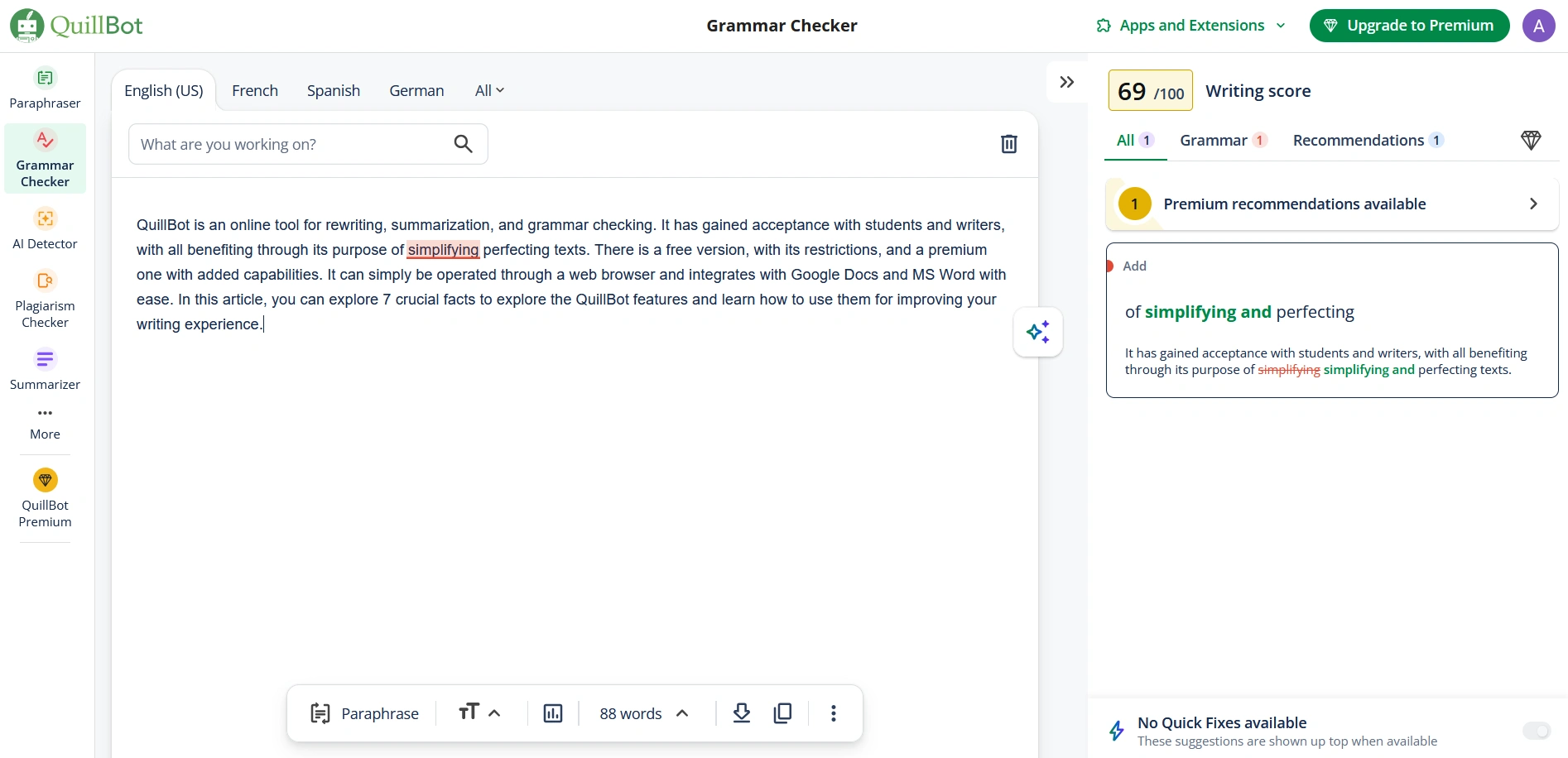
To utilize the tool, paste or upload your work, and it will begin checking instantly. Corrections and tips will then appear to your right.
QuillBot AI Detector
QuillBot AI Detector is an online tool that analyzes text and determines whether it was generated by artificial intelligence. It is beneficial for writers, educators, and businesses that want to check the authenticity of written content. The AI Detector carefully reviews the input and generates a probability rating in several categories of writing. It supports English, Spanish, German, and French.
The tool generates a percentage rating for AI-written text, as well as for content that is both AI-written and AI-edited, AI-edited and human-written, and purely human-written.
Hands-on with the AI Detector
We tried the AI Detector with both human-written and AI-generated texts. In most cases, it correctly flagged AI-written content, and longer passages (over 150 words) gave the most accurate results. For shorter texts, we observed mixed outcomes – sometimes human-written content was incorrectly marked as “AI-edited,” which aligns with what other users reported. We also observed that the tool performs best in English; results in other languages, such as Spanish or German, were less consistent.
From our own testing, we found it helpful as a quick authenticity check, but not something to rely on blindly. It gives good signals, yet the final judgment still needs human review.
How to use the QuillBot AI Detector:
- Copy and paste your text into the tool, ensuring it has a minimum of 80 words.
- Choose a language: Spanish, German, French, or English.
- Press the “Detect AI” button.

What happens next
- The tool scans your text and generates a detailed report.
- Underlined sections show potentially AI-generated parts.
- Edit those sections and rerun the scan to verify changes.
- Results and recommendations appear in the right panel.
QuillBot Plagiarism Checker
QuillBot Plagiarism Checker checks if content is copied from other sources. It’s useful for writers, students, and businesses needing original work. The scanner reviews text against online sources and databases and generates a detailed report.
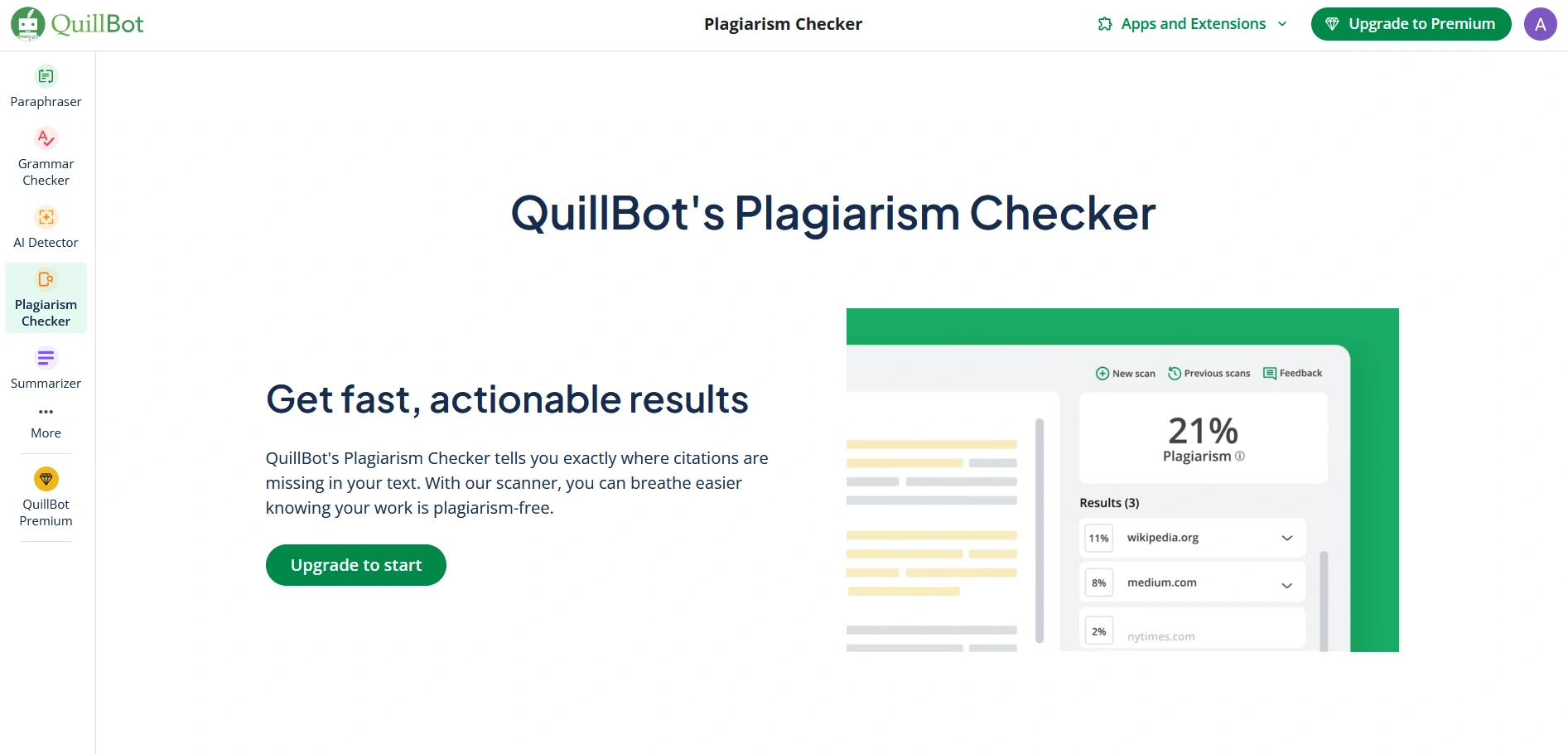
The tool supports 100+ languages, including Ukrainian, Spanish, English, French, Portuguese, Arabic, German, Greek, Chinese, Japanese, and more. However, you can use it only after a subscription, which allows you to write up to 25,000 words per month.
To check the text for plagiarism, you should do these three steps:
- Pick a Premium plan to unlock the Plagiarism Checker.
- Upload files (supports .txt, .pdf, .docx, and .html formats) or paste the text.
- The tool checks the text in a few minutes, highlights matched sections and provides source links.
Our verdict on QuillBot Plagiarism Checker
We tested this tool on various texts. It scored over 99% accuracy for direct copy-paste checks, quickly flagging even small edits like swapped characters. At the same time, accuracy dropped to around 80% with AI-paraphrased passages, where some rewritten parts slipped through.
Overall, QuillBot works well for straightforward plagiarism detection, but for academic or AI-generated content, it’s best paired with other checkers to ensure complete reliability.
QuillBot Summarizer
The Summarizer condenses text into key points. It helps with reports, articles, and long documents. The service scans the text, identifies the most essential details, and preserves the original context. Its functionality includes these settings:
- Paragraph, List, or Custom Option. You can generate a summary in a single section or as bulleted points. Additionally, you have the option to choose an alternative.
- Short-Long Slider. Adjusts to control the volume of the summary.

Read also our article: How to Use The Originality.ai Chrome Extension
To use the QuillBot Summarizer, paste or upload text, select settings, and the summary appears in seconds.
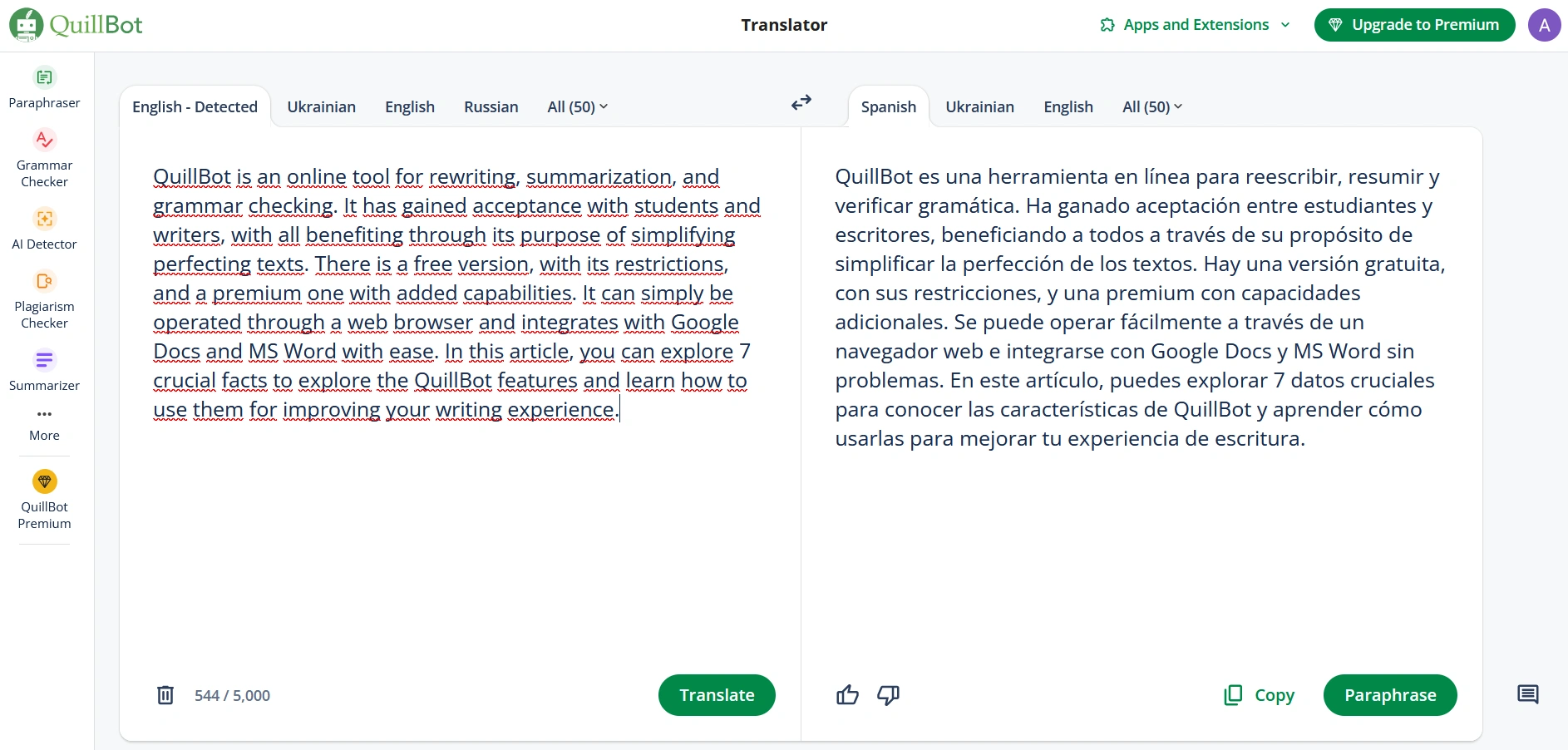
QuillBot Translator
The QuillBot Translator converts text into different languages. It works for single words, sentences, or complete documents. The tool utilizes AI to ensure accuracy while preserving meaning. The tool’s key features are:
- 50+ Language. Covers major languages and dialects;
- Free to Use. Basic translations are free, with extra features in Premium.
You simply need to paste or upload text, select a language, and receive an instant translation.
QuillBot Citation Generator
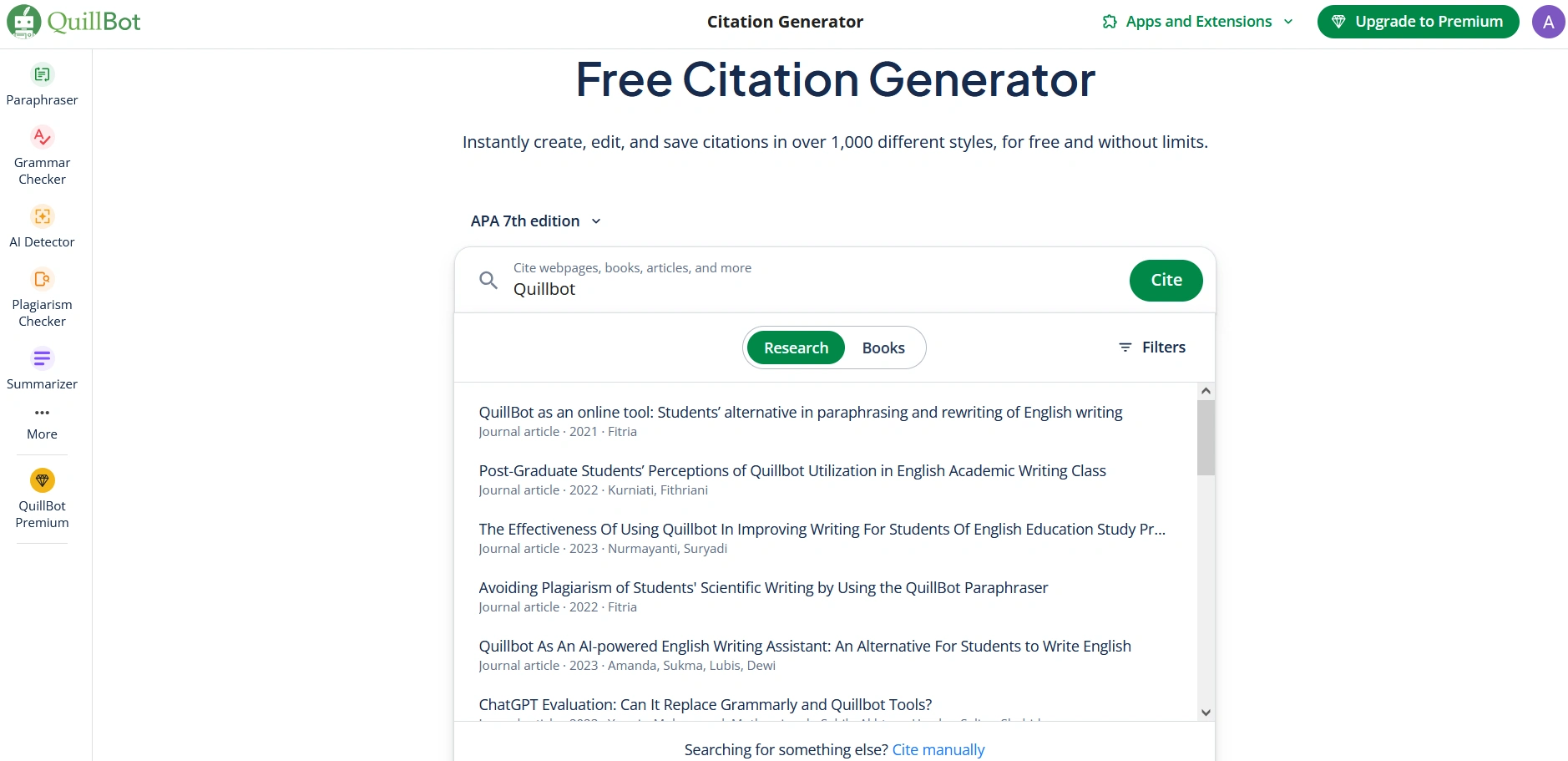
This tool generates citations in various formats and styles, including APA 7th edition, Harvard Cite Them Right 12th edition, AMA 10th edition, and others. The Citation Generator supports multiple sources, including books, articles, and webpages. How to use it:
- Enter details. Add the title, author, and source type.
- Pick a style. Choose from over 1,000 citation formats.
- Generate citation. The tool instantly creates a formatted citation.
- Copy and paste citations as needed.
QuillBot Flow
QuillBot Flow is a workspace that combines all tools. It allows users to paraphrase, summarize, check grammar, and generate citations in one place. No need to switch between different features; everything is built into one space. You can use it in the following way:
- Upload text. Drag and drop a file (.txt, .doc, .docx, .pdf).
- Pick a tool. The system suggests the next steps.
- Edit and finalize. Adjust the text and move between tools as needed.

How to Create an Account on QuillBot
Customers can easily start using QuillBot. First, you need to create an account through the platform to access its available features. Use these steps to set up your QuillBot profile as described below:
- Access the QuillBot official website.
- Click on the icon that appears on the top right-hand side, then proceed to choose “Sign up or Log In.”
- Proceed to the “Sign Up” page, where you will input your email, password, and name, and then select “Continue.”
- Answer simple questions that you can complete in no time.
- Your account is ready.
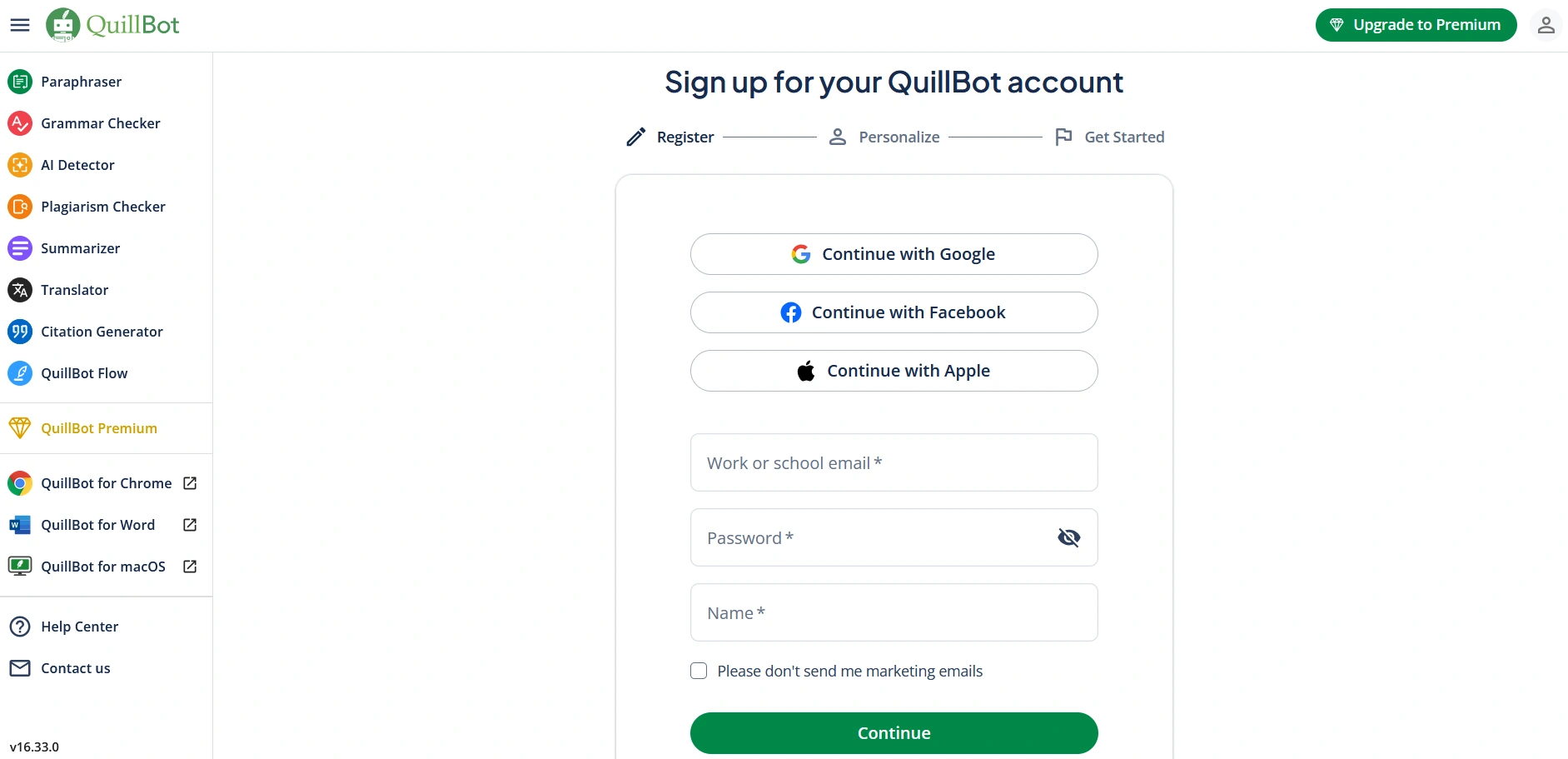
A sign-up procedure can be accelerated by logging in with Facebook, Apple, or Google accounts. After registration, follow the login process to start using QuillBot in both its free and premium configurations.
How to Purchase a Premium Plan from QuillBot
A premium membership on QuillBot provides customers with advanced rewriting capabilities and unrestricted grammar checks, as well as unlimited summarization options. The procedure is straightforward and takes only a short time to complete through three easy steps. Users can obtain a premium plan by following the given instructions:
- Access QuillBot through its official site using your account login credentials.
- Click the green “Upgrade to Premium” button, which appears toward the top right side of the screen.
- Select one of the three available subscription plans between annual, semi-annual and monthly.
- Choose to pay with your credit card or PayPal to proceed with your account upgradation.
- Follow the payment instructions to finish your purchase.

QuillBot Apps and Extensions
QuillBot developed a range of applications and extensions that provide users with convenient access to these tools. The QuillBot platform seamlessly integrates into all your working environments, supporting your mobile phone use, desktop work, and web access. The platform allows you to use its capabilities according to these steps:
- QuillBot for Desktop. People can use this app as an extension, similar to Chrome, but it operates specifically on macOS and Windows, and will be released on additional platforms soon. You can effortlessly amend your text within programs like Slack, Notes, and Messages as this widget resides directly inside their interfaces.
- QuillBot for Mobile. The AI Writing Keyboard application, available on iOS and Android, functions ideally for enhancing text in messaging services, email platforms, and social media platforms.
- QuillBot Extensions. Users can benefit from all QuillBot features through browser extensions that function on Chrome, Edge, and eventually Safari, allowing them to refine writing directly on web pages without needing to navigate to a separate page.
Pricing Plans for QuillBot
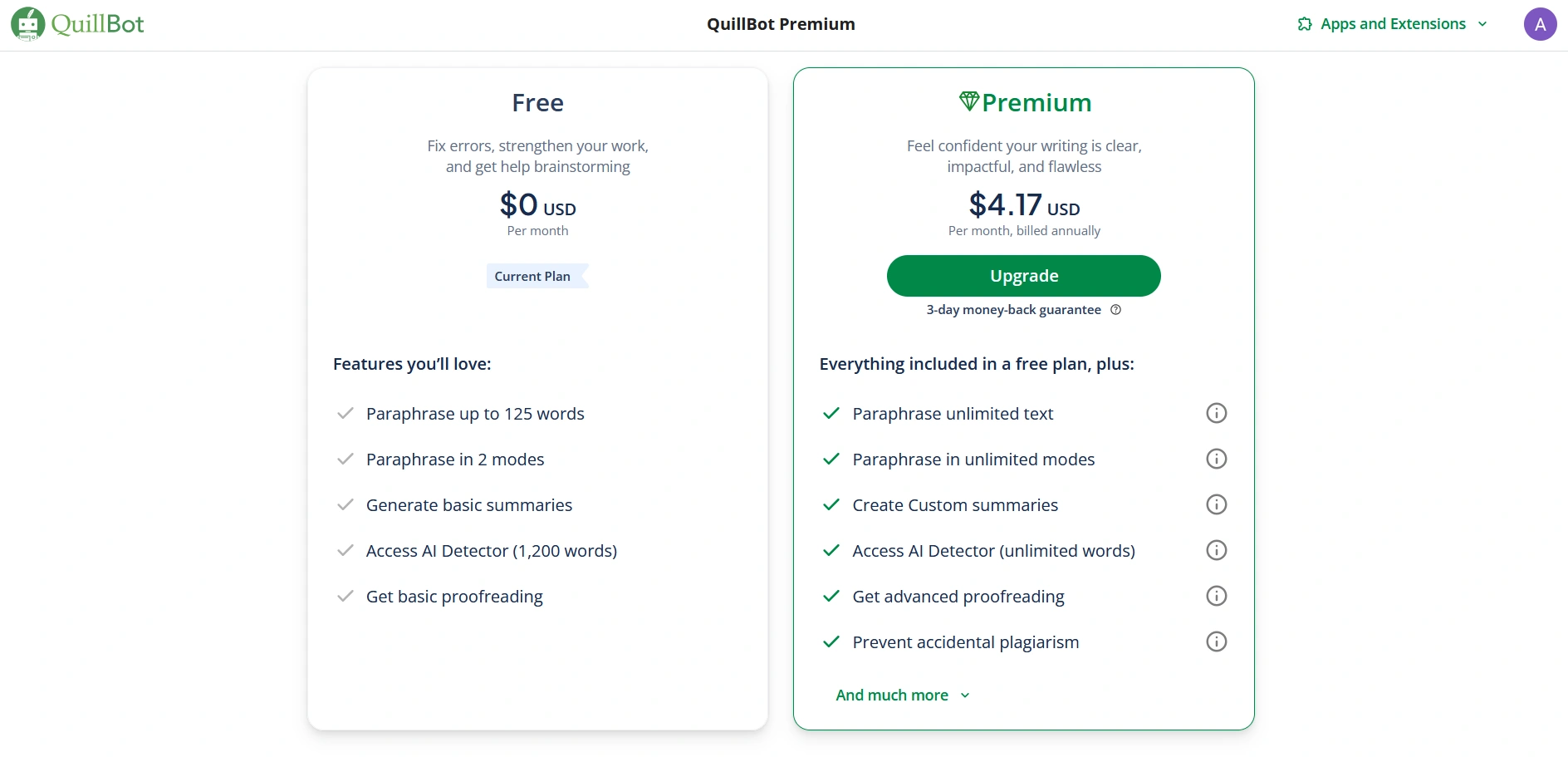
Customers can choose from the Free and Premium plans offered by QuillBot. Those who select the Free plan receive basic writing tools, while paying customers on the Premium plan gain access to all editing capabilities. You can check the details of the plans below to view their content.
QuillBot Free
The plan, which includes all benefits, is available for free to all registered users. This free writing solution provides essential writing improvement tools to users without charging a fee. Here’s what you get:
- Paraphrase up to 125 words;
- Use two paraphrasing modes;
- Generate basic summaries;
- The AI Detector function is limited to text inputs of less than 1200 words;
- Get basic proofreading.
QuillBot Premium
The Premium plan is available as a monthly subscription for $9.95. Alternatively, customers can purchase a 6-month access for $39.95 or opt for the annual subscription at $49.95. This plan comes equipped with a 3-day money-back assurance. Users sometimes need to suspend their memberships, and the service supports this option. Here’s what’s included:
- Paraphrase unlimited text;
- Access unlimited paraphrasing modes;
- Create custom summaries;
- The Use AI Detector tool of Premium is available for unrestricted word lengths;
- Get advanced proofreading;
- Prevent accidental plagiarism;
- Access to Google Chrome, Microsoft Edge, macOS, Word and Android integrations;
- Summarizer tool up to 6,000 words.
Our verdict on Premium
We compared Free vs Premium. Unlimited paraphrasing and advanced proofreading in Premium made a huge difference. However, plagiarism checks being locked behind a paywall is a drawback.
Pros and Cons of QuillBot
After testing the program, we at the We-Right team can make some assessments. QuillBot functions as a handy software program that assists users in writing, rewriting, and text condensation tasks. Similar to other services, QuillBot presents both favorable and unfavorable characteristics.
| Pros | Cons |
| Simple and easy to use | Limited features in the free version |
| Free plan available | AI-generated text still needs manual editing |
| Multiple writing tools in one place | The plagiarism checker requires a paid plan |
| Money-back guarantee for premium | |
| AI detector included | |
| Works as a browser extension | |
| Available for desktop and mobile |
What We Think About QuillBot
QuillBot proves to be an excellent assistant for rewriting, summarizing, and grammar checks. In our tests, the Paraphraser performed well in avoiding repetition and improving clarity, although it still required manual fine-tuning in creative modes. The AI Detector accurately identified most AI-written content, but short texts showed mixed results. Premium features, such as unlimited paraphrasing and advanced proofreading, significantly enhance usability, especially for long-form writing.
Overall, QuillBot is not a comprehensive AI writing generator, but rather a reliable companion for refining, verifying, and enhancing your content. If you’re looking to refine your text and save time on editing, QuillBot is a strong choice – just don’t expect it to replace human creativity.
FAQ
Can QuillBot be detected?
Turnitin, alongside several other plagiarism and AI detectors, can detect text that QuillBot has paraphrased. These evaluation tools detect patterns and structural elements, making rewritten material detectable. Before submission, you need to verify important work.
What are the limitations ?
The free version of QuillBot has restrictions. The free service allows users to paraphrase up to 125 words simultaneously and summarize up to 1,200 words, while translation is limited to 5,000 words. Users need to upgrade to a premium plan to access features that include tone management and plagiarism screening options.
Can ChatGPT be detected after using QuillBot?
AI detectors maintain the capability to identify texts emanating from ChatGPT despite users employing QuillBot for rewriting purposes. The process of fact-checking, along with editing, will help you keep accurate writing. Using AI-generated content unlawfully will produce consequences both academically and professionally.
Is QuillBot better than Grammarly?
QuillBot and Grammarly serve different purposes. Grammarly is stronger for grammar, style, and clarity, while QuillBot shines in paraphrasing and rewording text. Many writers use them together: Grammarly to refine language and QuillBot to reshape ideas.



You might also like
Discover other helpful articles handpicked for you, based on popular topics and recent publications.

Grammarly and QuillBot solve different writing problems, and choosing the right one depends on what you actually need. We tested both tools in real writing scenarios – from grammar-heavy drafts to paraphrasing tasks – and broke down six key differences that matter in practice, not in marketing claims.
 February 23, 2026
 173
173
Smodin.io helps you verify text originality, detect AI-generated writing, check plagiarism, and ensure grammatical accuracy. Discover its top 5 tools, pricing, and expert insights in our full review.
February 4, 2026
231
We-Right Factory experts will research the features of the Surfer SEO service and determine whether they are efficient. The article also contains information about premium plans and a registration guide.
February 4, 2026
245

Our We-Right Factory SEO specialists will talk about three of the most popular keyword density checker tools: Istio, Seoscout, and Checkserp. We will explain how to use these services and their key benefits.
 January 24, 2026
202
January 24, 2026
202

Our We-Right Factory copywriters will complete the ZeroGPT review and determine whether this service is helpful. We'll also compare different premium subscription levels and provide steps for getting started.
January 24, 2026
291

The We-Right Factory team will research the advantages of Quetext and indicate whether a premium subscription is necessary. We'll talk about available features and complete a test to see whether the results are accurate.
January 23, 2026
85

The We-Right Factory team will share all the details about the Copywritely service, including all the available instruments and key benefits and drawbacks. We will also share a simple registration instruction.
October 16, 2025
258

Want to know if a text was written by ChatGPT or a real person? Explore the best AI detectors for Google Chrome – tested tools that reveal how authentic your content really is. We reviewed their features, accuracy, and integrations to help you choose the most reliable option for everyday use.
October 8, 2025
1296

Explore 7 must-have tools for copywriting that streamline your writing, improve SEO, and help you check AI content that ranks, converts, and saves you hours every week!
September 28, 2025
247

We tested Undetectable, Copyleaks, and ZeroGPT to verify the accuracy of their 99% claims. In this review, our team shares test results, highlights strengths and weaknesses, and recommends which AI detector is worth your trust. After weeks of experiments, we’re ready to give you an honest verdict.
September 12, 2025
590