

 EN
EN
 UA
UA
Home
 BlogServices and ToolsOriginality AI Checker – Detailed Review, Price List, and Tests
BlogServices and ToolsOriginality AI Checker – Detailed Review, Price List, and Tests
Originality AI Checker – Detailed Review, Price List, and Tests
Services and ToolsThe We–Right team has prepared an unbiased review of the Originality AI Checker service. Although our reviews may contain affiliate links to services, you can be sure of the honesty of all the content – we strictly adhere to editorial standards.
Originality AI Checker is a special software that allows you to identify texts written by artificial intelligence. It also has several additional options, such as fact-checking the text, plagiarism detection, and others. With this service, you can create a text that will definitely avoid sanctions from Google.

Today, we are testing all the features of Originality AI Checker. For the test, a text was specially written from scratch, as well as a similar version generated using ChatGPT. The testing helped identify key nuances that the detector may pick up on, making the text appear “non-human.”
Before diving into the actual testing of the service, let’s discuss its functionality, package pricing, and other aspects that may be important.
This review will help you decide if Originality AI Checker is the right choice for you.
Originality AI Checker – Prices and Available Packages
Originality AI Checker offers clients who purchase a paid package full access to all its services, including plagiarism detection, AI-generated text detection, readability checks, and more. There are two billing formats – you can subscribe for a full year upfront or pay monthly. The main advantage of paying for a whole year is a discount of up to 23%.
Please note that you can cancel the subscription at any time. Payments are made in USD and can be completed with any bank card. If paying in a different currency, conversion will occur at the current exchange rate.

Pay-As-You-Go
This option is perfect for you if you don’t need Originality AI Checker on a regular basis. For $30, you get access to the following features:
- 3,000 credits for checks, valid for 2 years;
- 1 credit will be deducted for checking 100 words of text;
- Plagiarism, readability, fact-checking, grammar, and spelling checks are available;
- Text scanning history is available for 30 days;
- You can create scan reports and share them with others;
- There is a separate plugin for WordPress that simplifies the text testing process before publishing.
Pro
The most versatile package of Originality AI Checker, suitable for most text testing tasks before publishing. The monthly payment is $14.95, or if you pay for a full year upfront, you’ll save $24. You will have access to all the services from the “Pay-As-You-Go” package, along with the following additional features:
- 2,000 credits, renewed monthly. Unused credits are automatically forfeited;
- Ability to check files in docx, pdf, doc formats;
- Access to scan a page by a specific URL;
- Tag scanning;
- Team access to the service;
- Separate Chrome extension.
Enterprise
This Originality AI Checker package is the optimal choice for publishers and SEO agencies, as it provides full access to all the service’s features. The monthly payment is $179, but if you pay for a full year upfront, you save $509. In addition to all the features from the “Pro” package, the following options are also available:
- 15,000 credits per month;
- Priority access to support;
- History of checks saved for 1 year;
- API access.
Overview of Key Features of Originality AI Checker
One of the features of the Originality AI Checker is that after registering and paying for a package, you will get access to various tools for text verification. These include tools for AI detection, plagiarism, fact-checking, and readability. Full website scanning is also available. Let’s take a closer look at these features.
AI Detection
Currently, the Originality AI Checker detects texts written by ChatGPT, GPT-4, Gemini Pro, Claude 3.5, Llama 3.1, and other tools, including paraphrasing tools, with 99% accuracy. Scanning is available in three formats: Lite, Turbo, and Multilingual. The testing options differ in the following ways:
- Lite. Suitable for testing texts that have been edited with AI tools. AI content detection is accurate up to 99%, with false positives occurring only 1% of the time;
- Turbo. Suitable for testing texts where AI content is strictly prohibited. This tool detects any bypass methods and does not allow texts edited with AI tools.
Plagiarism Detection
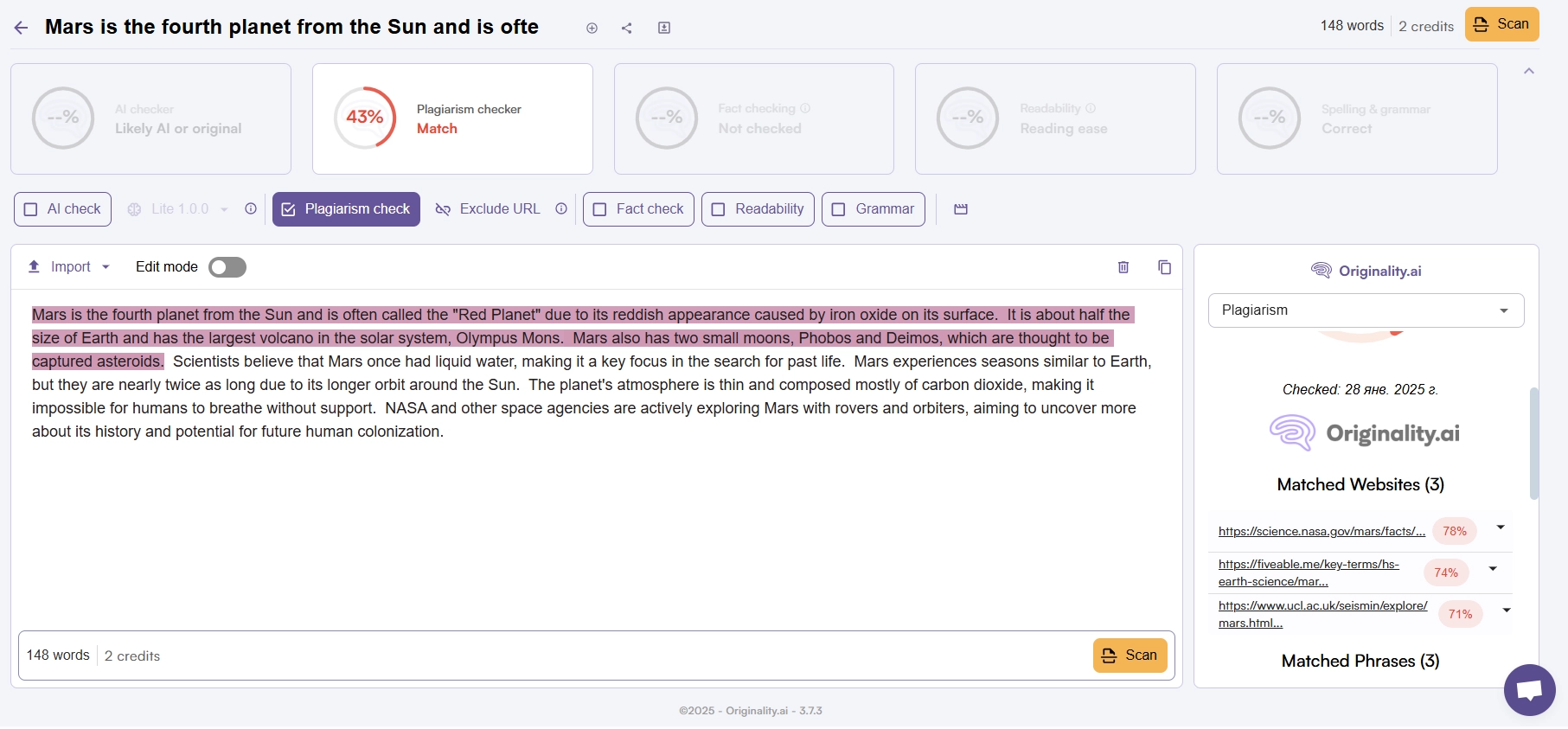
The main feature of the Originality AI Checker is that it uses AI technologies during scanning, ensuring effective detection of any similar sections in your written text. Currently, the scanner provides more accurate results than popular platforms like Grammarly and Copyscape. Another advantage of the plagiarism detection tool is its fast result generation.
Fact-Checking
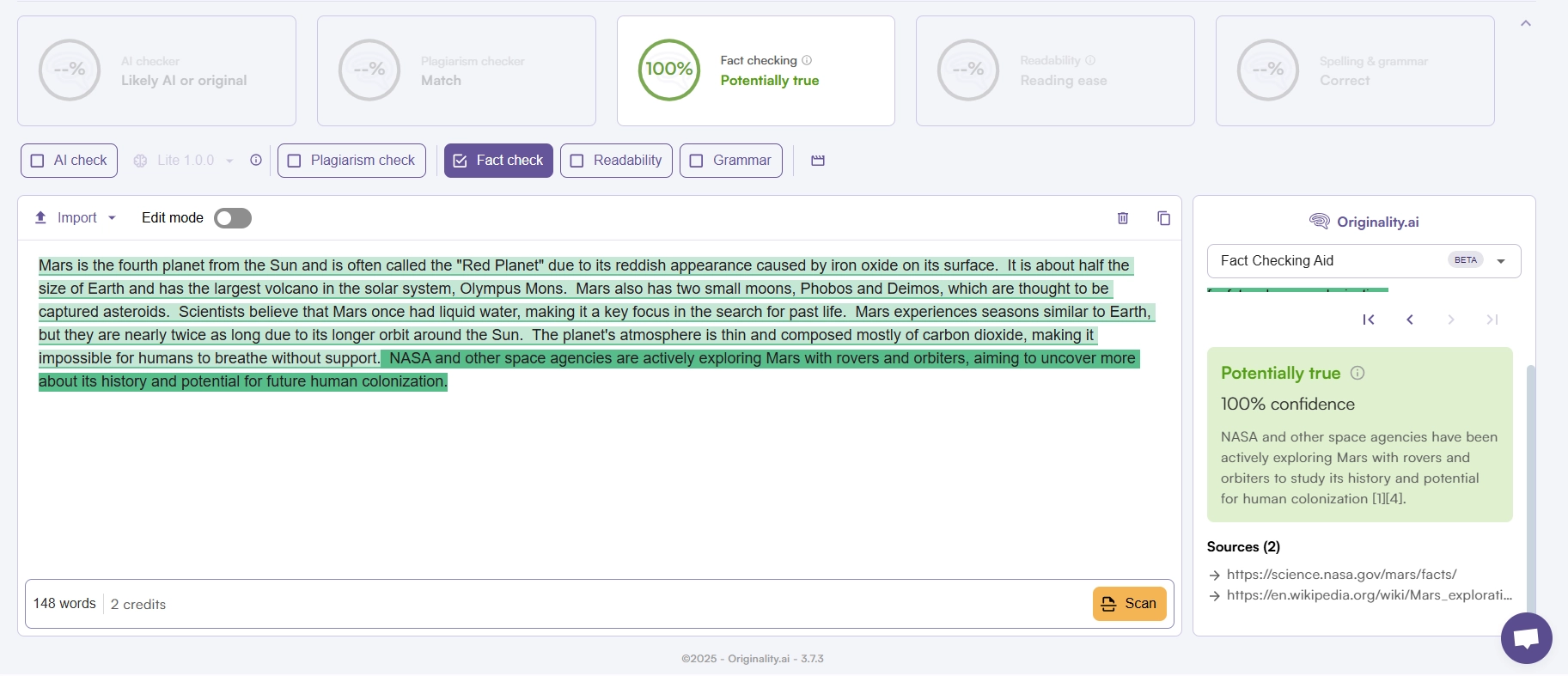
This tool Originality AI Checker will be useful if you are creating texts using AI tools and need to verify the facts provided by the chat for accuracy. It helps avoid the possibility of publishing false content that could negatively affect search engine rankings. The check is done in real time, allowing you to immediately spot and correct any problematic sections.
Readability Check
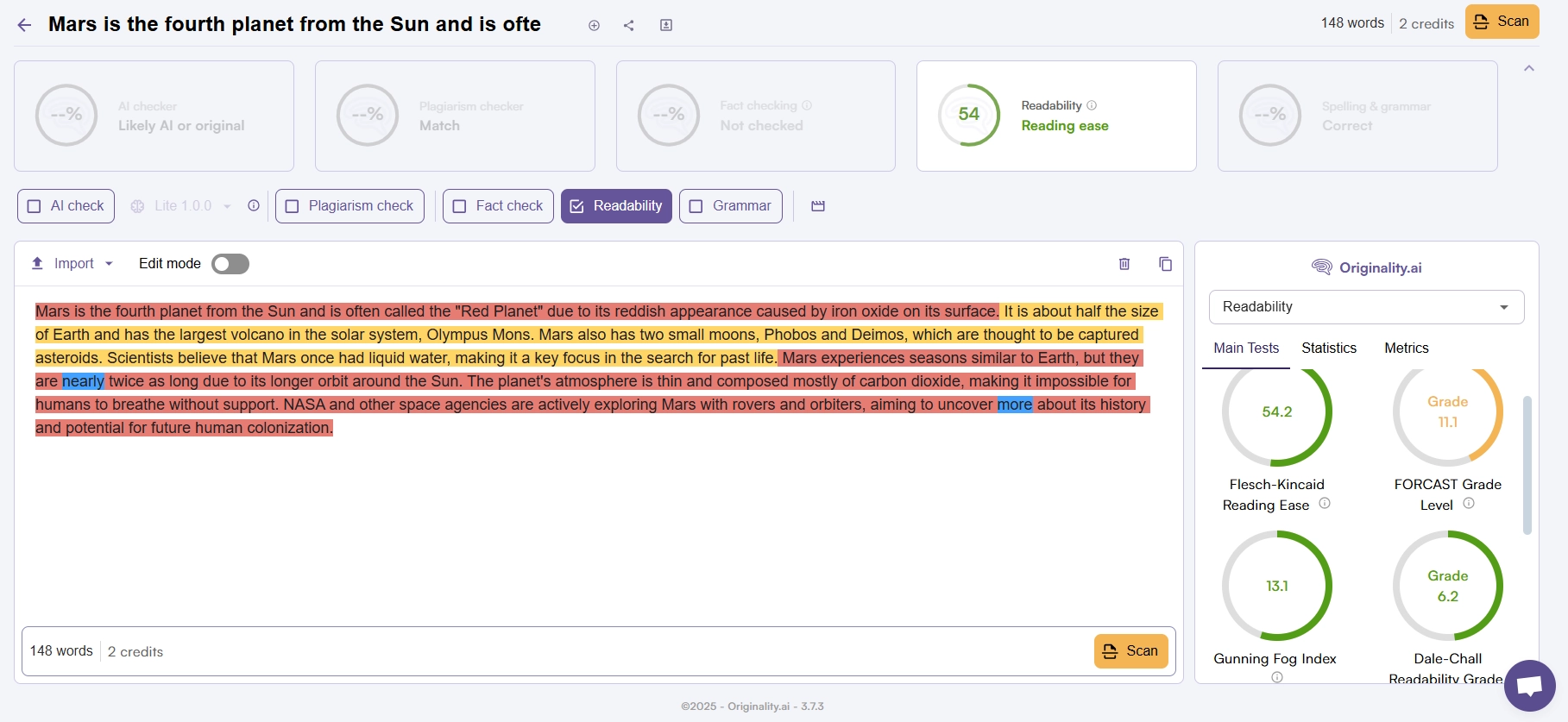
This tool allows you to assess how easy it is to read and understand your text for the audience. The obtained score will help you roughly evaluate how understandable your content will be for your target audience. The Originality AI Checker will also point out problematic areas that need correction. Keep in mind that good readability of your text will help with website ranking – Google will return to it for new data.
Grammar Check
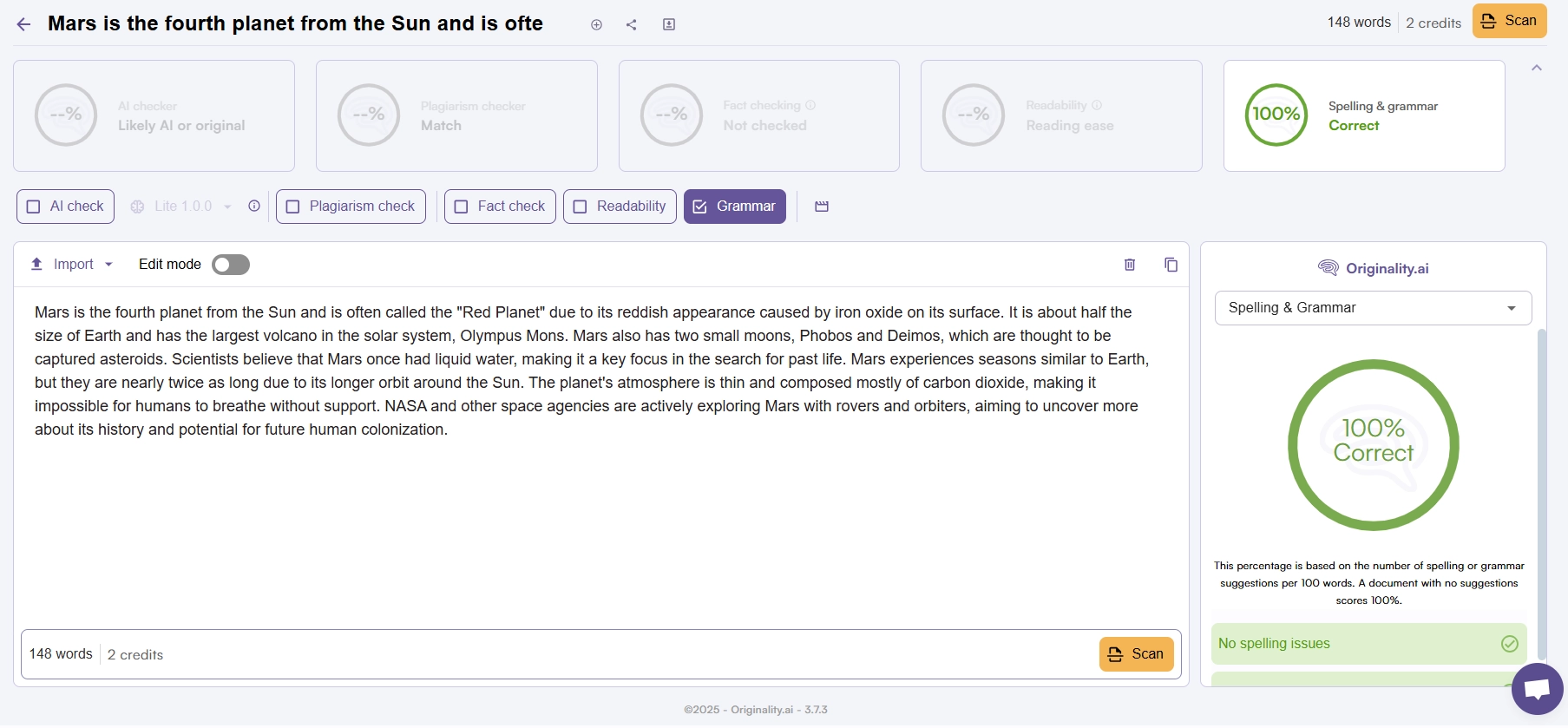
With this tool, Originality AI Checker, you can quickly test your written text for grammatical and punctuation errors. The tool allows you to make corrections and perfect the text. It is suitable for testing the following:
- Typos;
- Grammatical errors;
- Incorrect punctuation.
Website Testing
A very convenient tool that allows you to scan an entire website for AI-generated content. The tool will help identify problematic materials and detect which of your authors are using chatbots to create content. Why is it important to test a website for AI content? The use of artificially generated materials can lead to serious issues, including loss of trust, penalties from search engines, and the spread of incorrect information among your readers.
How to Create an Account with Originality AI Checker
To access all the features of Originality AI Checker, you will need to create an account. The process includes the following steps:
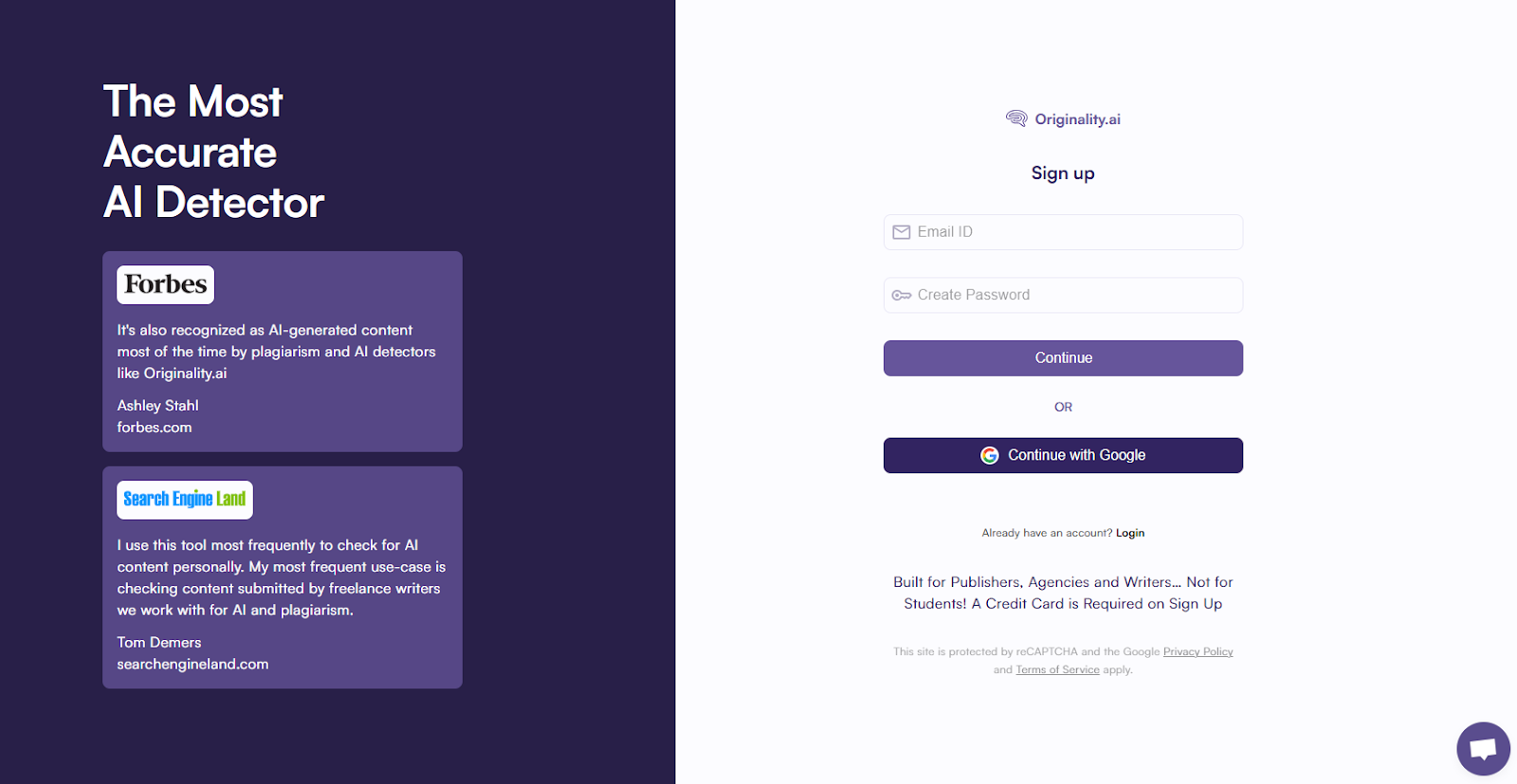
- Go to the official website of Originality AI Checker and click on the “Sign Up” button in the top right corner.
- Provide your current email address and create a secure password for your account.
- Confirm that you agree with the terms and conditions of the service and the current privacy policy.
- Click the “Continue” button to create your account. After that, you will be automatically redirected to your personal dashboard.
Read also our article: QuillBot vs. Grammarly: 6 Key Differences You Need to Know
Fast authorization is also available using a Google account. For further login to the personal dashboard, click the “Log In” button and enter your email address and phone number.
How to Purchase a Plan from Originality AI
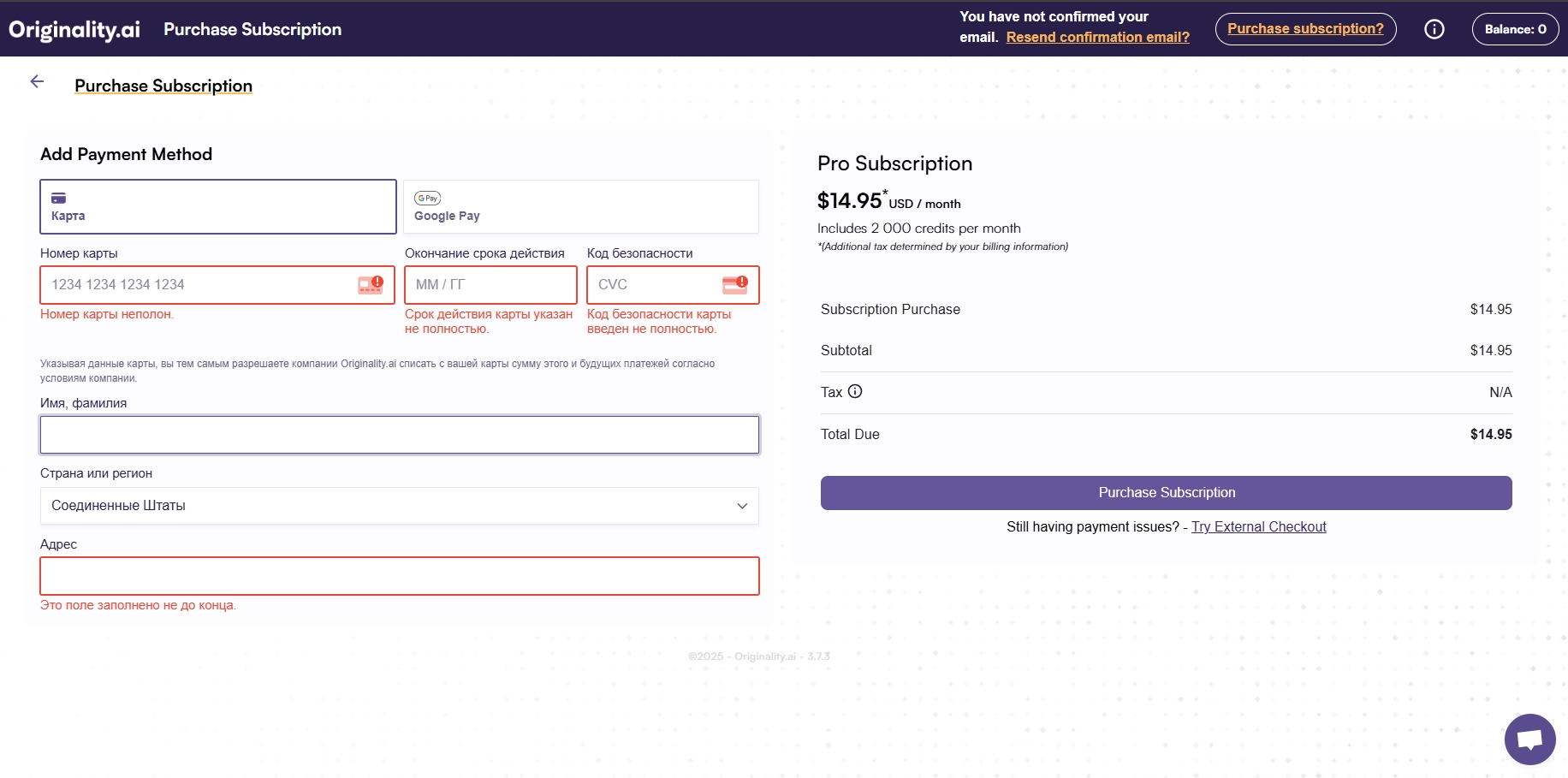
After logging into your dashboard Originality AI Checker, you will need to either purchase credits or subscribe to a plan. You will see a small banner at the bottom of the screen where you can choose the purchase option that suits you.

Then, you will need to enter your credit card details or choose payment via Google Pay. After confirming the payment, your subscription will be activated.
Overview of Personal Dashboard Features
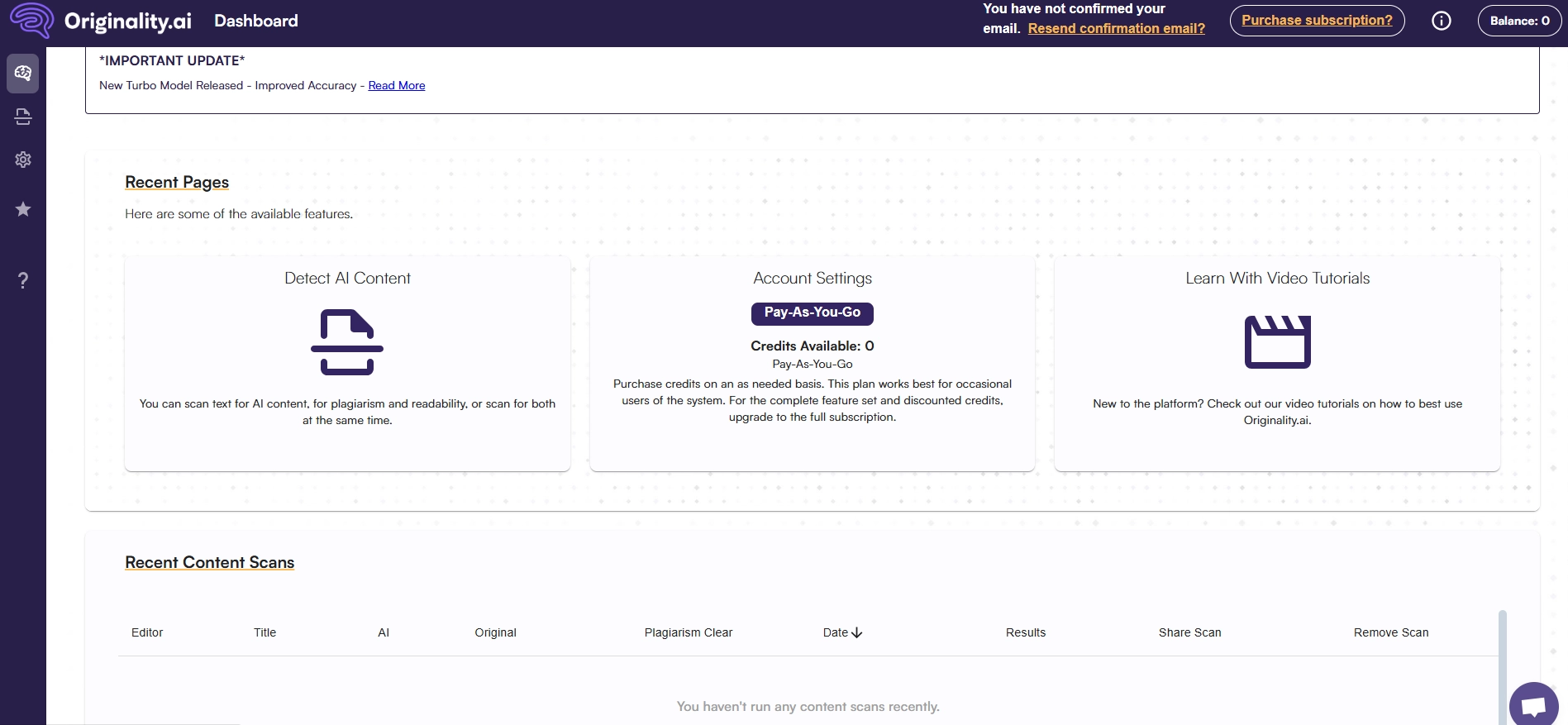
The Originality AI Checker personal dashboard is quite functional. In the top right corner, you will be able to see information about your current credit balance for checks. The main navigation between sections is done using the left-side menu. There, you will find the following tabs:
- Dashboard. On this tab, you can explore the available features in your plan and view the history of previously performed checks;
- Content Scanner. Access to the content scanner, which allows you to detect AI, check grammar, readability, and other parameters;
- Website Scanner. Access to the tool for full website scanning. Here, you can select which pages to test and set other parameters;

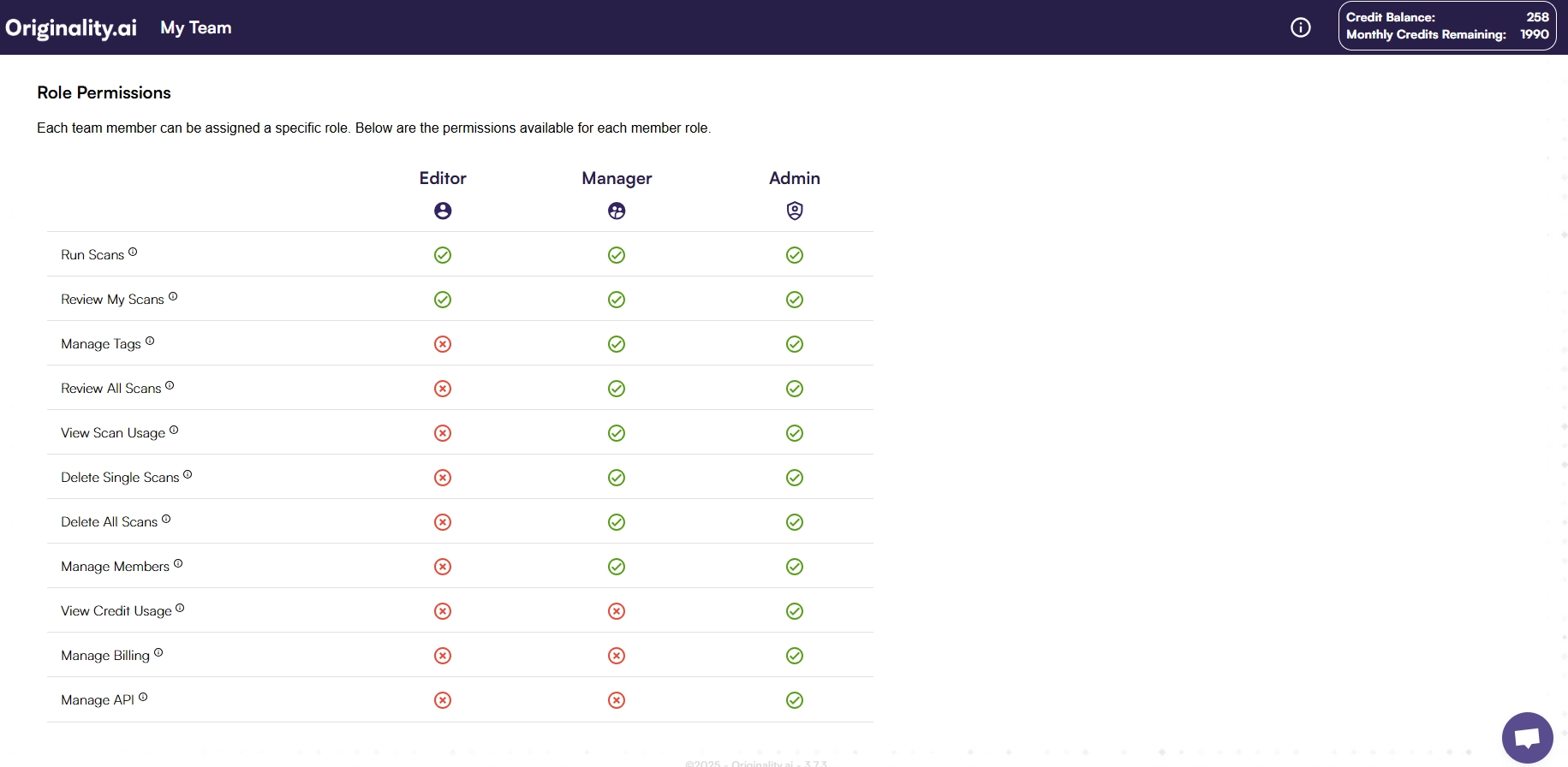
- My Team. Manage your team – here you can add new members to your team and configure roles;
- API Keys. In this section, you can create new API keys;
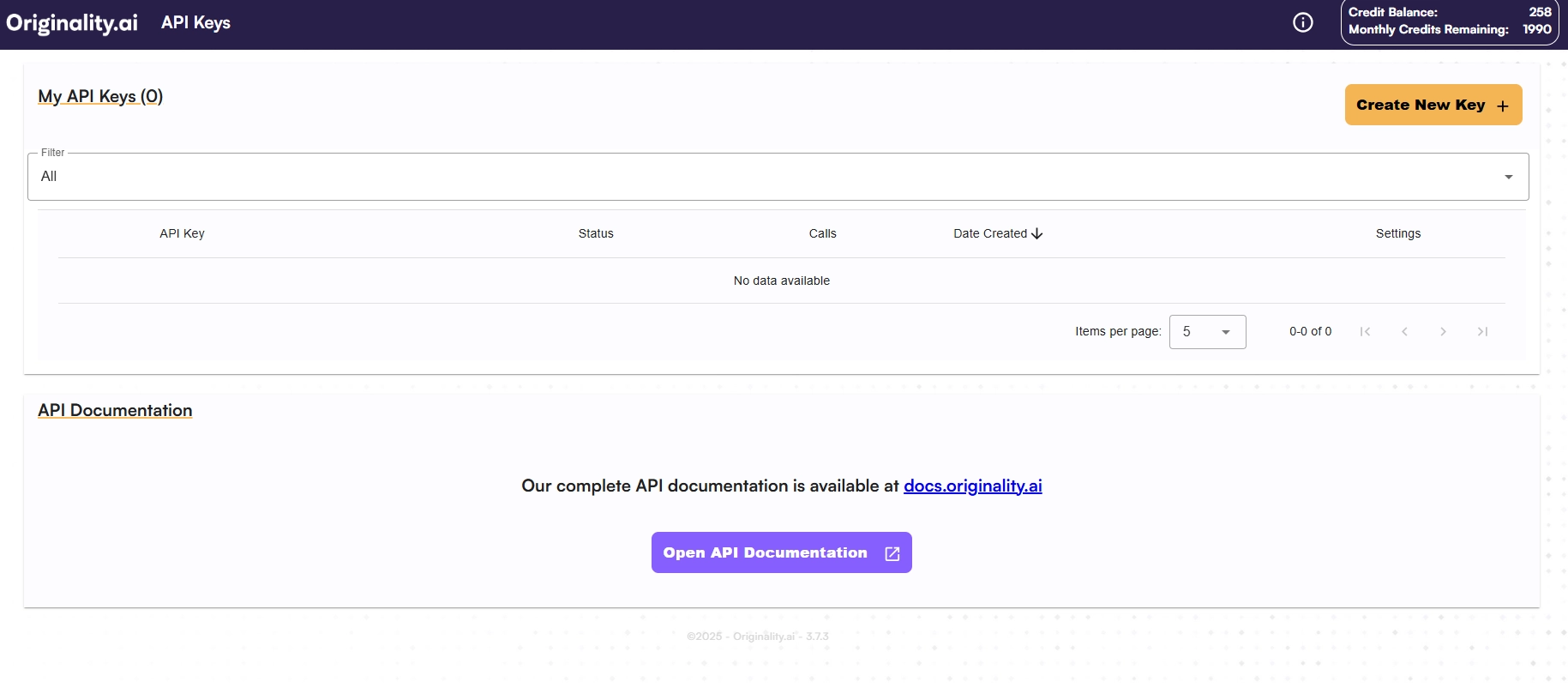
- Settings. Various settings for your account – payment information, basic account data, change payment method, and other parameters.
How to Check a Text for AI Content
To check a text for AI content at Originality AI Checker, you will need to log into your account first. Then, follow these steps:
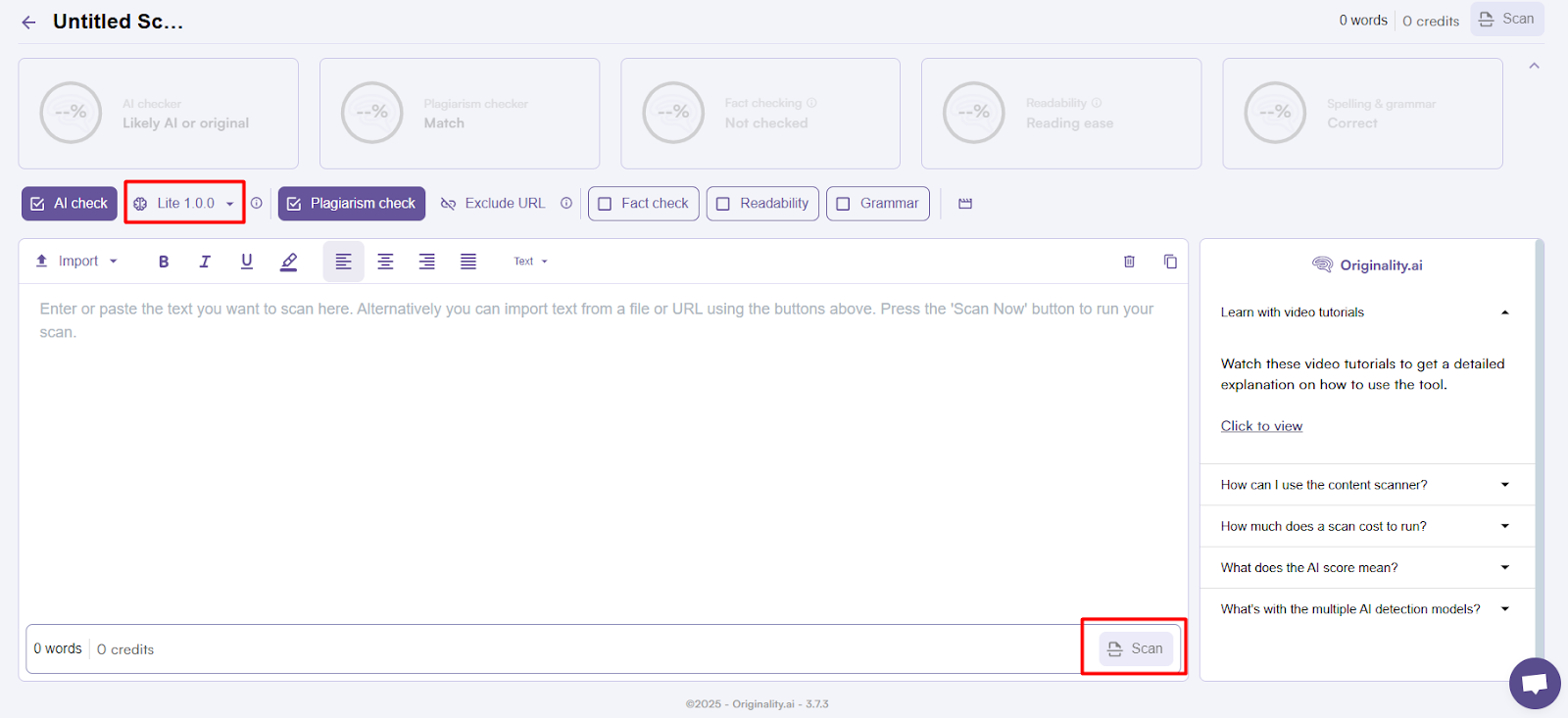
- Go to the “Content Scanner” tab and select the “New Scan” option.
- Paste the text for checking into the form. You can also upload a document for checking. To do this, click the “Upload” button and specify the path to your file on your computer.
- Choose which model will be used for scanning the text – Light, Turbo, or Multilingual.
- Check the boxes next to the tools you want to use for scanning the text.
- At the bottom of the form with the entered text, click the “Scan” button. The file scanning process will start, and in a few minutes, you will see the results of the check.
Testing the Originality AI Checker with Real Texts
Now let’s move on to testing the accuracy of the AI scanning tool. For this, one material was completely written by hand, while the other was 100% generated using ChatGPT. Here’s what the test of the generated text showed:
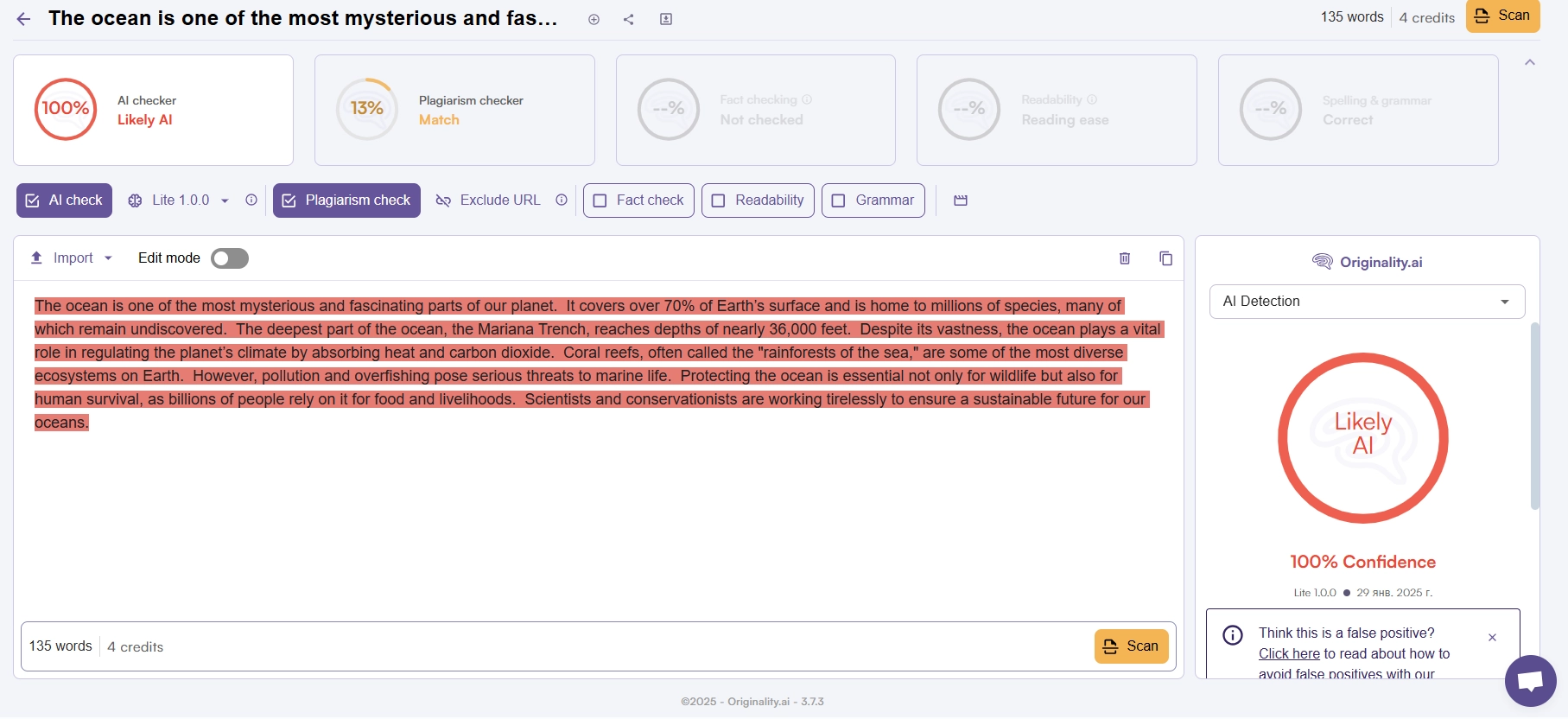
As you can see, the scanner accurately determined that the text was 100% generated by artificial intelligence. Identical results were shown when using both models for testing. Let’s see what happens with the hand-written text; after testing, we got the following results:
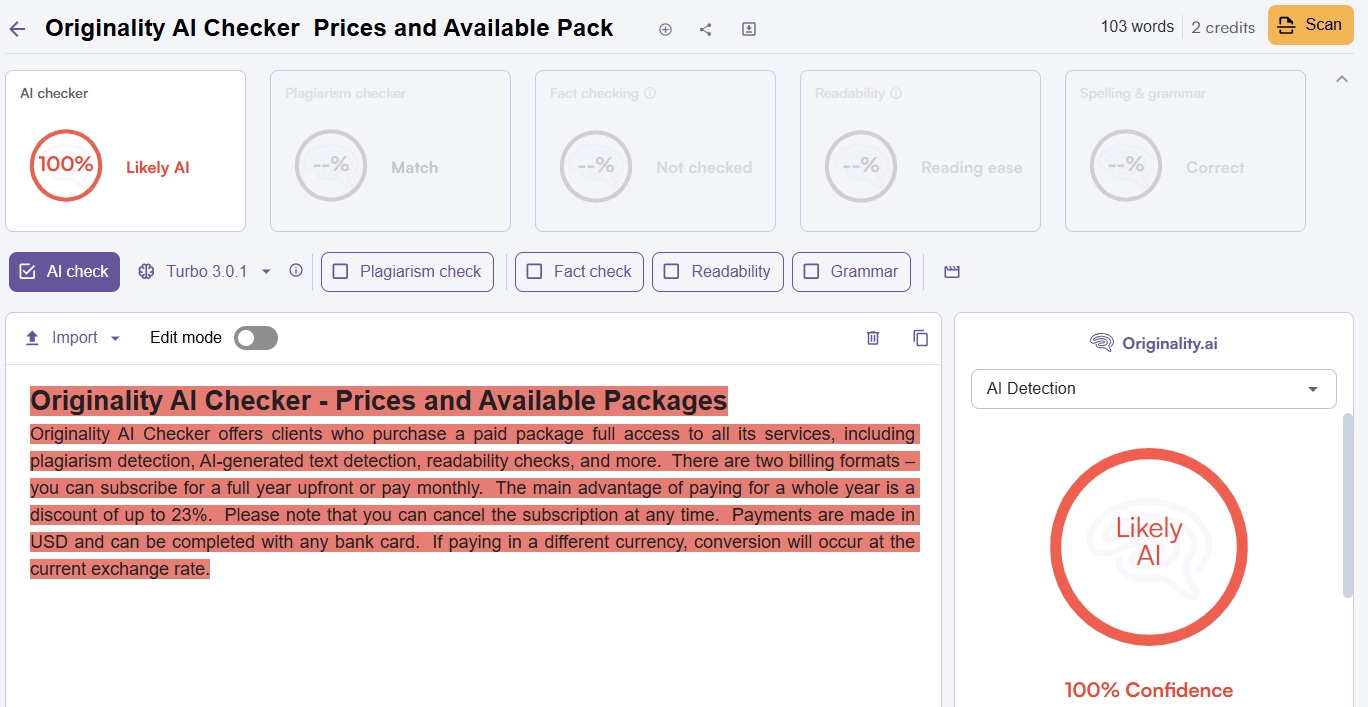
Even though the text was written entirely from scratch without using any content creation tools, the scanner still detects it as completely generated.
For comparison, this same piece of text in another scanner, Copyleaks, is identified as entirely human-written.
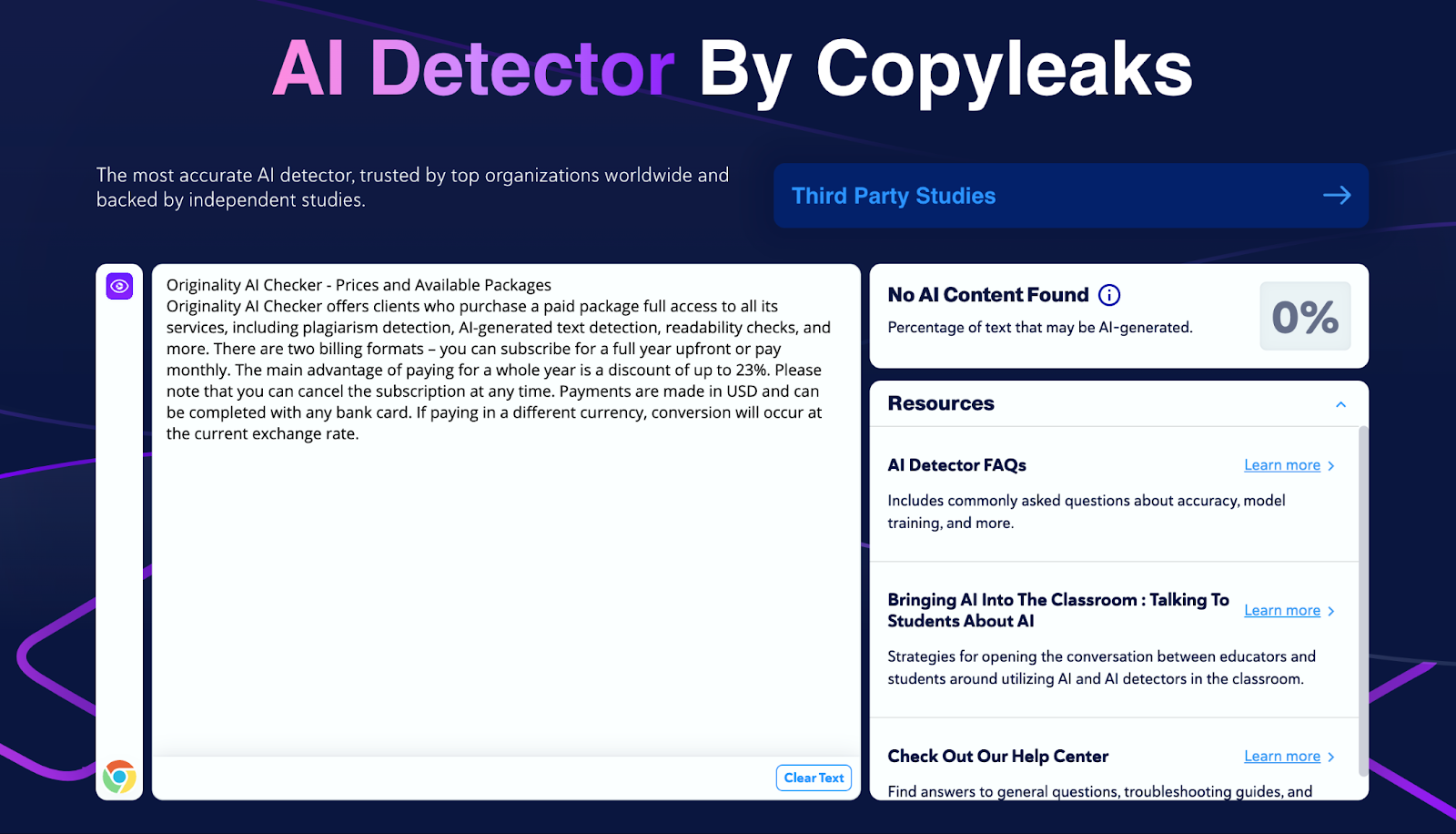
This may suggest that the tool is not very suitable for testing AI content. Yes, it has some other interesting features, but the scanning results are inaccurate. Perhaps, in the future, the technology will be upgraded, and the results will be much more accurate.
Advantages and Disadvantages of Originality AI Checker
Based on the testing of Originality AI Checker, we highlighted several key pros and cons of this tool.
| Pros | Cons |
| Many additional tools for text checking | Low scanning accuracy – human-written texts are marked as “AI” |
| Several package options | |
| Possibility to save money by purchasing an annual subscription | |
| There is a plugin for WordPress and a Chrome extension |
Expert Opinion on Originality AI Checker
Based on the results from scanning with Originality AI Checker, this tool is not very suitable for detecting AI-generated content. However, it has other interesting features, such as plagiarism checking and fact verification. It might perform better when checking texts in other languages, but in the case of English content, it is not very effective.
FAQ
How to cancel a subscription to Originality AI Checker?
To cancel your current subscription, go to your account settings and select the “Subscriptions” section. Click the “Cancel” button, and you can continue using the service’s features until the end of the paid period.
How to contact Originality AI Checker support?
The easiest way is to open the chat by clicking the button in the bottom right corner of the website. You can also access the Help Center in the chat, where you’ll find frequently asked questions and answers.
What is the cheapest subscription option for Originality AI Checker?
A one-month subscription to the Originality AI service will cost you $14.95.
Can I use Originality AI Checker for free?
Yes, some features, including the AI scanner, are available for free without registration.



You might also like
Discover other helpful articles handpicked for you, based on popular topics and recent publications.

Grammarly and QuillBot solve different writing problems, and choosing the right one depends on what you actually need. We tested both tools in real writing scenarios – from grammar-heavy drafts to paraphrasing tasks – and broke down six key differences that matter in practice, not in marketing claims.
 February 23, 2026
 173
173
Smodin.io helps you verify text originality, detect AI-generated writing, check plagiarism, and ensure grammatical accuracy. Discover its top 5 tools, pricing, and expert insights in our full review.
February 4, 2026
231
We-Right Factory experts will research the features of the Surfer SEO service and determine whether they are efficient. The article also contains information about premium plans and a registration guide.
February 4, 2026
245

Our We-Right Factory SEO specialists will talk about three of the most popular keyword density checker tools: Istio, Seoscout, and Checkserp. We will explain how to use these services and their key benefits.
 January 24, 2026
202
January 24, 2026
202

Our We-Right Factory copywriters will complete the ZeroGPT review and determine whether this service is helpful. We'll also compare different premium subscription levels and provide steps for getting started.
January 24, 2026
291

The We-Right Factory team will research the advantages of Quetext and indicate whether a premium subscription is necessary. We'll talk about available features and complete a test to see whether the results are accurate.
January 23, 2026
85

The We-Right Factory team will share all the details about the Copywritely service, including all the available instruments and key benefits and drawbacks. We will also share a simple registration instruction.
October 16, 2025
258

Want to know if a text was written by ChatGPT or a real person? Explore the best AI detectors for Google Chrome – tested tools that reveal how authentic your content really is. We reviewed their features, accuracy, and integrations to help you choose the most reliable option for everyday use.
October 8, 2025
1296

Explore 7 must-have tools for copywriting that streamline your writing, improve SEO, and help you check AI content that ranks, converts, and saves you hours every week!
September 28, 2025
247

Our team at We-Right tested QuillBot’s Paraphraser, Grammar Checker, and AI Detector in real scenarios. In this review, we share what worked well, where the tool struggled, and whether it’s worth using. After weeks of testing, we’re ready to give you an honest verdict.
September 28, 2025
866